
Ease of Use
I would rate it as 4.2/5.
Here’s why:
- The fact that the pro version automatically installs the free version if it's not already present is a thoughtful feature, enhancing the overall user experience.
- A point of concern is the functionality issue with the “disable unused widgets” button (malfunction can be a minor setback).
- While the plugin lacks a setup wizard, which some users might expect for added guidance, it compensates with an intuitive interface.
Premium Addons for Elementor scores high on ease of use, thanks to its straightforward installation process and user-friendly interface.
But there's still room for improvement, particularly in ensuring all features work as intended.
Installation Process
Premium Addons for Elementor has a free and a pro version — for the pro version, you would need the free version first (although they have a good point here).
If you want to try out the free version first or if it has the widget you want to use, you can simply search for it from the WordPress plugin repository:
- Go to plugins > add new plugin
- Search for the Premium Addons for Elementor plugin
- Install and activate the plugin
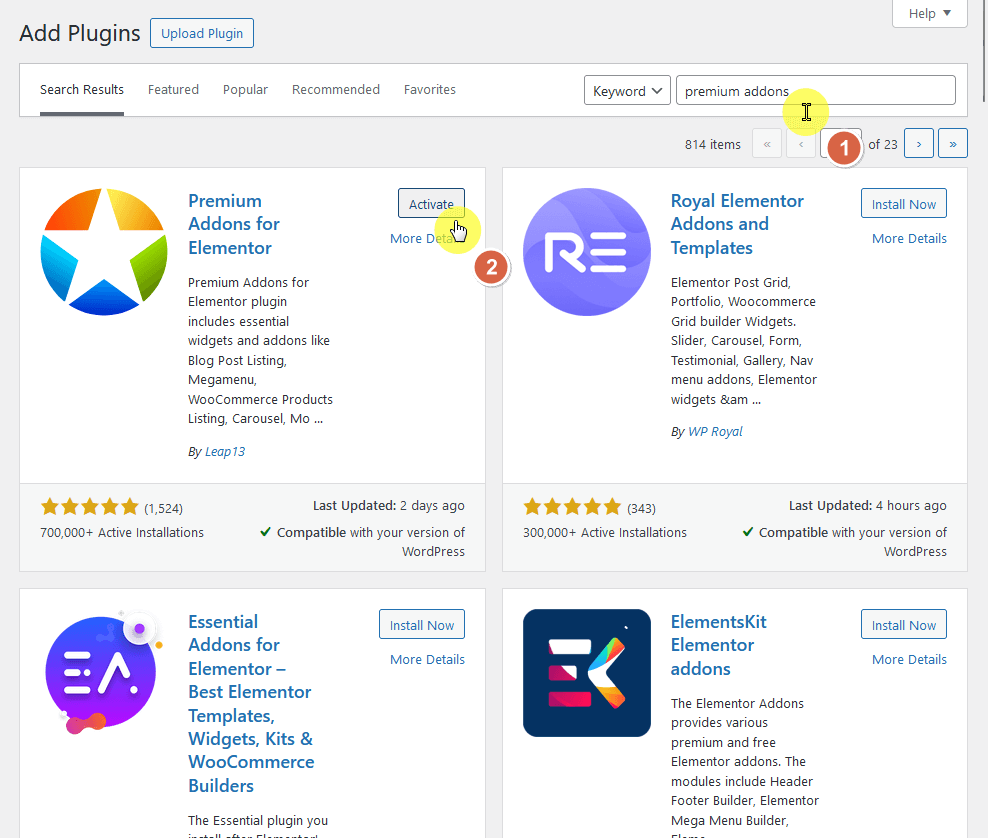
For the pro version, you need to purchase a plan from their website first and then download the pro plugin from your account.
From there, do the following steps:
- Go to plugins > add new plugin > upload plugin
- Browse through your files and select the plugin
- Click the install now button
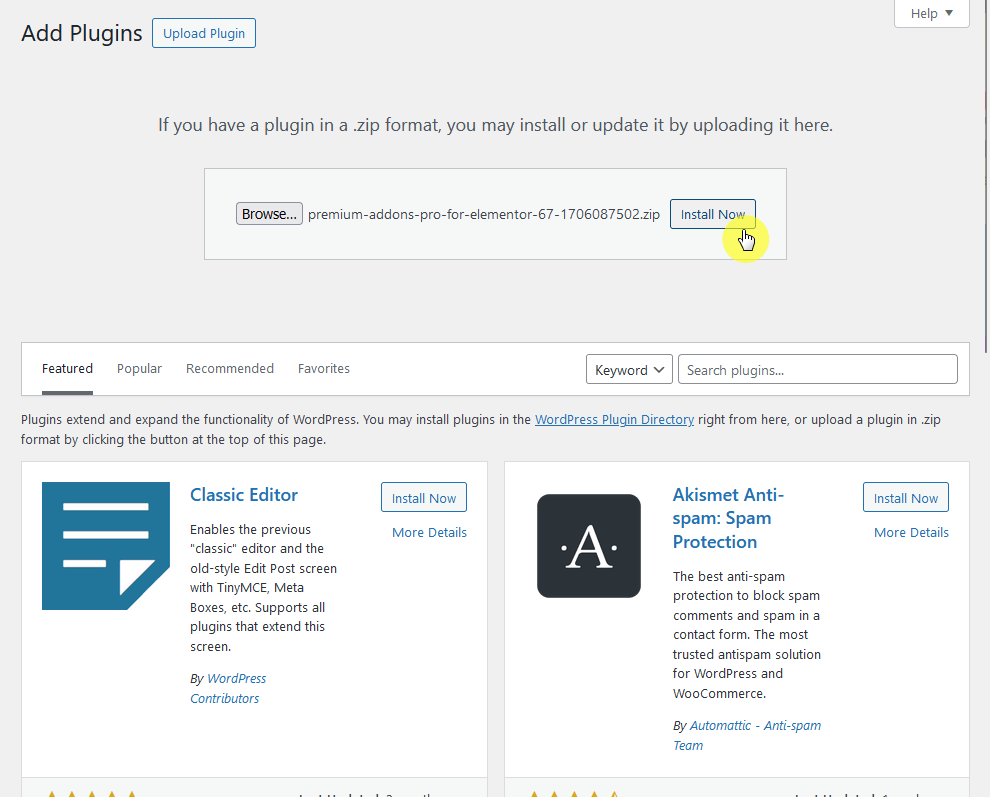
By the way, I like the fact that if you start with the pro version and you didn’t install the free version first, the pro version will automatically download the free version.
You will see a screen like this:
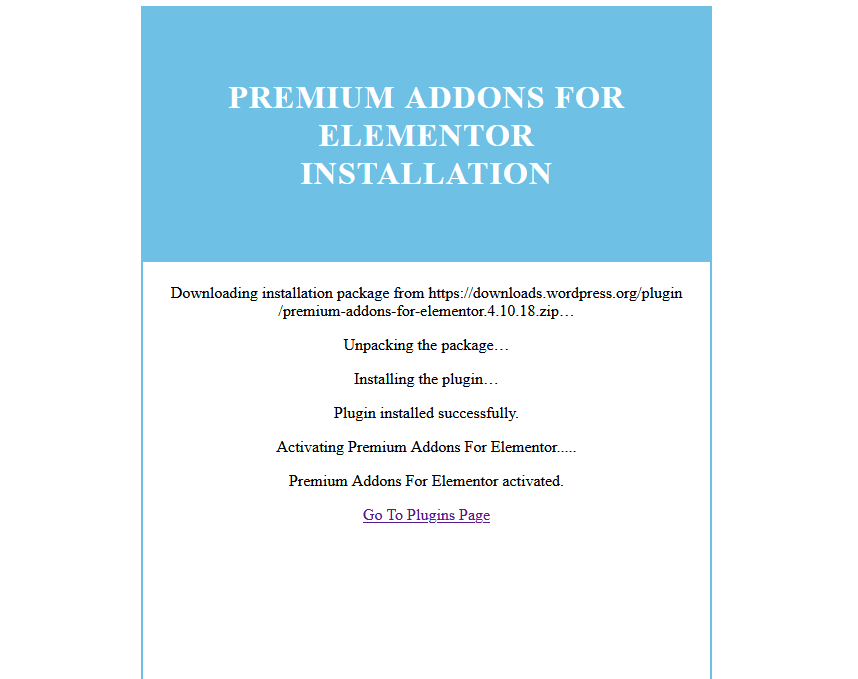
After activating the pro version, you will see a notification at the top of the page to activate your license key to get updates and more.
This will take you to the license page that also contains instructions on how to get the license key from your Premium Addons account.
This is the page:
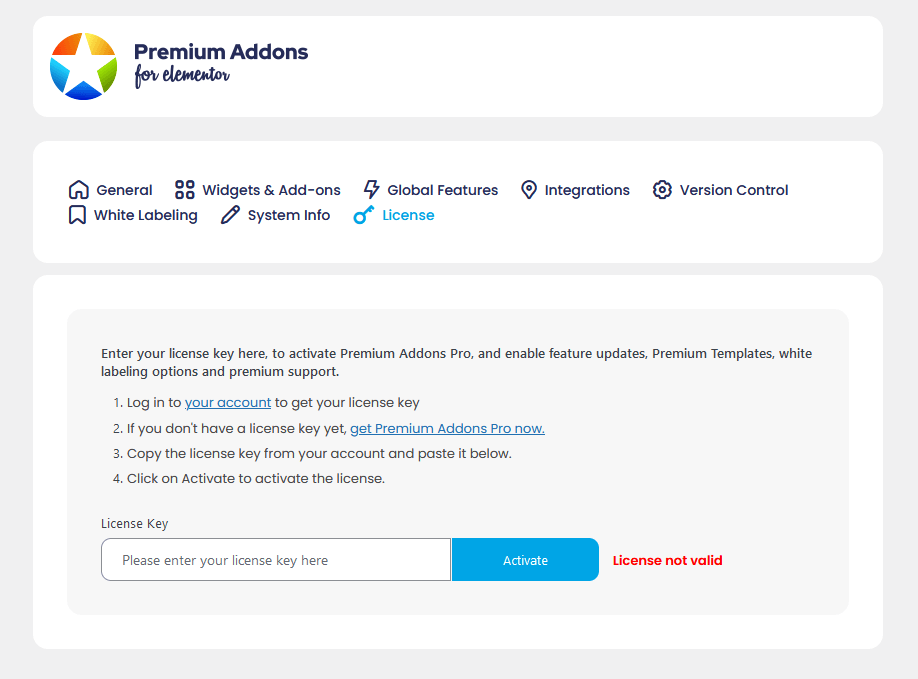
Without entering the license key, you won’t be able to use some of the features included like the premium templates and white labeling.
Plugin Settings
After entering the license key of the pro plugin, navigate to the general tab of the plugin settings and you will see various support options.
It looks like this:
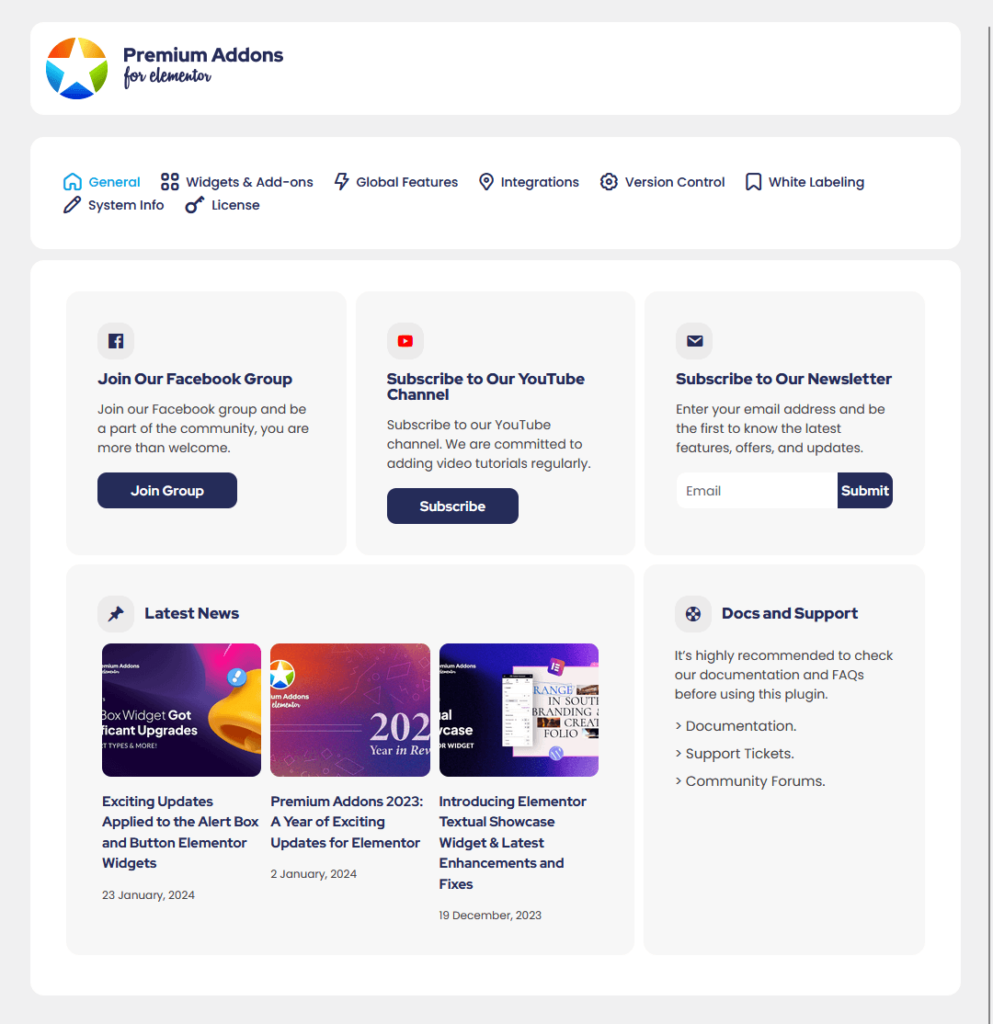
You will find here links that will take you to the following:
- Facebook Group
- YouTube channel
- Latest news
- Documentation and support
So far, I have noticed a great trend in Elementor addon plugins having helpful front pages in the plugin settings.
Premium Addons doesn’t have any setup wizard — but you can easily switch all widgets and add-ons on and off.
That’s because there is a “master switch” that can enable/disable all widgets at once, as well as a button to disable unused widgets.
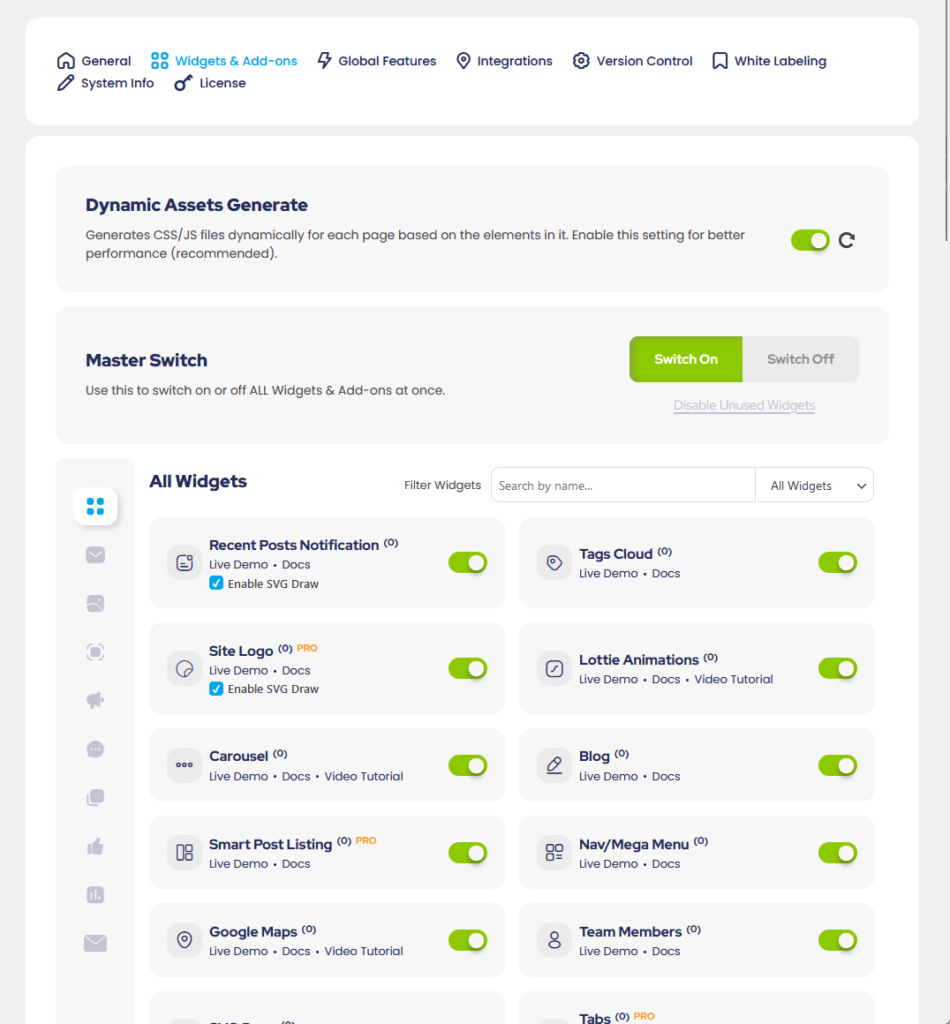
You can go through the list of widgets as well or search/filter the list and then enable/disable the widgets one at a time.
There’s also a button that will allow you to dynamically generate CSS/JS files for each page to improve the performance of your website.
Premium Addons for Elementor has a separate tab for the global features where you can enable and disable them individually.
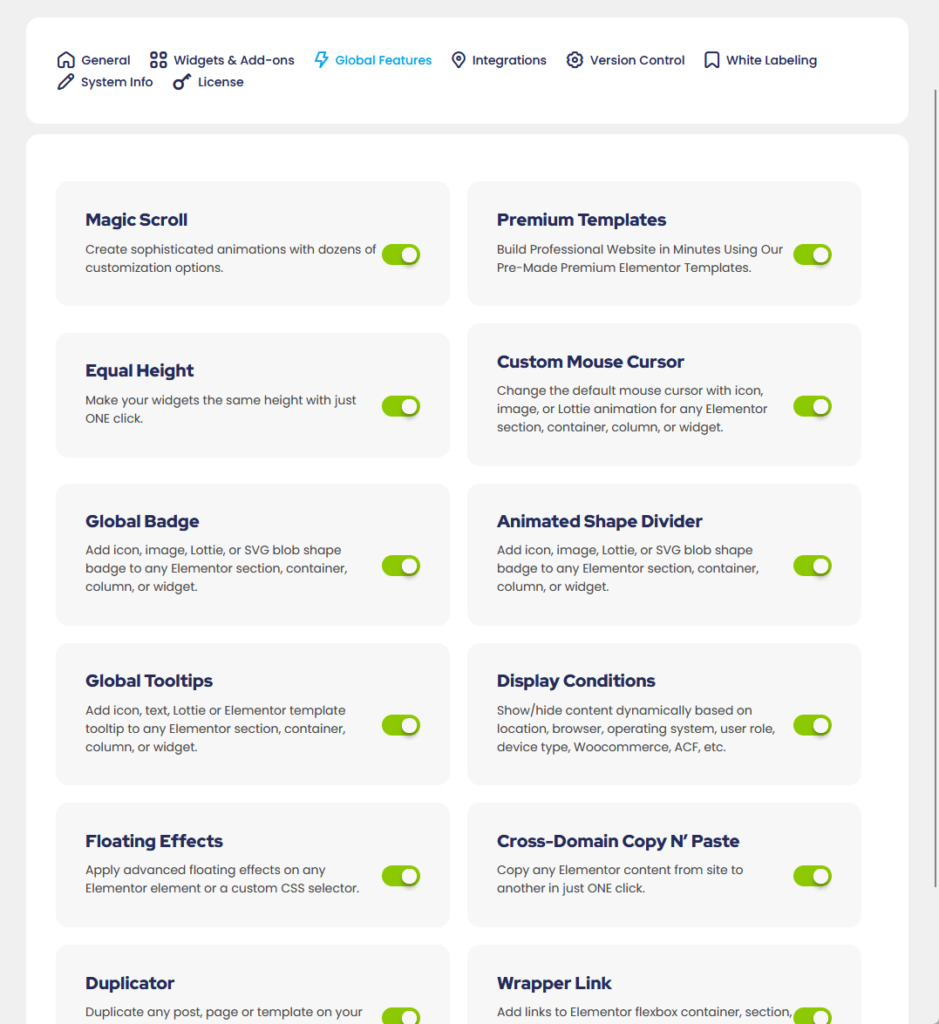
Despite not having a master switch for the features — I will gladly trade off the master switch feature anytime if it means I can use all the global features here. 👍
👋 My thoughts here
I had one of the smoothest experiences in installation and setup with the Premium Addons for Elementor Pro plugin.
Here’s what I liked:
- Hard to find a pro theme/plugin that follows the free plugin-pro plugin combo that automatically installs the free plugin for you.
- Enabling/disabling all the widgets is easy thanks to the master switch.
- There is an easy-to-find button that enables the automatic dynamic assets generation.
If you ask me, I’m totally happy with how it is now in terms of ease of use.
However, if there’s one that can be improved, I suggest they look into the “disable unused widgets” button that doesn’t seem to work.
It’s a bonus feature that will let you easily turn off the unused widgets — but it has to work first (or maybe it’s my demo site that has a problem?) 🤔
Features
I would rate it as 4/5.
Here’s why:
- The extensive range of widgets (over 70) available in both the free and premium versions is a major plus.
- A drawback is the relatively lower number of widgets compared to competitors like Happy Addons (which offers over 125 widgets).
- The relatively small number of full-page templates could be a downside for users who prefer a larger variety of ready-to-use page designs.
Premium Addons offers a robust feature set with high-quality widgets and templates, enhancing Elementor's capabilities significantly.
The shortfall in the number of widgets and page templates compared to some competitors slightly affects its rating.
Elementor Widgets
Premium Addons includes a lot of Elementor widgets — the free version alone includes 35+ Elementor widgets.
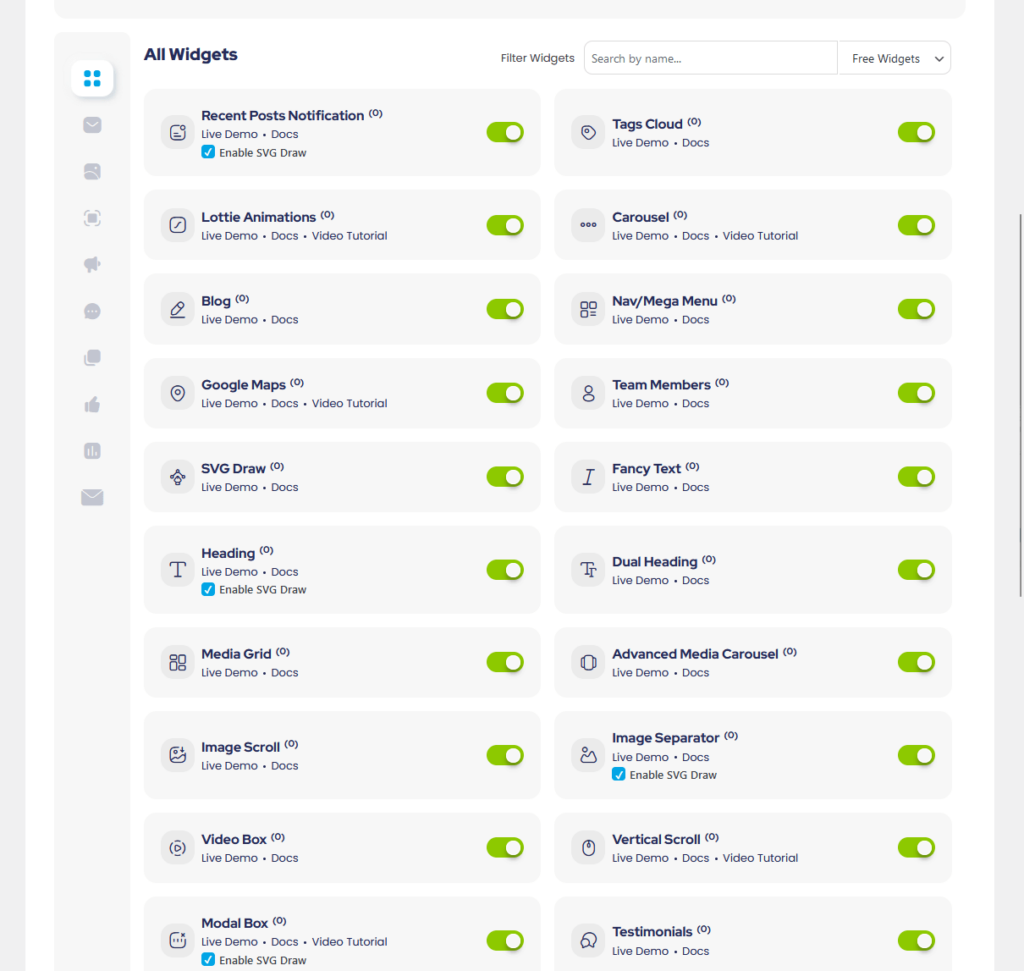
Some of the most notable free widgets include:
- Fancy text
- Advanced media carousel
- Image separator
- Pricing tables
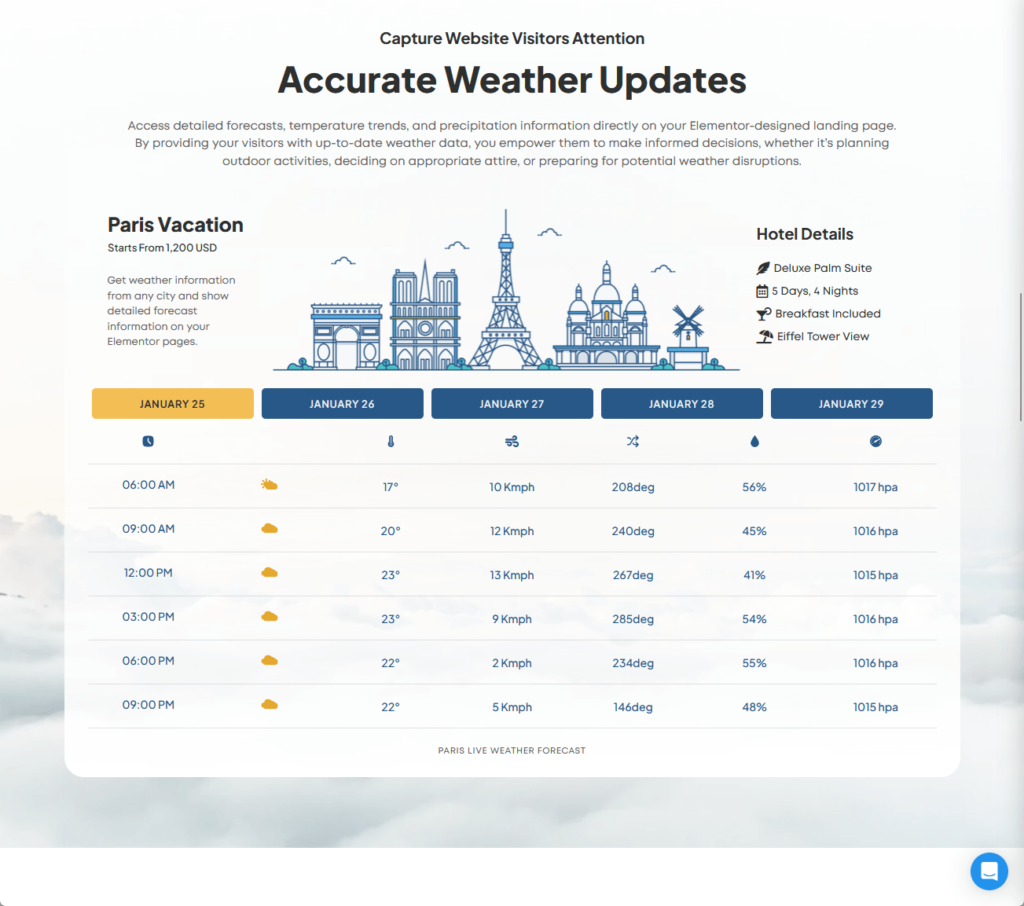
- Weather
Here’s a live example of the weather widget:
I tried many of the widgets here and all of them are easy to use — many of them have a “skins” option, which basically refers to the preset designs.
As for the pro version, you get an additional 35+ premium Elementor widgets that are more advanced than the ones available in the free version.
Btw, once you activate the pro version, the widgets will be mixed up with the free widgets and will be grouped inside the Premium Addons section:
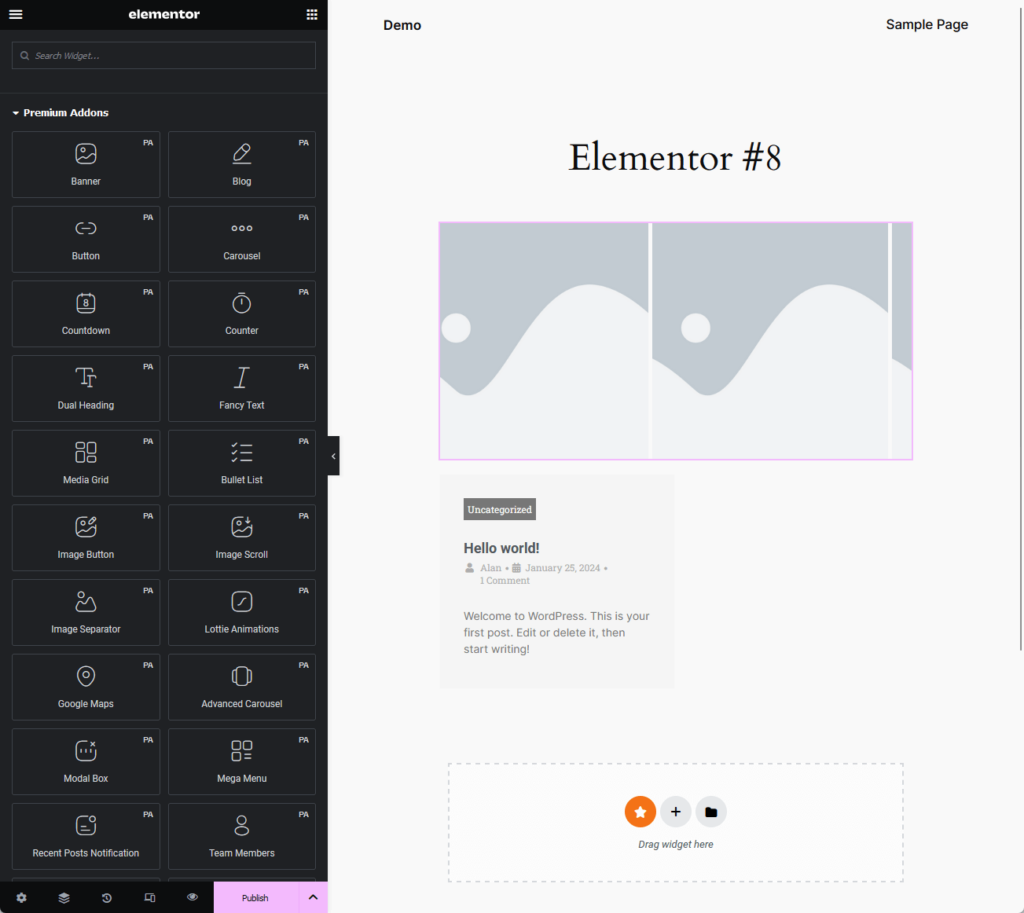
Some of the most notable premium widgets include:
- WhatsApp chat
- Facebook reviews widget
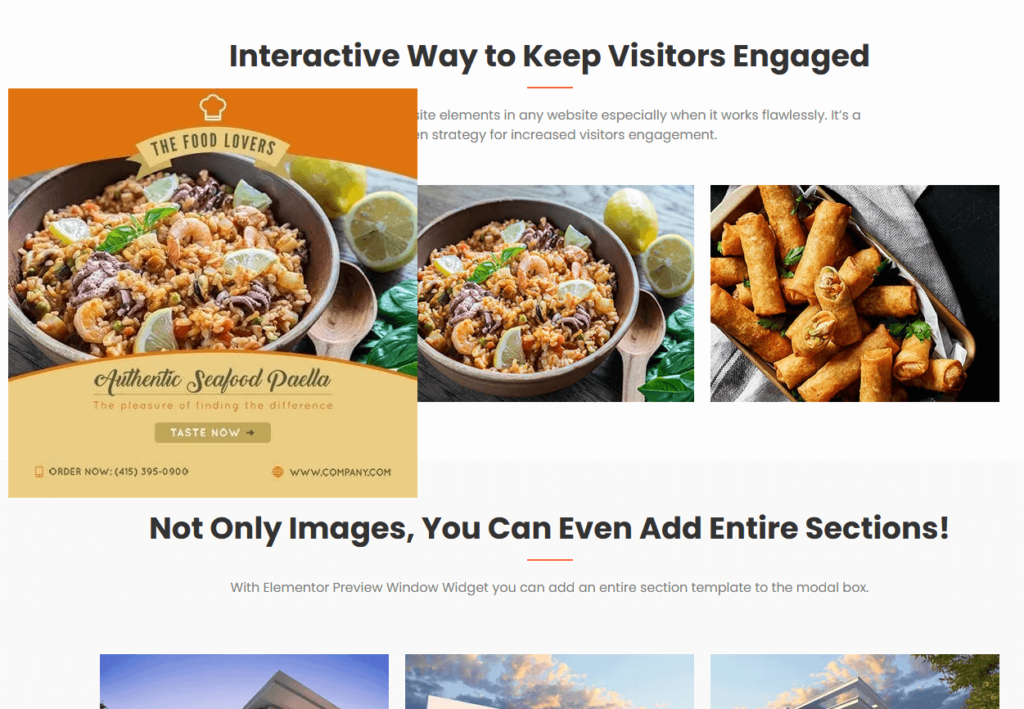
- Preview window
- Animated Ken Burns
- Content switcher
Here’s a good demo of the preview window widget:
⚠️ Note: For those widgets that need an API to work, you can enter the API key either in the settings of the widget or in the integrations tab in the plugin settings.
Premium Addons does have nice widgets you can add to your website and improve the design and functionality.
In terms of comparison, I recently reviewed Happy Addons, and unfortunately, Premium Addons only has a little more than half of the widgets.
Here are the total widgets of these add-ons:
- Total Happy Addons widgets: 125+
- Total Premium Addons widgets: 70+
I can say that the widgets from Premium Addons have a bit more configuration settings — but there are fewer widgets available. 🥹
👉 Related: Happy Addons Review: Game-Changer for Web Design?
It's also important to consider the foundation that powers your WordPress site — your hosting service.
Hostinger is an excellent choice for WordPress users who demand performance without breaking the bank.

Discover the Hostinger advantage for your WordPress site:
- Enjoy a 99.9% uptime guarantee
- Affordable pricing at just $2.49/month (use the code darrel10 to get a discount)
- Global performance and reach with Hostinger's optimized hosting platform
Choosing Hostinger means you’re prioritizing both efficiency and affordability.
It's not just hosting — it's an investment in your website's future, ensuring smooth performance, fast loading, and a seamless user experience.
Global Features
Premium Addons has global features, which add more powerful functionalities and features to their widgets.
Currently, there are 12 global features — and the good news is that almost all of them are available in the free version except for:
- Magic scroll
- Custom mouse cursor
- Global badge
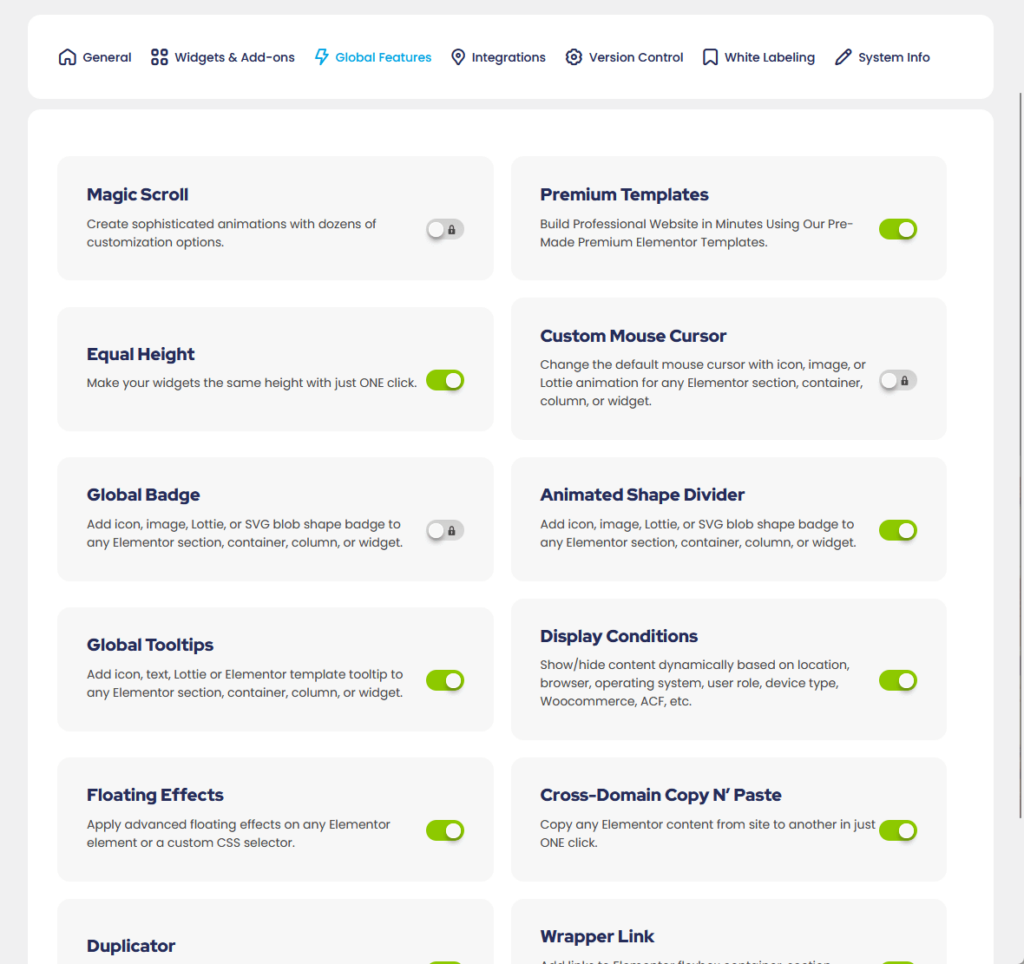
Since there are too many of them, I want to talk about the most popular ones, starting with the display conditions feature.
From its name, it allows you to display or hide specific sections, columns, or widgets based on different conditions.
For example, you can set a container to only be shown when the user is browsing your website through Google Chrome:
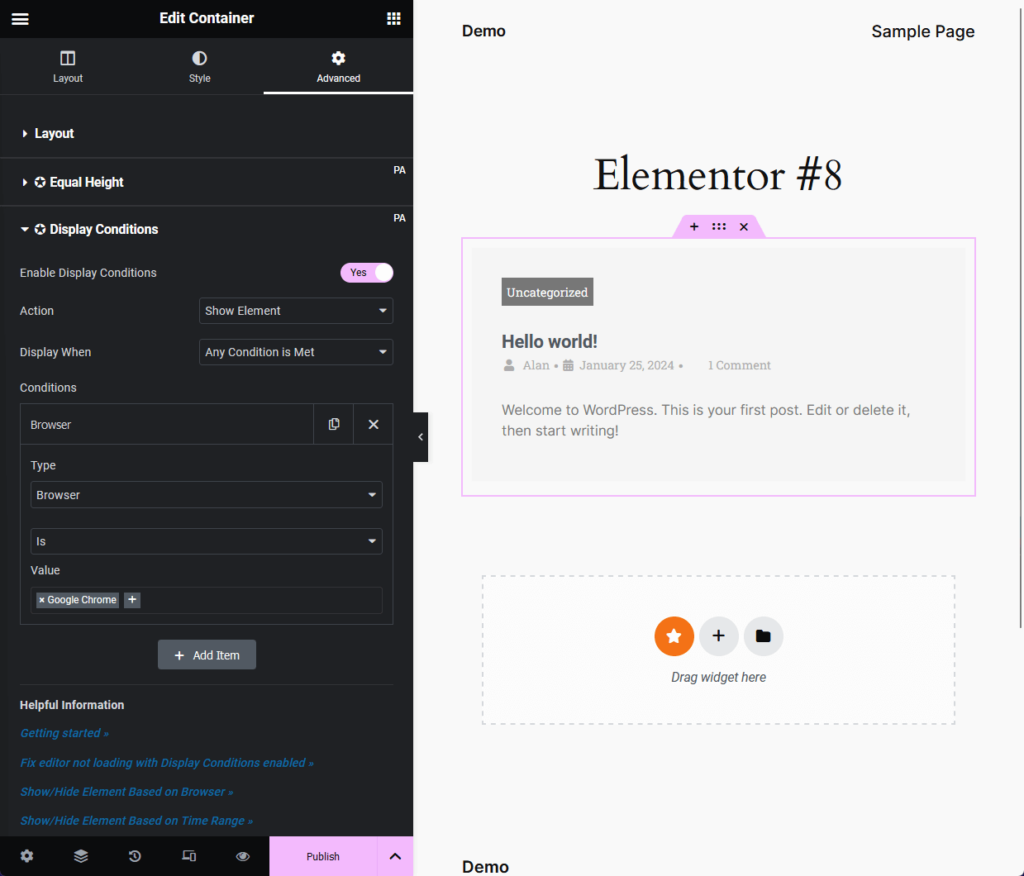
You can set the condition from the system (browser, device, or operating system) down to the URL string or a specific shortcode.
Floating effects is another global feature that well, gives floating effects to all Elementor widgets (yes, it applies even to non-PA widgets).
I tried it with a regular image widget and it works!
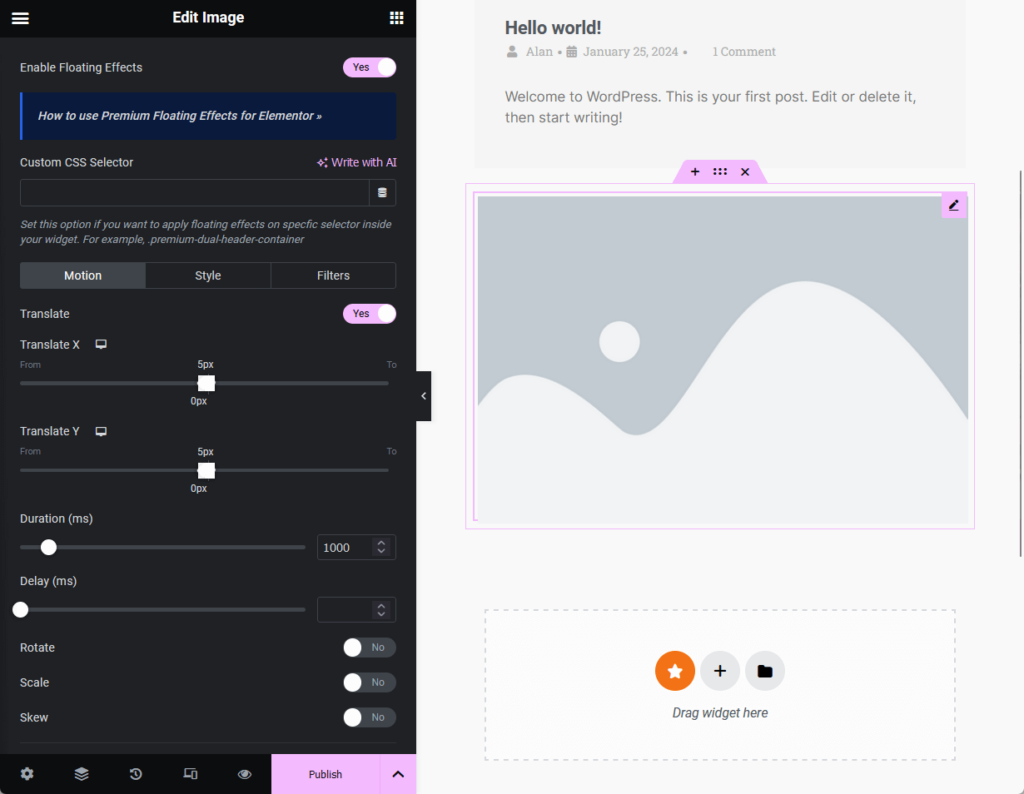
You can set the motion and style of the effect and even configure filters like blur, contrast, grayscale, saturation, and more.
The last popular global feature I want to discuss is the equal height content that forces columns and widgets to have the same exact height.
If you’re new to web design, whether by using a page builder or by using code, then you know how hard it is to set an equal height on different elements.
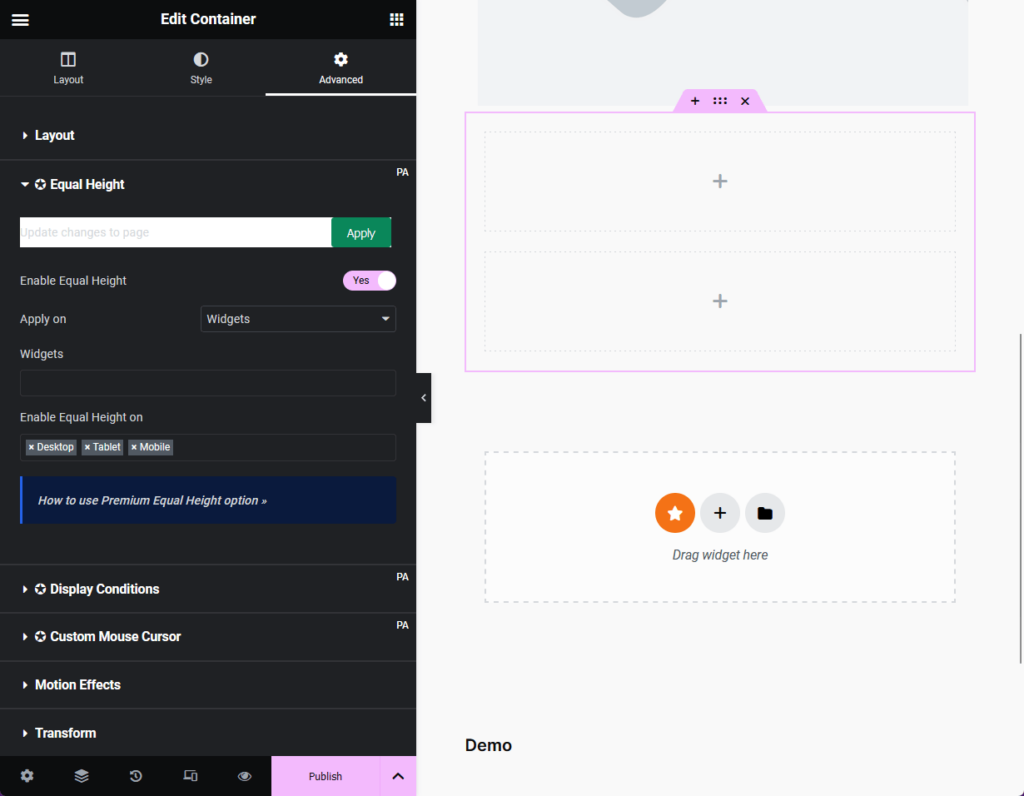
The great thing about this feature is that it works with any Elementor widget and you can apply it on a CSS selector or class.
Premade Section Templates
Like a good addon plugin for Elementor, it doesn’t only provide widgets and features — it gives you page and section templates as well.
But before I tell you about the templates, you might get confused about how to find these templates:
- Create a new site part with the Elementor theme builder
- Click the Premium Addons icon in the canvas
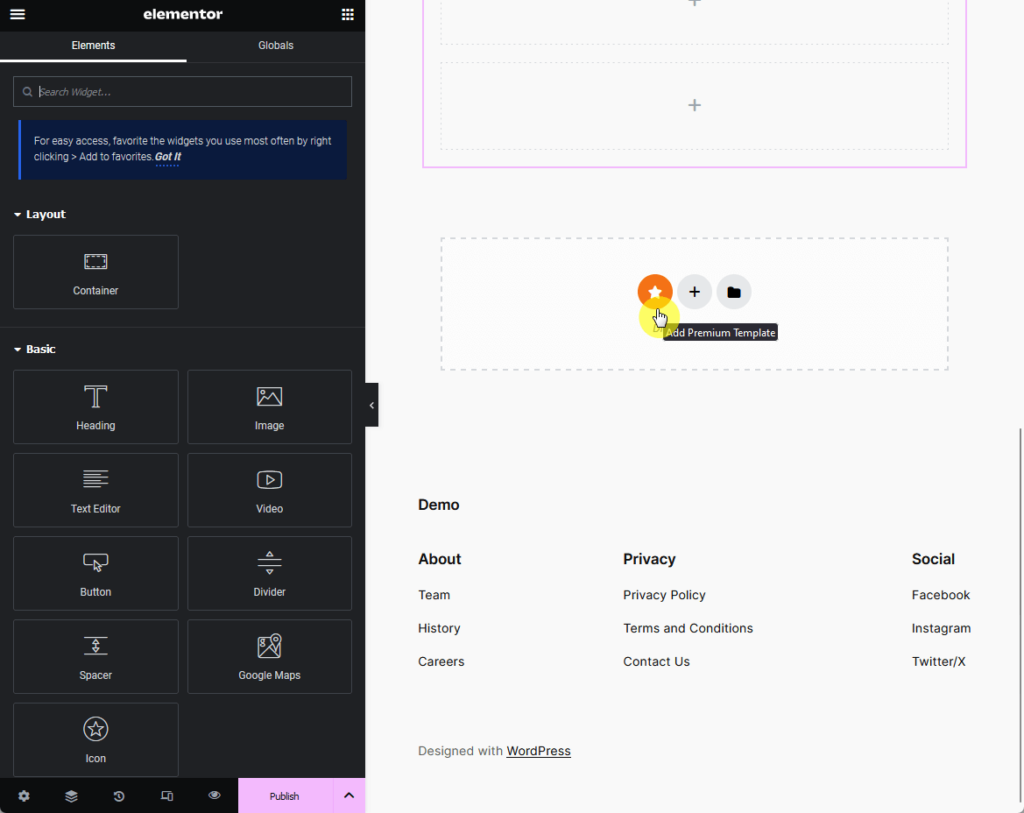
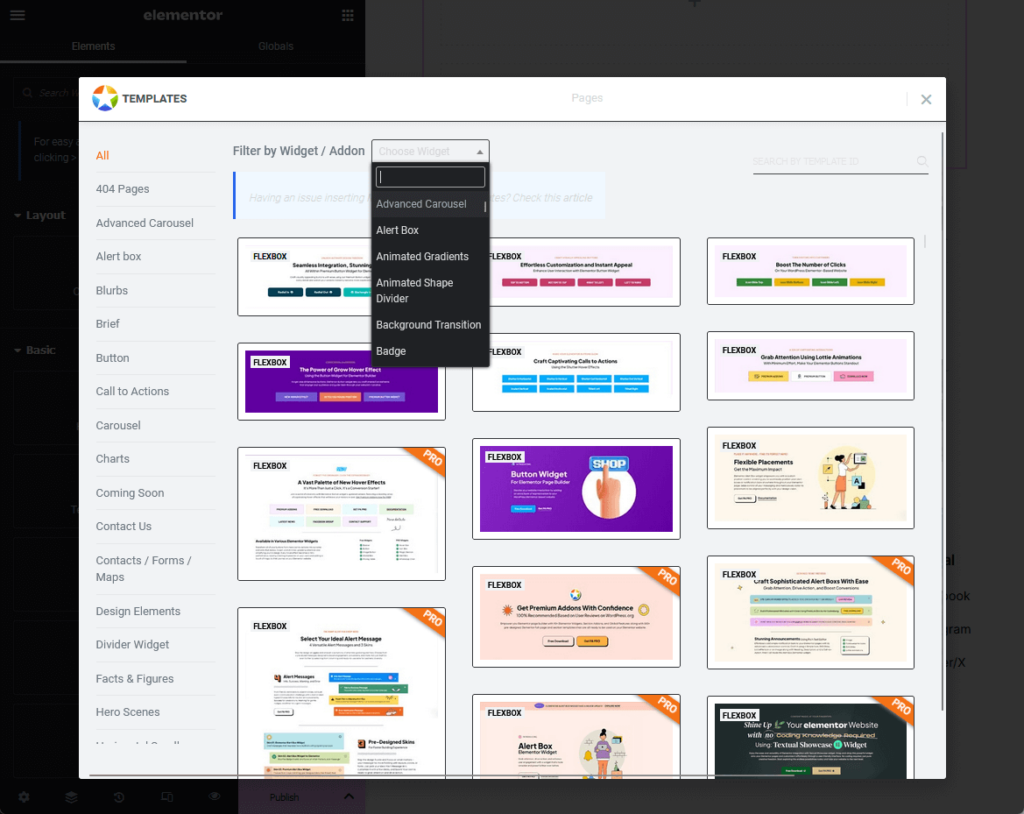
When you click on that icon, you will be able to see all the available 520+ templates (only 8 of those are full-fledged page templates).
There is a search button, a category panel, and a filter by widget or addon function to help you find the right templates:
For comparison, Happy Addons has a bit more in terms of numbers:
- 400+ blocks templates
- 80+ page templates
For the quality though, I would say that Premium Addons also have really good section templates and page templates.
It’s a shame though that they only have 8 page templates — it would be better if they could give their users more so they wouldn’t have to start from scratch.
👋 My thoughts here
Premium Addons definitely packs a punch when it comes to features.
Numbers-wise, Happy Addons has a lot:
- 35+ free widgets
- 35+ premium widgets
- 520+ block and page templates
Unfortunately, I can’t help but compare it with the first Elementor add-on that I reviewed and noticed that PA offers fewer widgets.
On the bright side, PA has a white labeling feature (only on the pro version) where you can completely rebrand it with your own brand name and author details.
Reliability
I would rate it as 4.1/5.
Here’s why:
- Adding only about 0.02 seconds to page loading time is a strong indicator of efficient coding and optimization.
- An average memory usage of 31.85 KB can be a drawback, especially for websites with limited resources or those that run multiple plugins.
- Premium Addons excels in its commitment to regular updates and maintenance, which is important for long-term reliability.
Premium Addons for Elementor shows strong reliability in terms of performance and updates, though the higher memory usage slightly affects its overall reliability rating.
Developers may need to further optimize this aspect to maintain its appeal for users focused on website performance and resource usage.
Performance
For performance, Premium Addons is also doing well (though for some reason, it eats up a bit more memory than Happy Addons).
WP Hive has data on it when they checked the premium Addons plugin using their own test script:
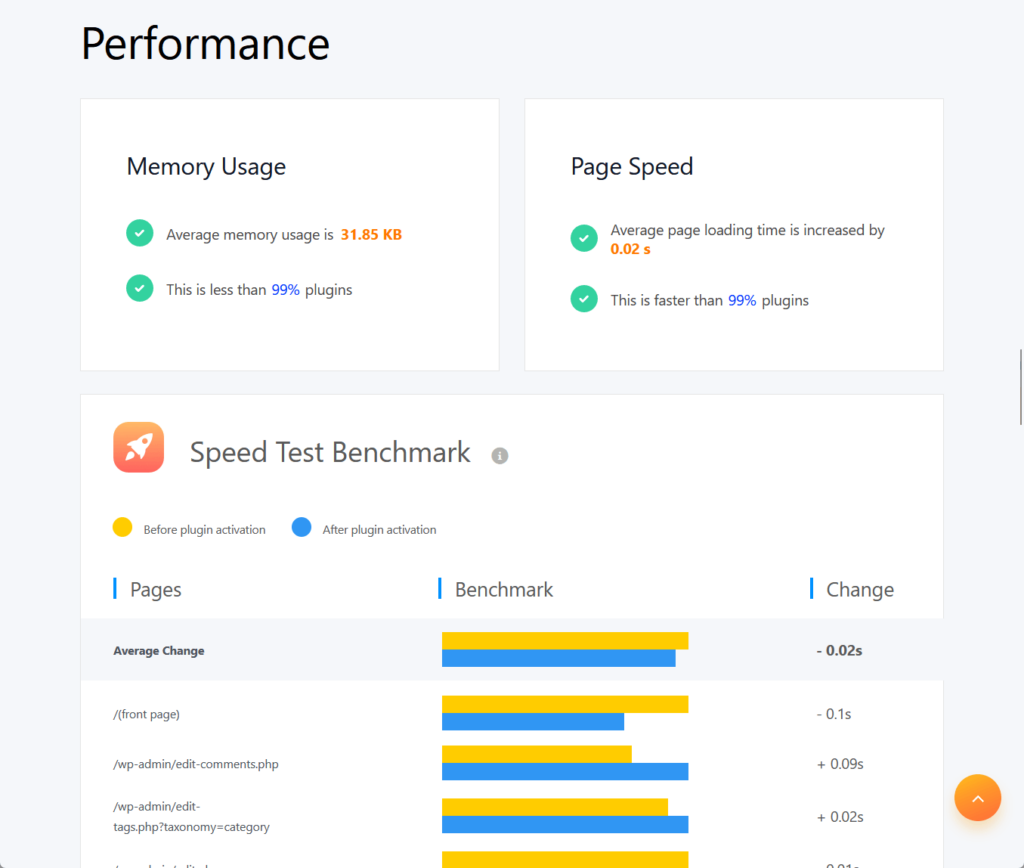
You can see that in terms of memory usage, the average is at 31.85 KB while the average page loading time is increased by 0.02 seconds.
I also did my own test on it using the Code Profiler plugin and I also got similar results: 0.025 seconds (base plugin).
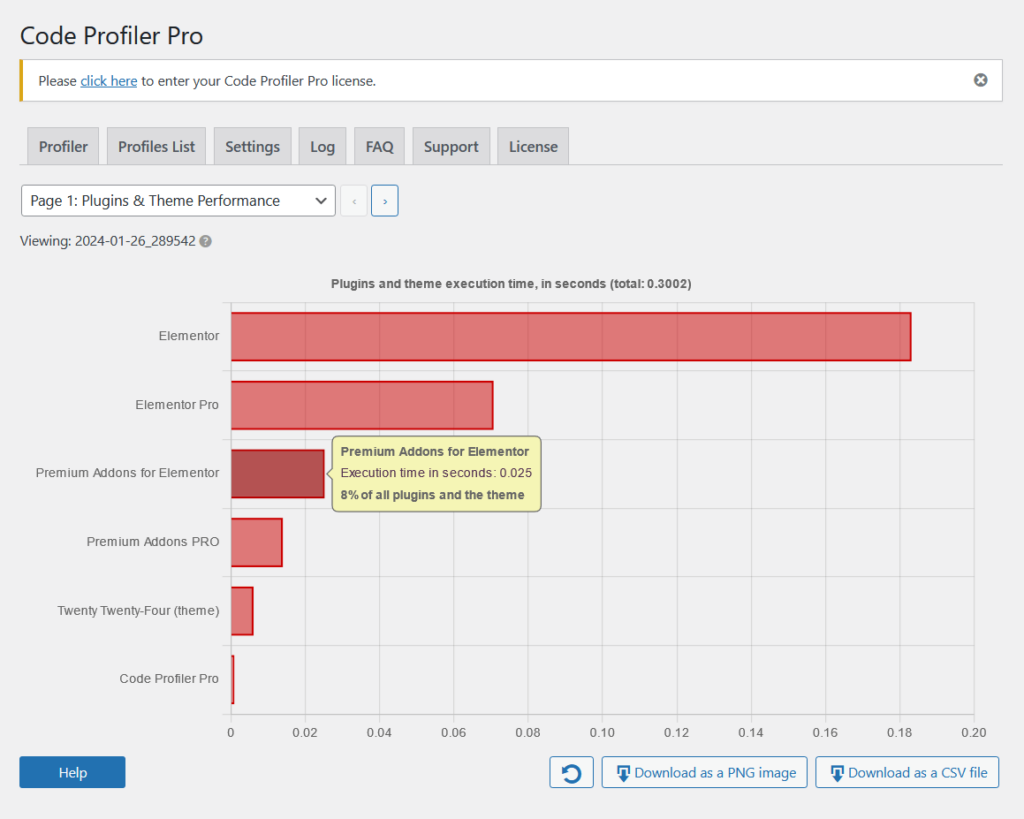
Here’s how it compares to happy addons:
| Feature | Happy Addons | Premium Addons |
| Page Speed | 0.02 seconds | 0.02 seconds |
| Average Memory Usage | 2.92 KB | 31.85 KB |
| Code Profiler | 0.018 seconds | 0.025 seconds |
Both are pretty fast, but as I wrote earlier, for some reason, Premium Addons eats more memory than Happy Addons.
It means that PA uses significantly more memory, averaging 31.85 KB, which is much higher and can potentially affect the overall performance of your website on heavier pages.
Updates and Maintenance
Premium Addons for Elementor, like any good plugin, has a great record of consistent updates and maintenance.
Regular updates are important for maintaining compatibility, new features, and addressing bugs or problems.
You can find the changelog of Premium Addons on the developer tab of its plugin page on the WordPress plugin repository:
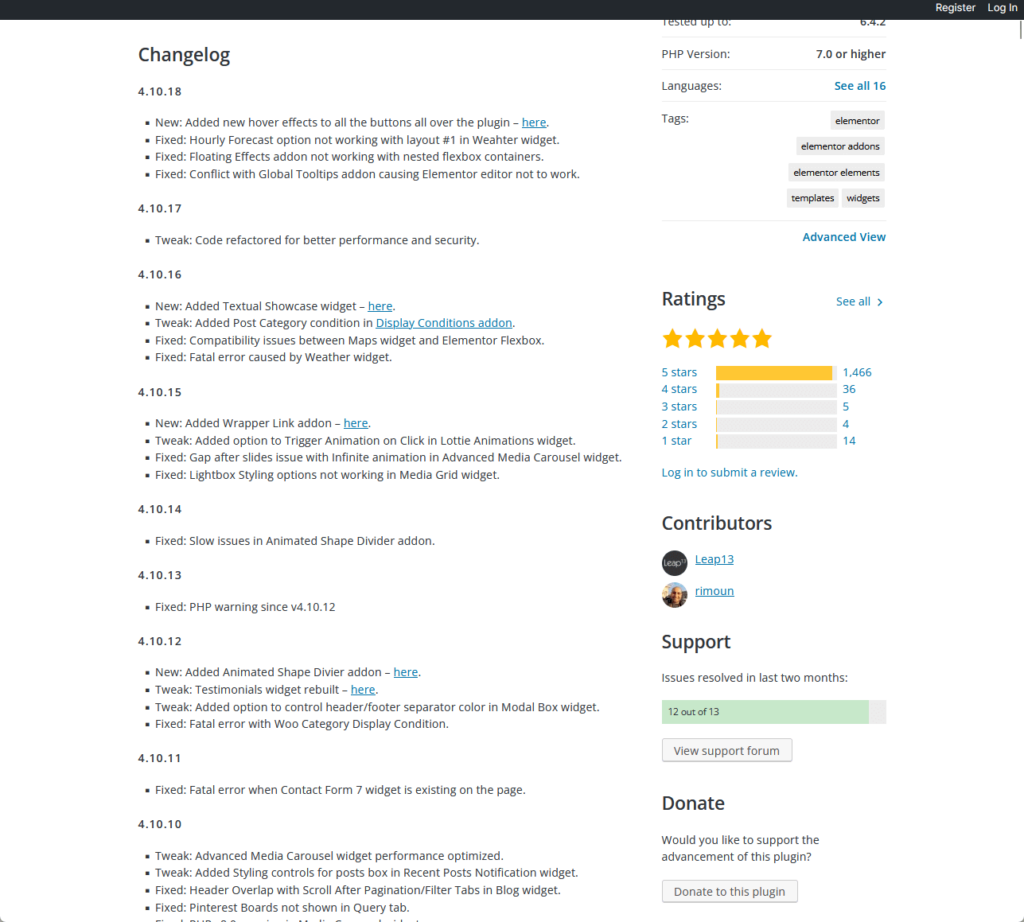
Well, you can’t see it from the screenshot above, but from the time I visited the plugin page, Premium Addons was last updated only 3 days ago.
For the updates, here are some highlights:
- The divider widget was rebuilt, and an option to disable scroll on accordion item click was added in the tabs widget.
- An option to hide horizontal scroll widget slides on desktop devices was added and social reviews and WPML compatibility were improved.
- For fixes, an unnecessary HTML markup rendered in the table widget and an issue with SVG icons not showing on the button in the unfold widget were fixed.
Developers continuously add new widgets (e.g., Trustpilot Reviews) and update existing ones, including new skins for the WooCommerce product listing widget.
These updates demonstrate Premium Addons' dedication to enhancing the plugin and its current features, all aimed at providing a superior user experience.
👋 My thoughts here
In terms of performance and updates, I don’t have any problems with Premium Addons.
That’s because:
- Premium Addons has a strong performance adding only 0.02 seconds.
- It has a great track record of regular updates and maintenance.
The only question I have is why it significantly uses more memory.
It’s important since it could potentially affect the performance of a website with heavier pages (so maybe it has to be optimized even further).
Support
I would rate it as 4.3/5.
Here’s why:
- Premium Addons offers a comprehensive range of support features that cater to various user preferences and needs.
- A minor downside is the lack of clarity regarding the response time for their chat support feature.
- The absence of embedded video content in the documentation pages is a missed opportunity.
The support system scores high due to its variety of support options, active community engagement, and quality of available resources.
However, offering estimated chat support response times and integrating video content in documentation could enhance the user support experience further.
Customer Service
All plugins and themes have their own little problems — which leads us to ask these questions:
How well does Premium Addons handle its customer support? Are there multiple places for getting help?
The nice thing about PA, as I wrote in the first part of this review, is that there are support links accessible directly from the general tab in the plugin settings:
From this tab, you will see the available support features:
- Facebook Group
- YouTube channel
- Documentation
- Support tickets
- Community forums
Starting with their FB Group, they currently have 4.7k total members, with only 3 new posts in the last month.
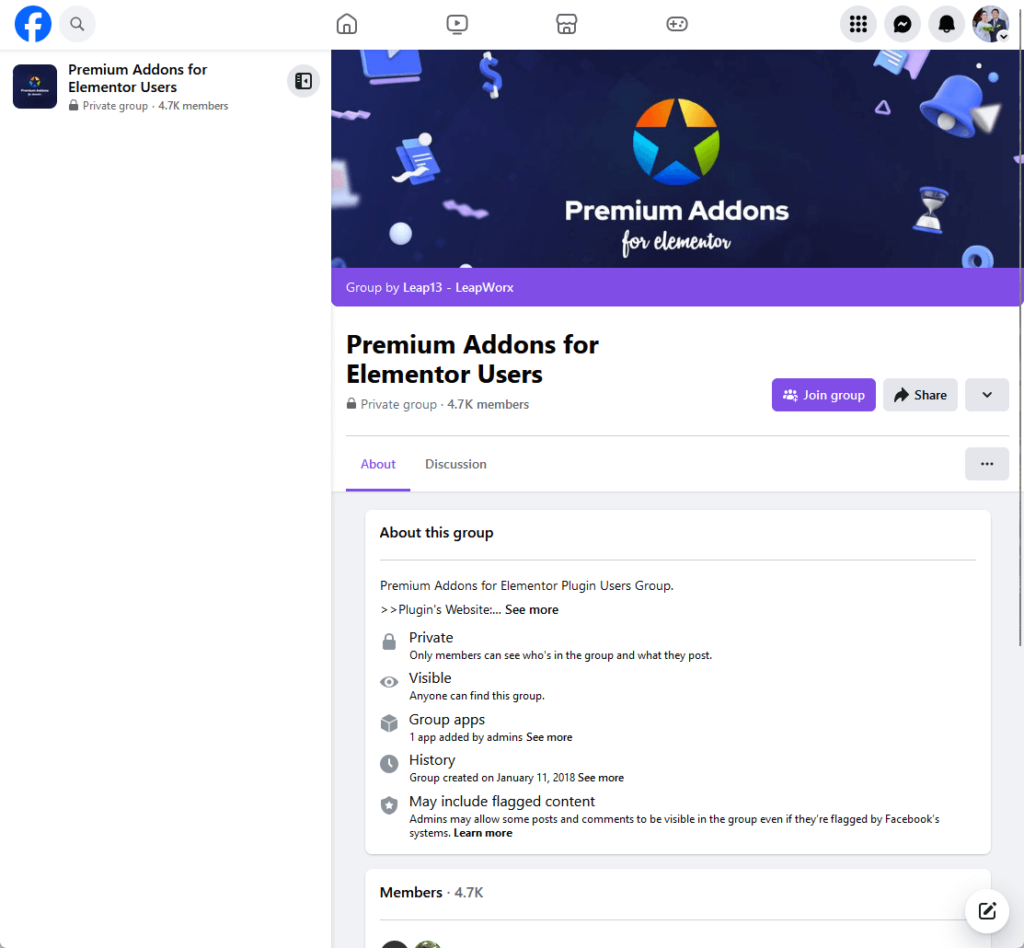
Well, the low number of posts isn’t really an indication that they have bad support on Facebook (and since it’s a group, it’s a plus compared to simply having a page).
Moving on to their YouTube Channel, the channel is from the main company behind Premium Addons, Leap13.
What I like here is that they have plenty of tutorial videos that will show you how to use their widgets.
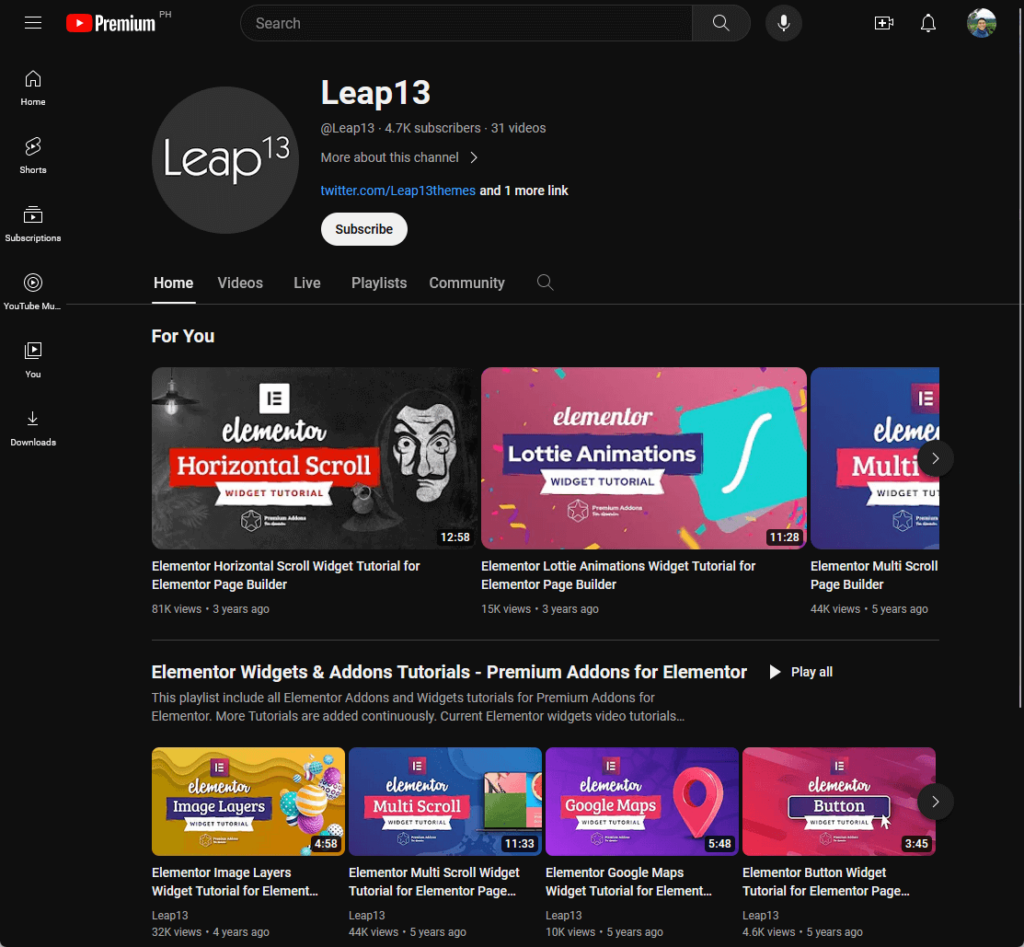
Fun fact here — their YouTube channel also has 4.7k subscribers. 🤭
Anyway, moving on, they accept support tickets on the Leap13 website as well as a dedicated forum for Premium Addons for Elementor.
Doing a quick check, I’m glad to know that all the posts have replies:
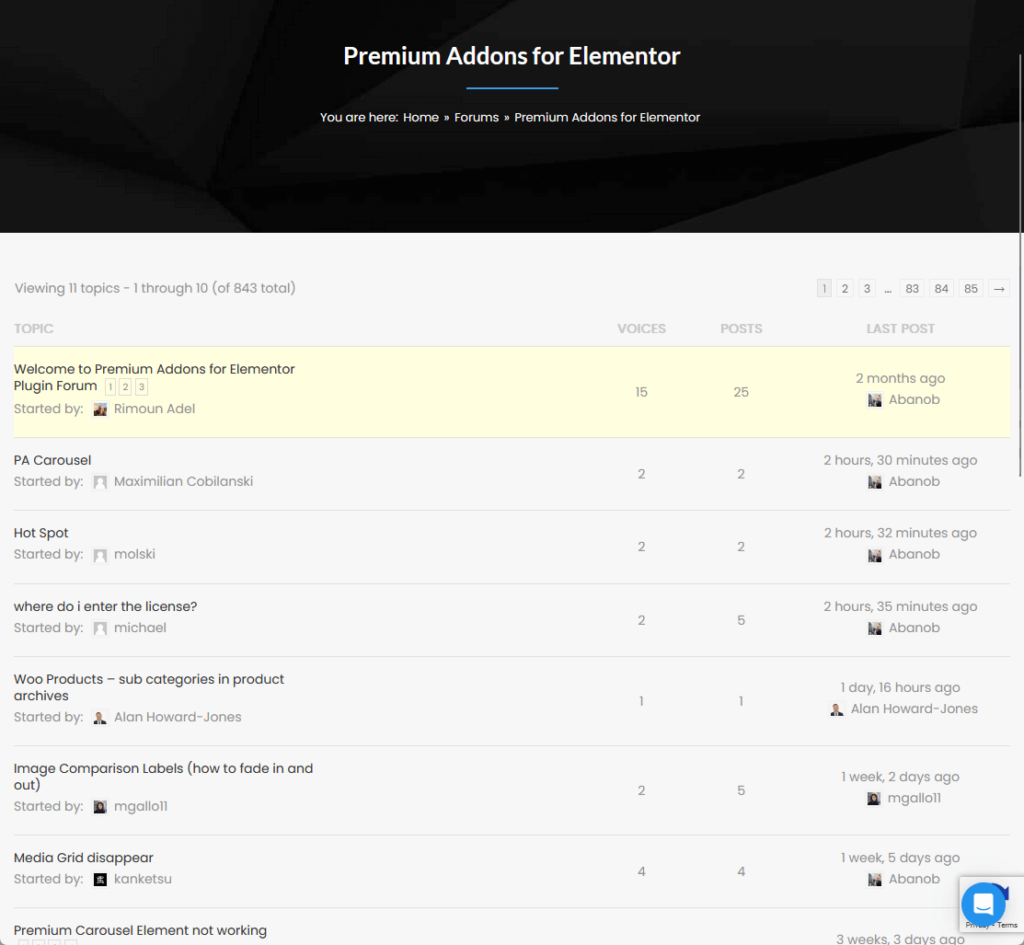
By the way, they didn’t state it anywhere, but I’m glad to tell you that they also have a chat support feature on both the PA and Leap13 websites.
There’s no indication though how fast they usually reply — so it’s either not a lot of users use it or they have a set time where support agents reply.
Documentation
For documentation, they have a total of 239 support posts, divided into 7 categories:
- Affiliates
- Features
- General
- Pre-sale questions
- Pro license
- Setup and config
- Using widgets
Here’s what the front page looks like:
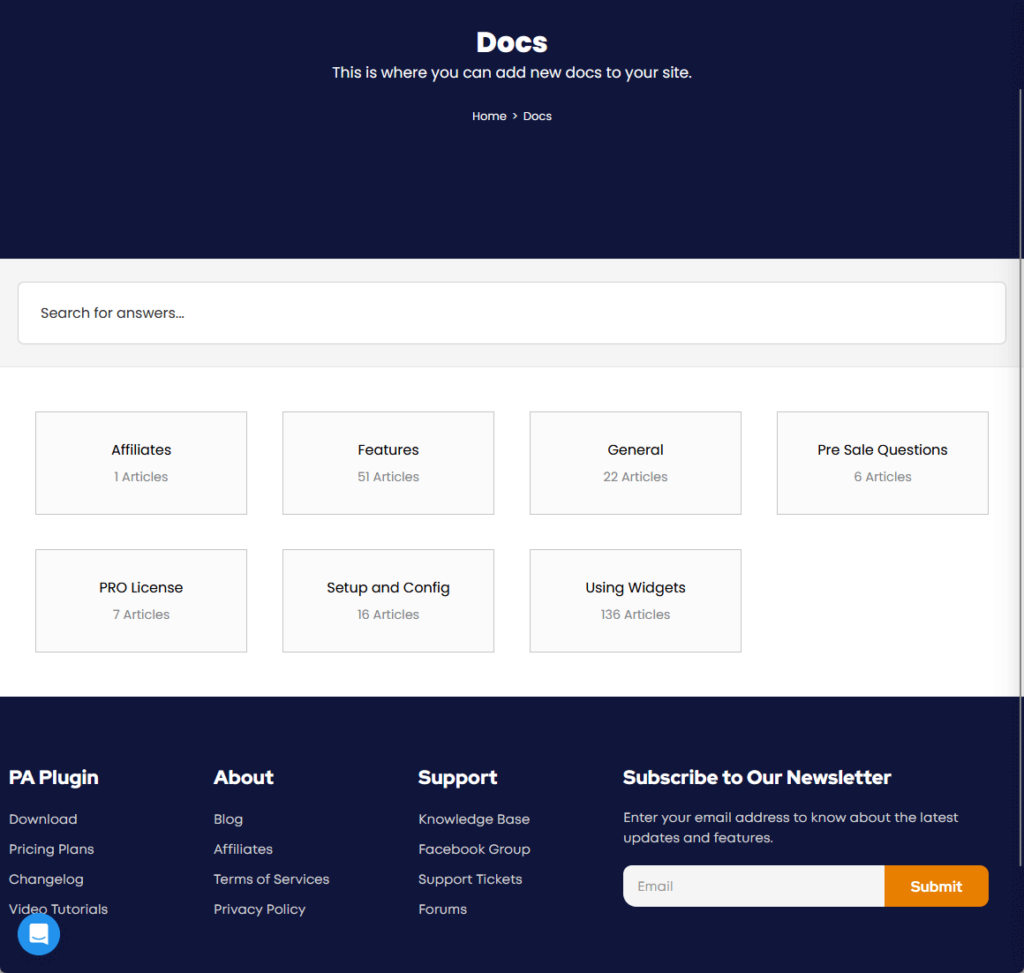
The articles themselves look okay.
They are well-written, and have some helpful images to enhance the visual experience, bolded words, and related documentation pages.
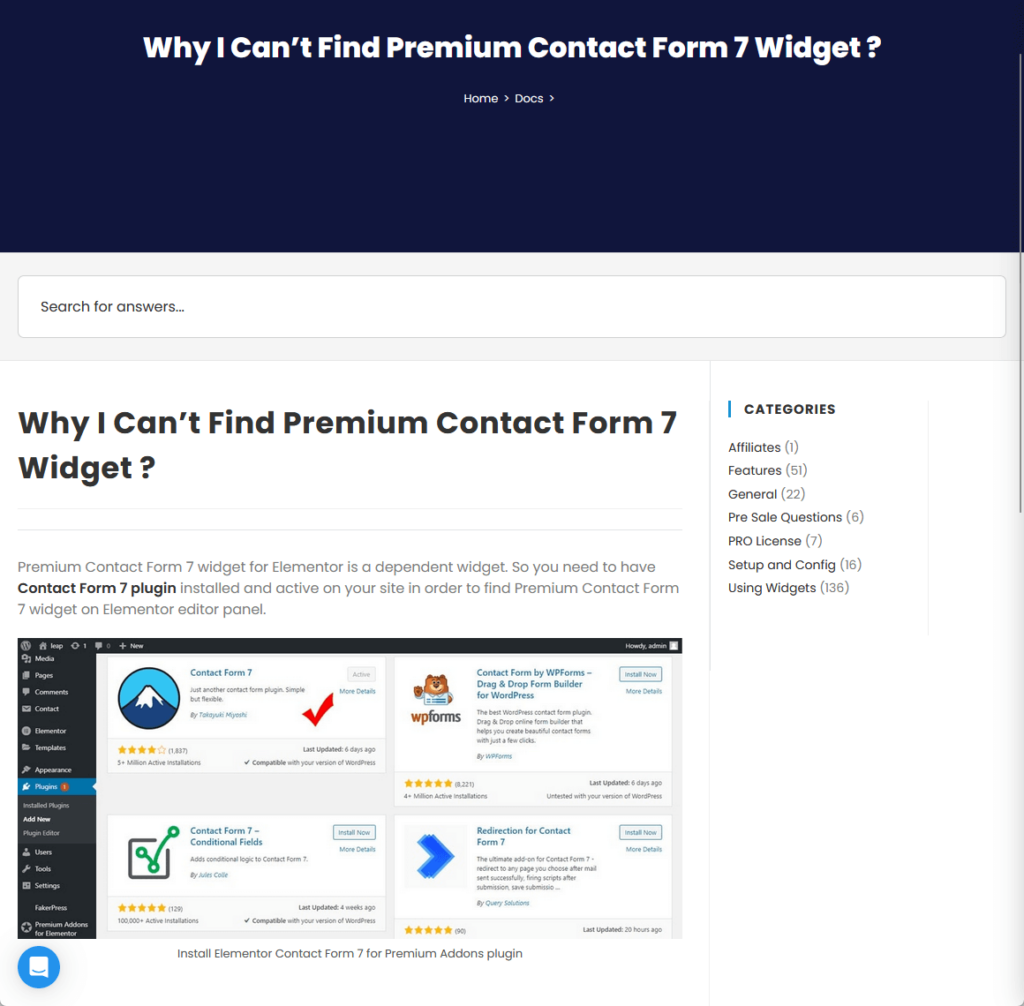
The layout itself is okay — no design in mind, but I guess it gets the job done so no problem there, right?
I noticed that there are no videos though on any of the pages I visited — they can just embed their YouTube videos on relevant pages.
👋 My thoughts here
Premium Addons has good customer support features, which include the following:
- Facebook Group
- YouTube channel
- Community forum
- Ticket system
- Documentation
I especially like the fact that they have a chat support function on both the Premium Addons website and on Leap13.
It would be better though if there’s an indication of how quickly they usually respond since it could help set user expectations.
Having video content (even embedding their YouTube videos work) in the documentation can also help enhance the learning experience for users.
Pricing
I would rate it as 3.8/5.
Here’s why:
- The free version of Premium Addons offers a substantial value with over 35 unique widgets.
- The refund policy of Premium Addons seems restrictive, particularly the clause stating that the guarantee is void if the plugin is still being used.
- Comparatively, Premium Addons offers fewer widgets and features than some competitors, slightly affecting its overall value proposition.
Premium Addons offers a decent pricing structure with a valuable free version and varied pro options.
However, its restrictive refund policy and the comparison with competitors offering more features at similar price points somewhat diminish its attractiveness in terms of pricing.
Cost Breakdown
Premium Addons for Elementor has a free and pro version.
The free version serves as an excellent initial choice for users looking to enhance Elementor's functionality without spending money.
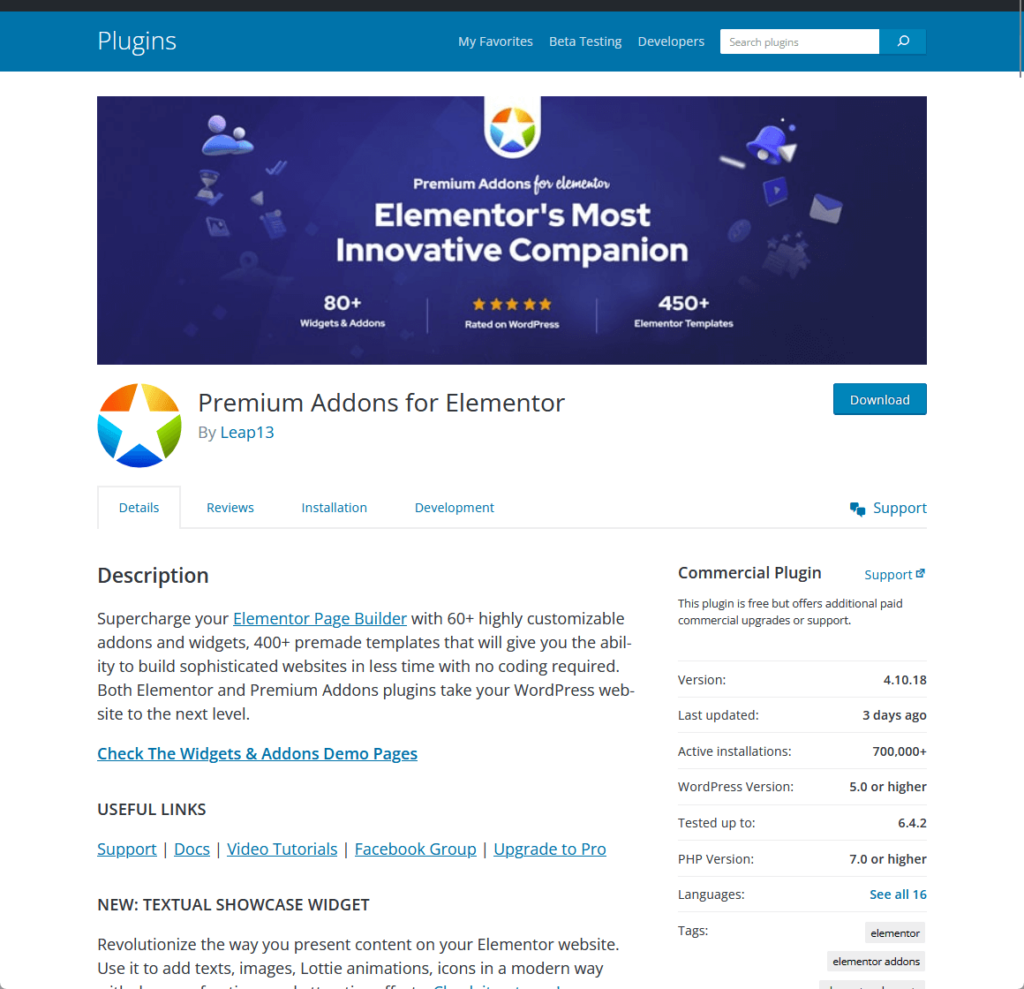
It's packed with over 35 unique widgets, including fancy text, an advanced media carousel, an image separator, a pricing table, and weather.
If you need more advanced widgets and features, the pro version of Premium Addons is available.
The pricing for the premium version is structured based on the number of websites you have and your preferred payment frequency.
The plans are:
- Single use: Priced at $39 for 1 website for and a year of support
- Unlimited use: Priced at $79 for unlimited websites and a year of support
- Lifetime: Priced at $249 for unlimited websites and lifetime updates
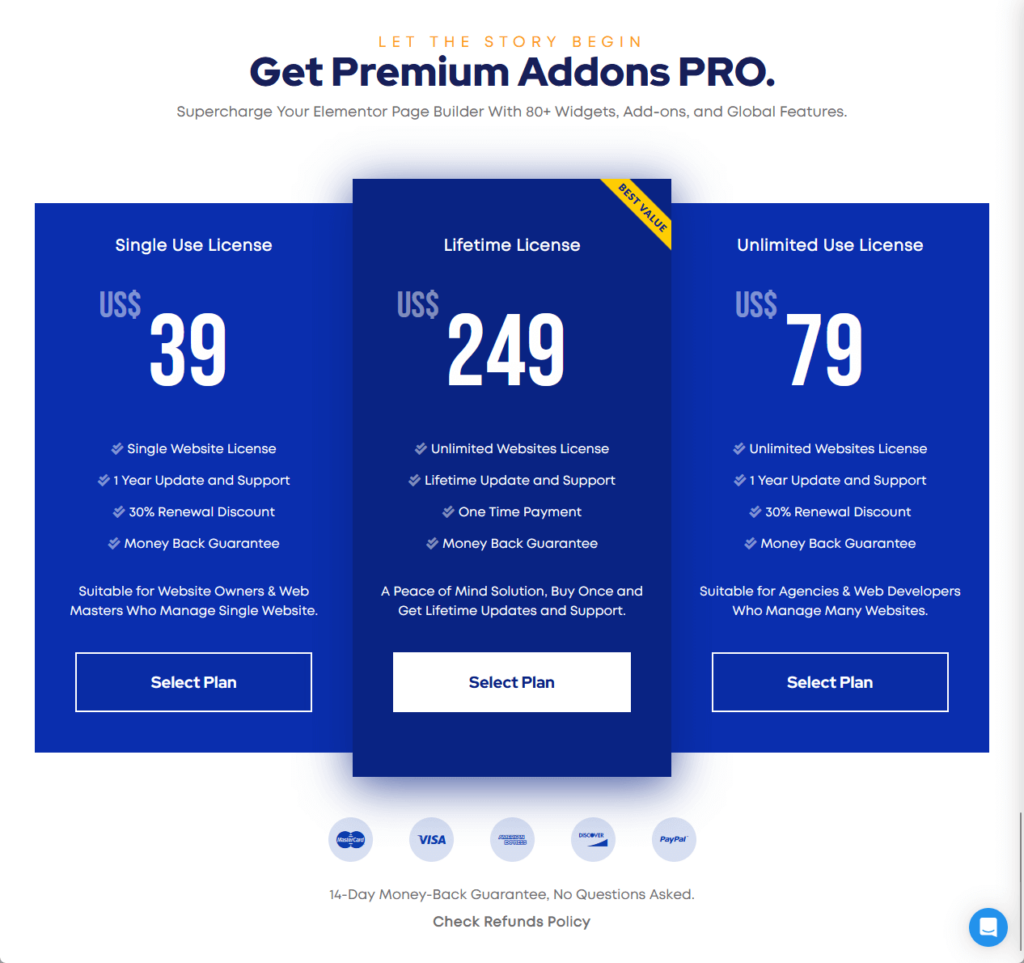
Any of the pro plans will give you additional 35+ widgets, 3 more global features, templates, and the white labeling feature.
Money Back Guarantee/Refund
Premium Addons for Elementor offers a 14-day money-back guarantee for the purchase of its paid version.
They stated it in their refund policy:
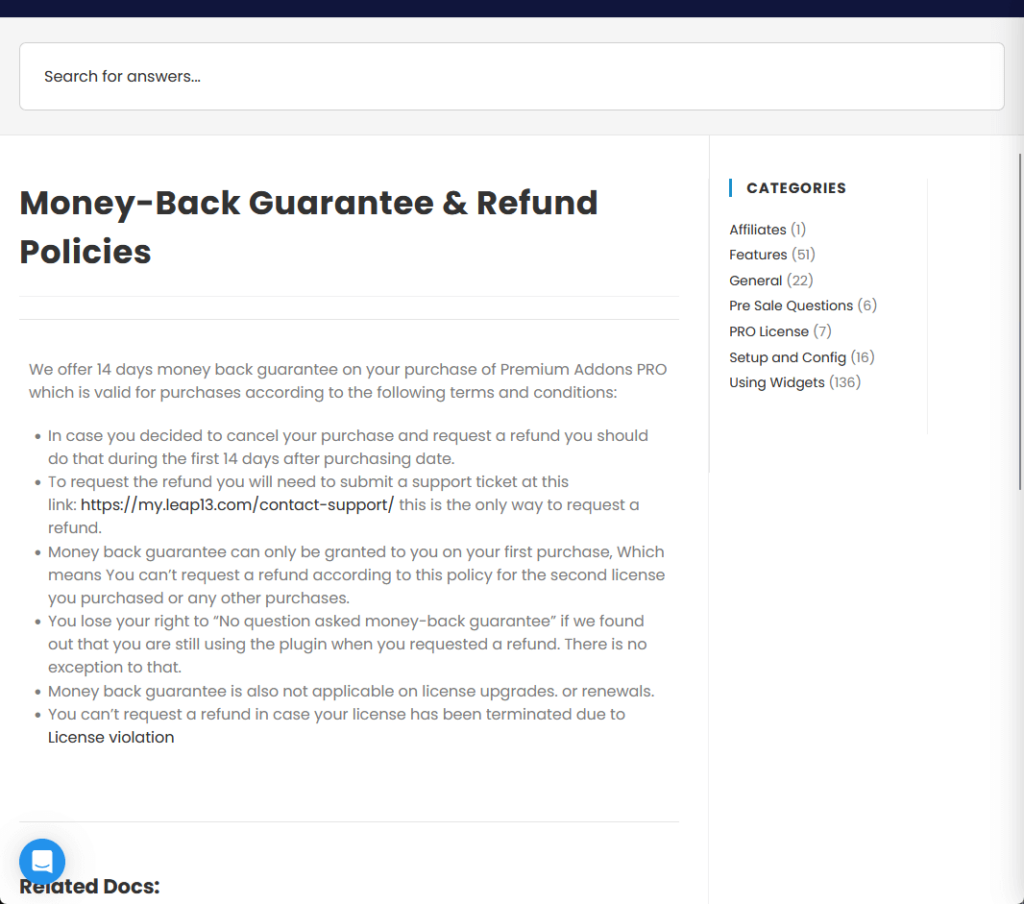
This guarantee is subject to the following conditions:
- The refund request must be made within the first 14 days after the purchase date.
- To request a refund, a support ticket needs to be submitted via their official support link.
- The money-back guarantee is only valid for the first purchase, meaning it does not apply to second or subsequent purchases, license upgrades, or renewals.
- The guarantee is void if the plugin is still being used when requesting a refund.
- License termination due to violation also invalidates the right to request a refund under this policy.
👋 My thoughts here
Okay, if you look at the pricing of Premium Addons alone, without looking at the competitors, then it has solid pricing.
But I have two problems here:
- When you look at Happy Addons, they offer the same starting pro plan but have more features and widgets.
- Besides that, PA has a weird refund policy limitation where the guarantee is void if the plugin is still being used.
I call it weird because even if the user deactivates/uninstalls the plugin, the user can just reinstall the pro plugin after the refund is given.
For the pricing, PA does have extra global features and white labeling — but I’m not sure if it can compete with having almost less than half the number of widgets from HA.
Final Thoughts
When considering the purchase of Premium Addons for Elementor, it's important to weigh your specific needs and website goals.
If you prioritize a wide array of unique widgets and global features, along with white labeling capabilities, Premium Addons could be a strong choice.
However, if your primary concern is having the broadest range of widgets or the most flexible refund policy, you might want to explore other options as well.
Premium Addons excels in quality and user experience — however, compare it with alternatives like Happy Addons to ensure the best fit for your needs and budget.
Wrapping up, it's essential to consider the broader aspect of your Elementor experience — the ease of designing and updating your website.
In addition to powerful addons, choosing the right templates is crucial for crafting an exceptional website.
Darrel Wilson has an incredible offer that you simply can't ignore:
- Get lifetime access to all premium template kits designed for Elementor
- Complete with 2 years of dedicated support
- Only for $99 — that's already for the lifetime access
Embrace this opportunity to streamline your web design process.
With these premium templates, you can keep your site not only stylish but also consistently updated, without the hassle of constant manual effort.