
Ease of Use
I would rate the overall ease of use of Bridge at 3.9/5.
Here's why:
- The installation process is straightforward and ensures a smooth user experience.
- Comprehensive documentation and video tutorials to guide you through the theme's features and customization options.
- Both Elementor and WPBakery Page Builder are included, allowing visual customization without coding knowledge.
However, if you want to access all the amazing features of the theme, it is recommended to familiarize yourself with its included plugins.
Installation Process
The Bridge theme can only be purchased and downloaded from the Envato Marketplace
Once you've downloaded the bridge.zip file on ThemeForest, you can easily install the theme by following these simple steps:
- Go to admin panel > appearance > themes > add new > upload theme
- Click on Choose File and select bridge.zip file
- Now click the install now button then activate the theme
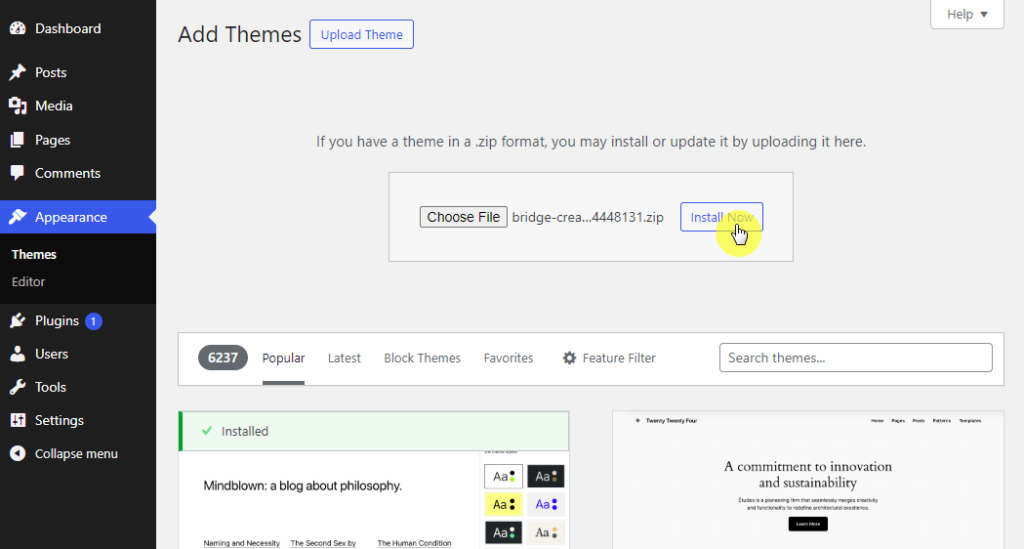
Great! The Bridge theme is now successfully installed and activated on your website.
Theme Setup
To gain access to all the theme functionalities and features, you need to install and activate its required plugins.
Hit the blue install required plugins button. It will redirect you to the required plugins area. Now you have the option to install plugins either one by one or all at once by marking all > bulk actions > install > apply.
You can also install plugins from your dashboard by going to appearance > install plugins.
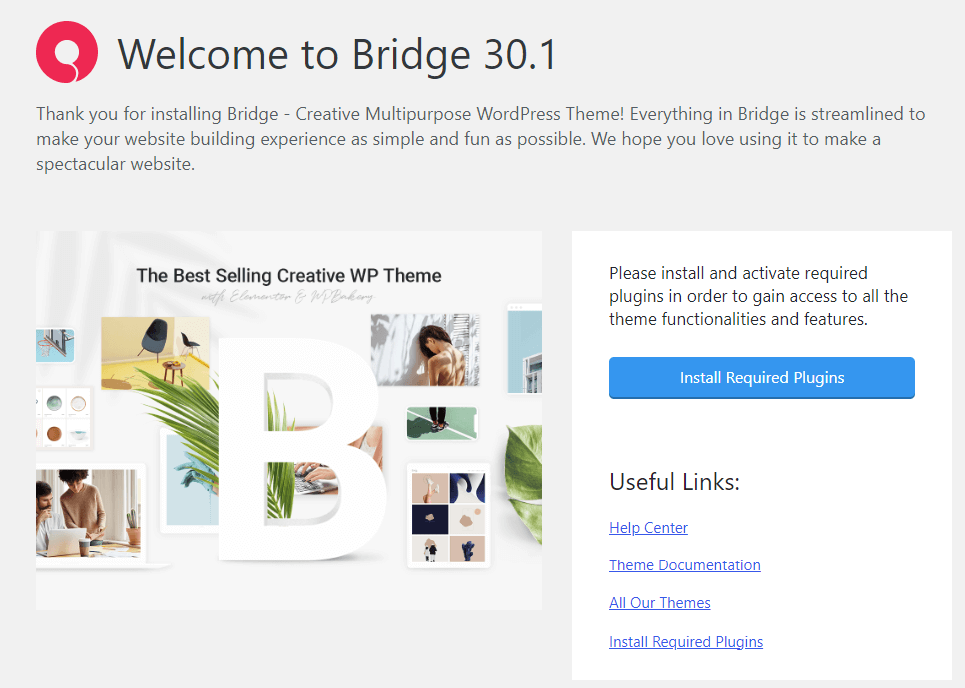
Once you install and activate the required plugins, you'll see a new dashboard look and have access to the core theme settings. This allows you to customize the theme to your preferences.
👋 My thoughts here
An overview of the installation and setup:
- The theme installation process is straightforward, making it easy for users already comfortable with WordPress.
- It comes with the flexibility of a one-click installation option for plugins, saving time and simplifying the setup process.
- The quick plugin installation processes contribute to a faster setup, ensuring you start building your website quickly.
Overall, the simple installation process and fast setup provide a positive user experience.
It's essential to acknowledge the impact of reliable web hosting on improving your site's overall performance.
Enter Hostinger, a top-tier hosting provider that brings a significant boost to your website's functionality and speed.
Discover the Hostinger advantage for your WordPress site:
- Enjoy a 99.9% uptime guarantee
- Affordable pricing at just $2.49/month (use the code darrel10 to get a discount)
- Global performance and reach with Hostinger's optimized hosting platform
Selecting Hostinger indicates a preference for a service dedicated to speed, stability, and exceptional performance, an ideal match for your website powered by the Bridge theme.
Features
I would rate the overall features at 4/5.
Here's why:
- Bridge theme offers easy-to-use drag-and-drop page builder widgets for Elementor and WPBakery.
- It comes with a wide range of customization options, enabling you to design dynamic and visually appealing websites.
- The demo websites are beneficial for users looking to create a website quickly and efficiently.
Here are the core features of Bridge:
1. Qode Options (Theme Options)
Bridge Qode Options gives you control over the visual style, functionalities, and various settings of your website. The customization panel makes it easy for you of any skill level to create unique and attractive websites.
You can access Qode Options from the WordPress admin panel. The settings found here are applied globally and will affect all pages of the site.
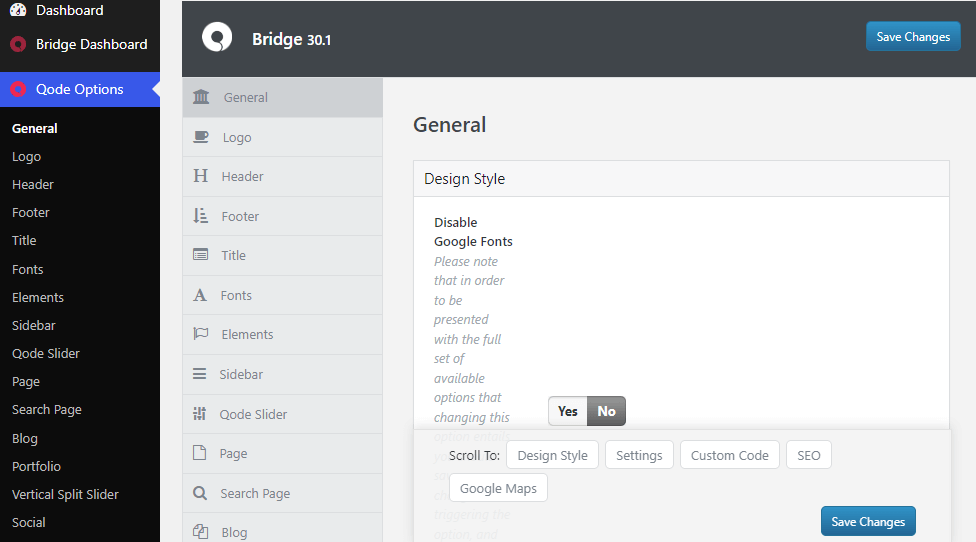
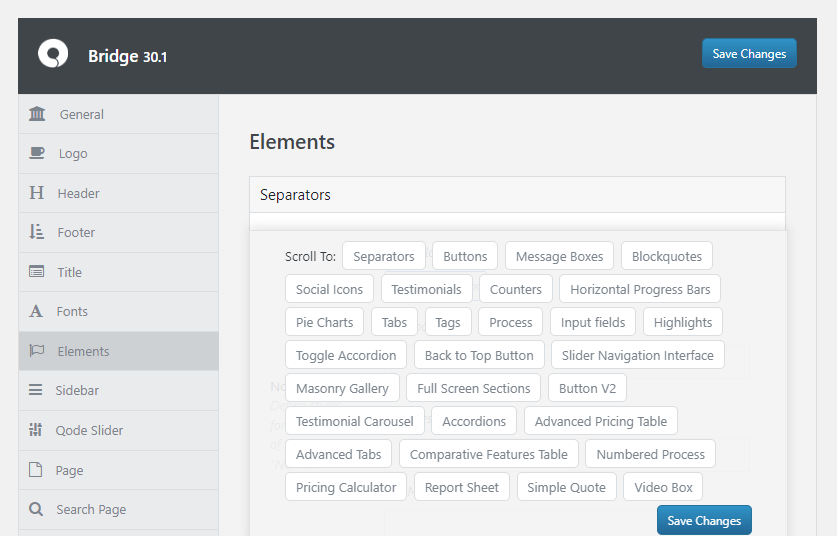
To customize various website elements, the Qode options panel supports the Elements option. Here, you can customize a wide range of elements. Here is a short list of what you can customize:
- Separators
- Buttons
- Message Boxes
- Pie Charts
- Tabs
- Input fields
- Accordions
- Tags
- More
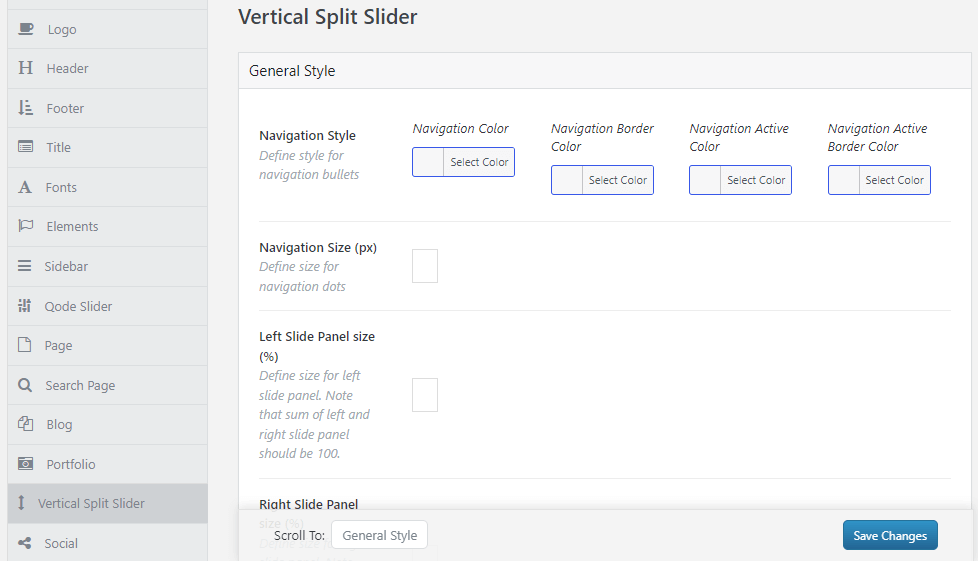
Vertical Split Slider allows you to showcase content interactively. It offers a unique way to showcase content by dividing it into two vertical panels, providing a refreshing alternative to the usual horizontal sliders.
The advanced customization options allow you to personalize the slider. You can easily adjust the Navigation Style, change the Navigation Size, and customize the Left & Right Slide Panels to create unique layouts.
Additionally, the Advanced Responsive feature ensures optimal display on different devices. It is essential for enhancing the overall user experience.
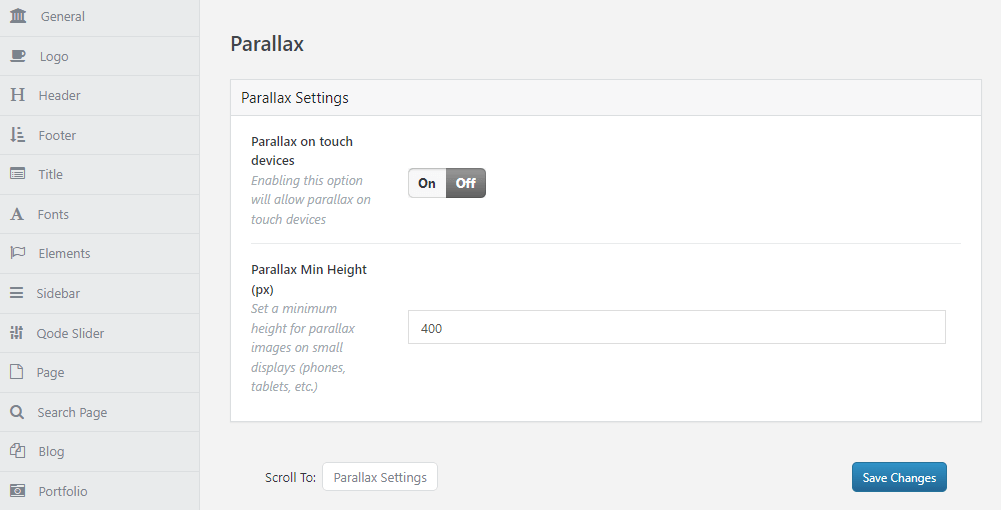
Parallax scrolling is a popular web design technique that creates a sense of depth and dimension on your website. This effect creates a sense of depth by moving background elements at different speeds as users scroll.
The Parallax option empowers you to add a touch of visual interest and enhance your website's engagement.
You can ensure optimal viewing by keeping Parallax on Touch Devices disabled. The Parallax Min Height setting maintains image visibility on smaller screens.
Overall, Qode options offer a comprehensive and user-friendly platform for customizing various aspects of your website.
By exploring the customization options, you can effectively showcase your content and enhance the overall user experience on your website. You can follow their Qode Options docs for easier understanding.
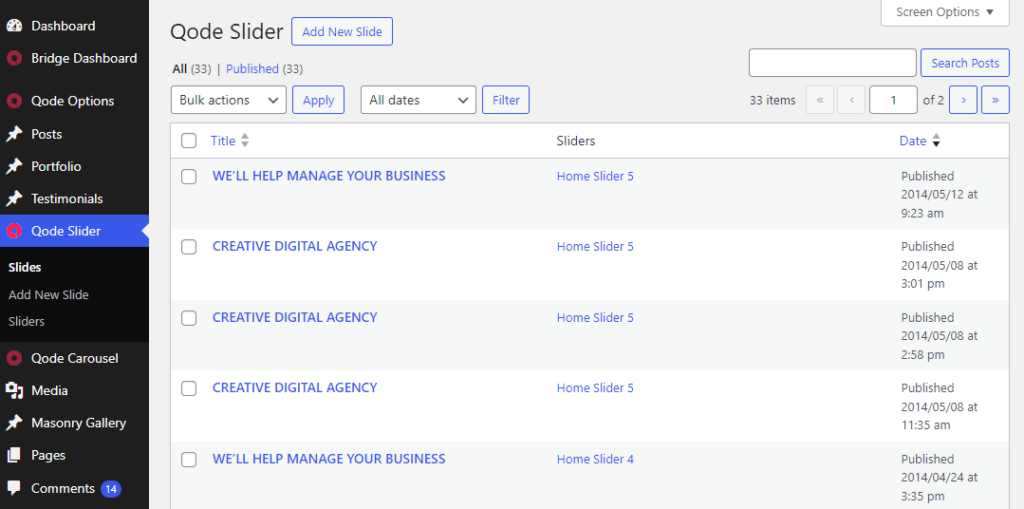
2. Qode Slider
The Bridge Qode Slider is a powerful and versatile tool that allows you to create visually stunning sliders for their websites. It offers a user-friendly interface for creating and customizing sliders.
With its comprehensive customization options, you can simply create sliders that suit their website design and attract their audience.
One of the key features of the Qode Slider is the ability to adjust slider height for different devices. You can define specific heights for mobile landscape, and tablet portrait views, ensuring consistency across various screen sizes.
Additionally, the slider offers customization options for slider buttons. This includes options for button shapes, colors, sizes, and hover effects, providing flexibility in design.
3. Building Elements
Bridge Building Elements are essential building blocks in the Bridge theme, designed to facilitate the construction of websites with various functionalities and designs.
Bridge seamlessly integrates with popular page builders like Elementor and WPBakery Page Builder. Its user-friendly drag-and-drop interface and pre-built elements enable visual creation and editing of your website's layout.
It provides a wide array of shortcodes such as buttons, sliders, tabs, contact forms, and social sharing buttons, that simplifies website customization.
Navigate to the Pages > Add New Page > Edit with Elementor > Elements area to manage your building elements.
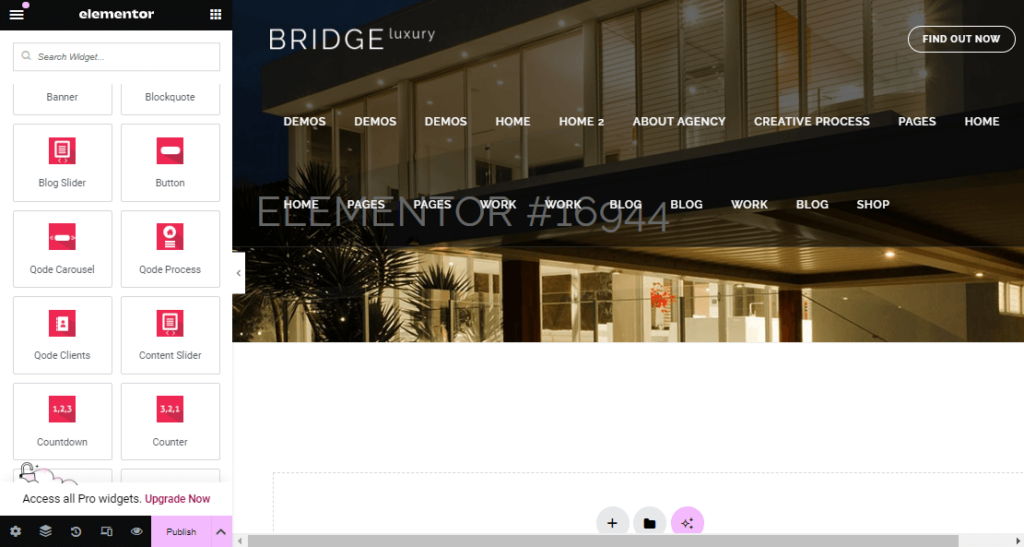
These block elements help you to customize your websites based on their specific needs. Users with limited coding experience can design personalized layouts that match their unique visions and brand identities.
Bridge also offers additional building components, including menus, sidebars, portfolios, blogs, and WooCommerce integration (if needed).
These components improve website navigation, content presentation, project display, blogging features, and eCommerce capabilities.
4. Premium Plugins Included
Bridge comes with a range of popular premium plugins. These plugins enhance the functionality of the main theme with specialized features designed for specific purposes.
They offer four exceptional plugins that cost over $200. These include the WPBakery Page Builder, Slider Revolution, LayerSlider, and Timetable Responsive Schedule.
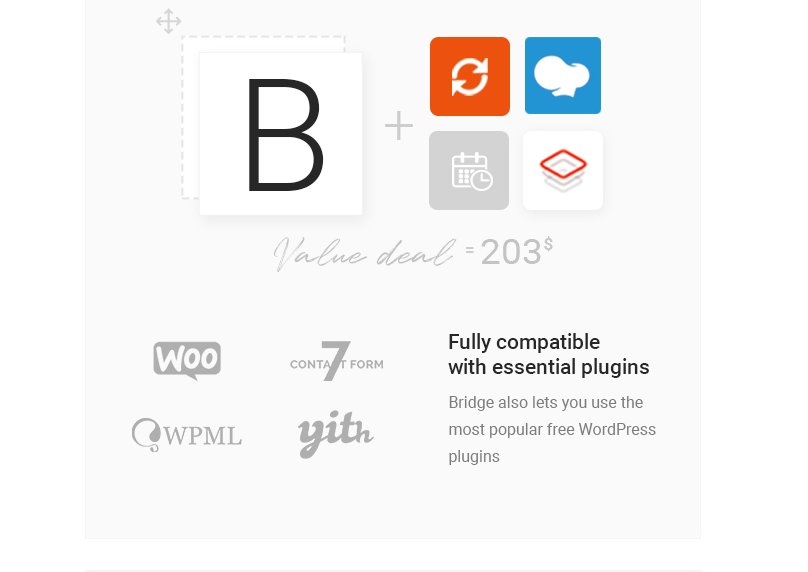
You can also use popular free WordPress plugins such as WooCommerce, Contact Form 7, Yith, and WPML.
5. CSS3 Animations
Bridge's CSS3 animations, allow you to add engaging visual effects to your website elements. These animations enhance the user experience by creating a more interactive and visually appealing website.
The Qode Options feature provides a user-friendly interface to select, preview, and customize animations, enhancing your content effortlessly. You can add animation for the entire title area and its content.
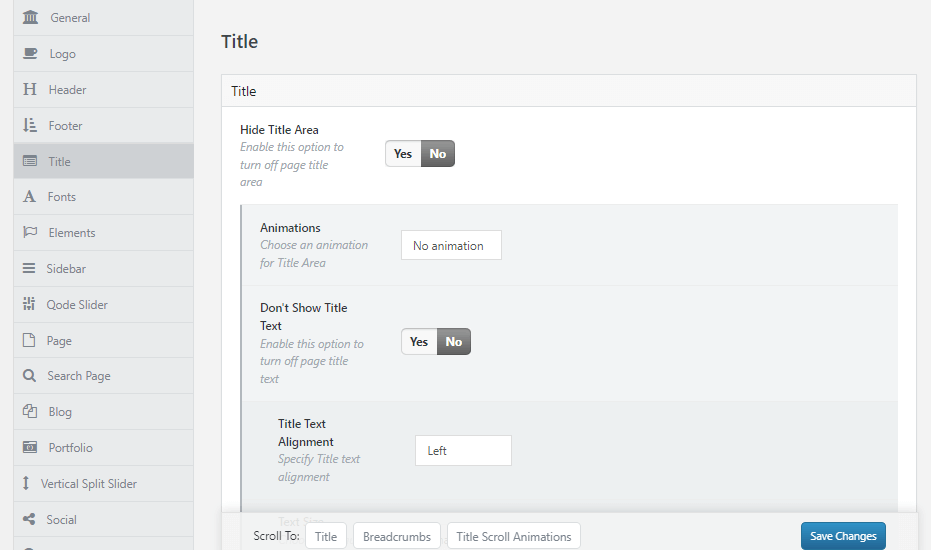
This can add visual interest and draw attention with creative animations, enhancing the user experience.
6. Qi Blocks for Gutenberg
Bridge theme offers Qi Blocks for Gutenberg, a free plugin enhancing the editing experience in WordPress. It offers a collection of pre-designed, extending beyond the standard Gutenberg options.
Qi Blocks offers 48 blocks for various functions, including sections, media, typography, social media integration, and WooCommerce support. Its user-friendly interface allows easy customization within the block editor.
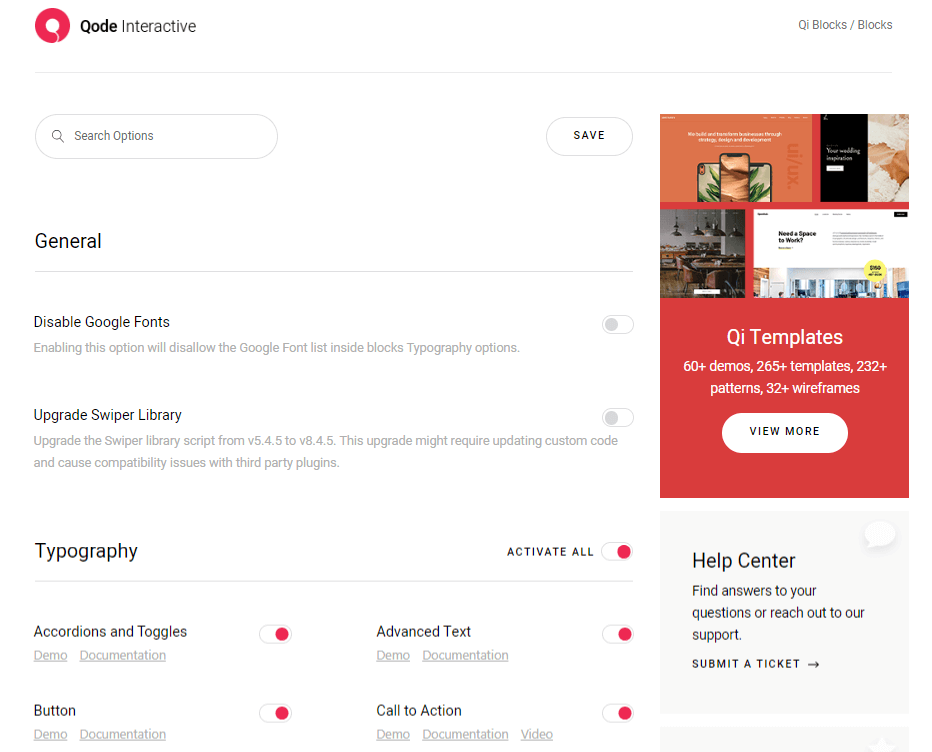
Each block in Qi Blocks offers various customization options such as colors, typography, spacing, layout, and visual styles. You can create personalized designs without needing advanced coding skills.
7. Pre-Built Websites
Bridge offers an extensive library of over 630 demos, making it simple to create websites quickly. Each demo is designed to look great and can be customized to fit your brand perfectly.
Using a demo simplifies the process, allowing you to import it with a few clicks and focus on adding your content. Just be sure to choose a demo that aligns with your website's purpose to reduce the need for customization.
Moreover, with various options, stunning visuals, and easy customization, Bridge demos are perfect for users who want to create professional, high-quality websites without needing coding knowledge.
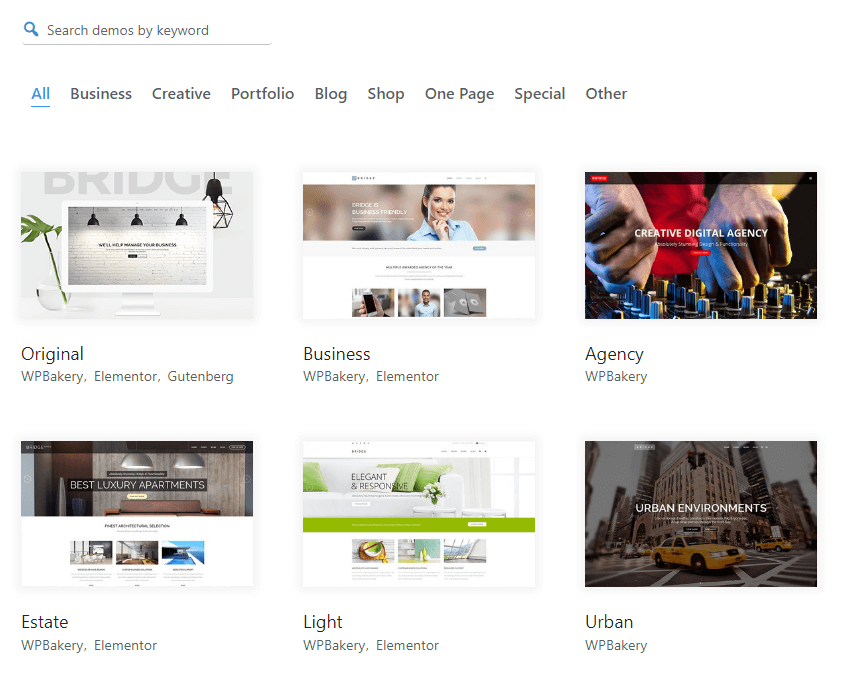
Let’s see how to import a Bridge demo website with a single click. First, navigate to Bridge Dashboard > Import. Then choose the demo site that you would like to import.
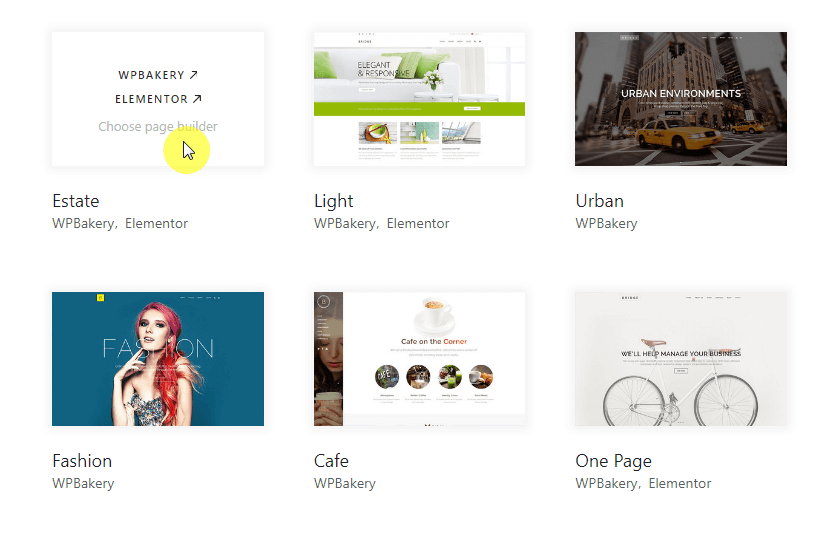
You have the option to choose a demo with either a single page builder or multiple page builders. If you prefer a page builder like WPBakery, simply hover over the demo and click the import demo button.
Alternatively, if you want to use multiple page builders, hover over the demo and select the preferred page builder you wish to use on your site.
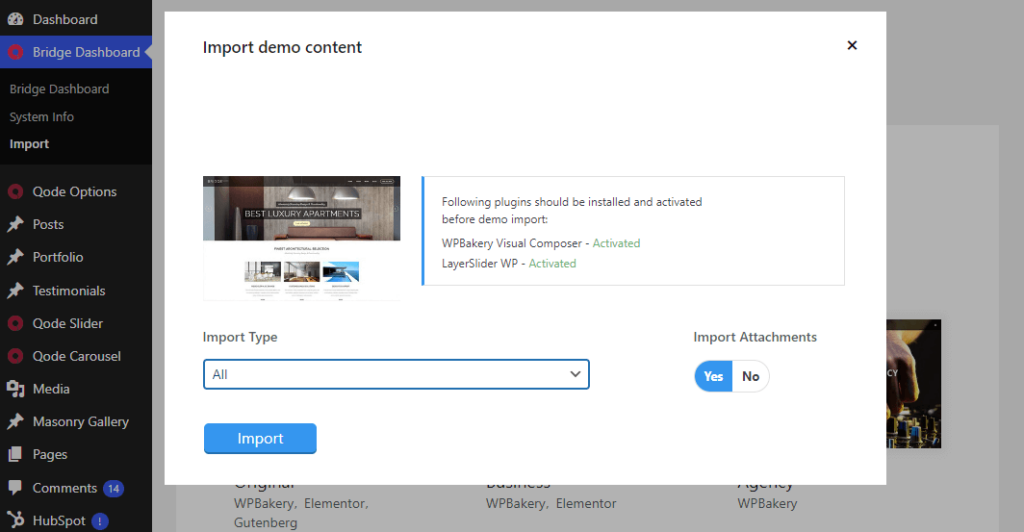
Now, you will see the Import demo content modal. Here you need to fulfill some important criteria. Install and activate some required plugins before the demo import. If you do it before, that's great.
After that, you will see the import type dropdown menu, choose what type of content you'd like to import:
- All: This imports pages, content, widgets, and settings, replicating the live demo exactly.
- Content: Imports only pages and their content, keeping your settings in Bridge Core Options.
- Widgets: Imports-only widgets, populate the theme’s widget areas without importing additional content.
- Options: Imports settings in Bridge Core Options only, achieving the same look and feel as the demo without additional content.
If you want to import media files like images, videos, and sounds, set the import attachments option to yes.
Hit the import button and wait until the import process is completed.
While the import is completed, you can go to your website and see how it looks now.
The images in their demo sites are copyrighted, and if you would like to publish them on your site, you would need to purchase them separately.
👋 My thoughts here
An overview of the core features and premade templates:
- Bridge offers a range of core features designed to enhance your website's functionality and visual appeal.
- Bridge supports custom HTML, CSS, and jQuery, enabling highly customized elements beyond standard features.
- It allows you to choose from a selection of layouts for both single portfolio items and portfolio lists, with customizable hover animations.
- You can easily implement one-page navigation with anchor links, allowing for seamless storytelling across your site.
- Bridge offers diverse blog layouts, one-page navigation, full-screen sections, a side menu, customizable Google Maps, and visually stunning Masonry Galleries.
- However, you may face some issues with its demo import, so troubleshooting is needed to enjoy all its features.
Bridge has everything you need to create a standout online presence, including eye-catching visuals and user-friendly navigation options.
Overall, Bridge's core features provide you with the necessary tools to create an easy-to-use and highly functional website.
Reliability
I would rate overall Bridge reliability at 3.2/5.
Here's why:
- The Bridge theme aims to provide a user-friendly experience, but its readability may vary depending on the context.
- The performance problems become more noticeable, particularly when dealing with larger demo websites.
- However, there is still potential for improvement in its performance, as shown by a ‘D' grade (59%) on GTmetrix.
Performance
Taking a closer look at speed and efficiency, I imported a couple of pre-designed websites and assessed their performance through GTmetrix. Unfortunately, all demos achieved a D grade with a performance score below 60%.
Then I imported the default demo site to see how it performs.
Here are the results:
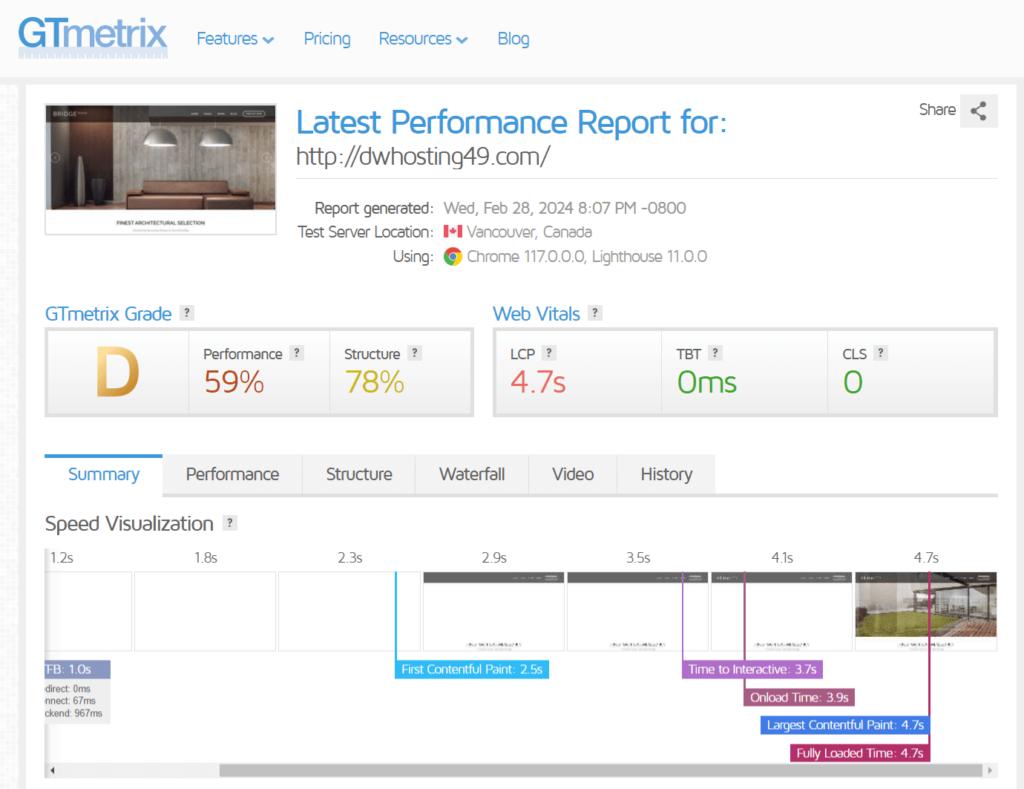
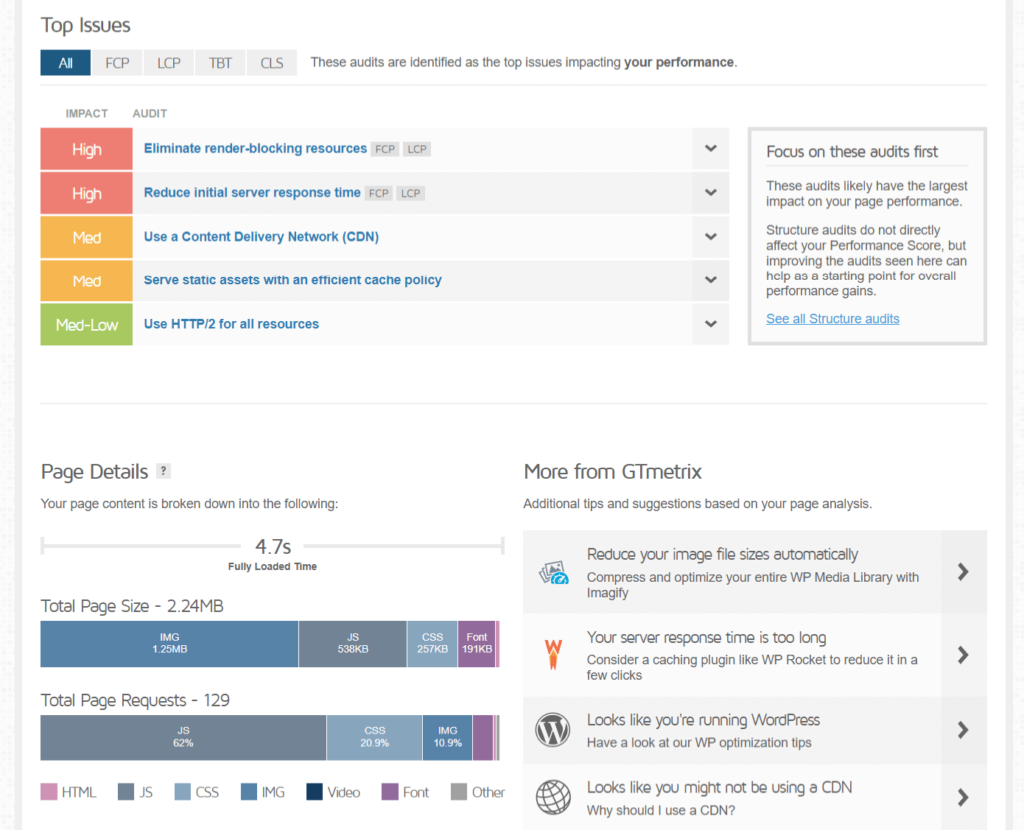
The outcome surprised me as the performance remained unchanged, receiving a D grade with a score of only 59%. The page size is quite large at 2.24MB, and it takes a lengthy 4.7 seconds to load.
I have conducted GTmetrix tests on a couple of WordPress themes. Here is how the Bridge compares to the others.
| Theme | Fully Loaded Time | Total Page Size | Total Page Requests |
| Bridge – Creative Elementor and WooCommerce Theme | 4.7 seconds | 2.24 MB | 129 |
| JNews— Newspaper and Magazine Theme | 9.2 seconds | 2.12 MB | 44 |
| Flatsome WooCommerce Theme | 1.0 seconds | 348 KB | 36 |
Honestly, I found the Bridge theme's performance and page speed lacking, especially when using their large demo sites.
⛔ Warning: The results from GTmetrix aren’t conclusive and won’t always hold true as the themes continue to update. However, they are a good indication of the themes’ performance and speed insights.
The speed of your website depends on both a good theme like Bridge and the quality of your hosting service.
Updates and Maintenance
The latest update of the Bridge theme focuses on providing users with an enhanced theme experience. The goal of this update is to offer users a broader range of pre-built demos, improved shortcode functionalities, enhanced responsiveness, and bug fixes.
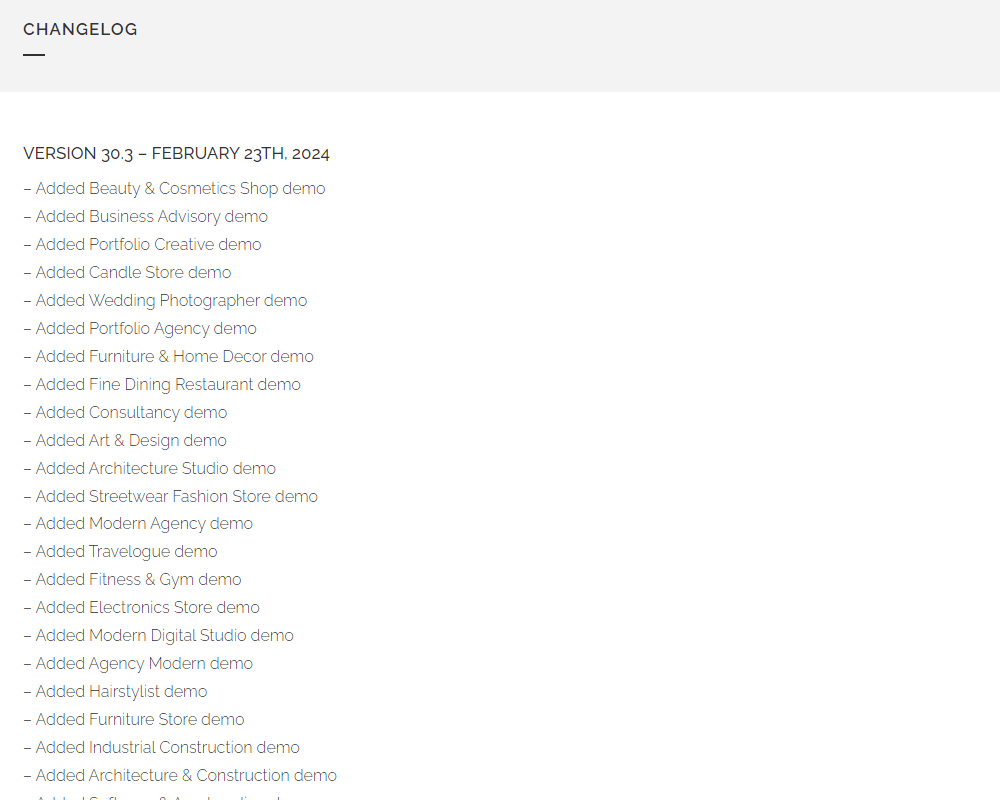
Here are some of the key highlights:
- 20+ New Demos: Bridge expands its library with a wide range of new pre-built demos.
- WooCommerce Compatibility: Ensures seamless integration and functionality with the latest WooCommerce version.
- Shortcode Enhancements: Introduces new customization options for several shortcodes, including Blog Slider, Portfolio Slider, Custom Font, and Image With Text.
- Responsive Design Improvements: Adds advanced responsive breakpoint options for Sidebars and Footers, enhancing adaptability across different screen sizes.
👋 My thoughts here
With regular updates and maintenance, the bridge becomes a powerful and feature-rich WordPress theme.
Let me share some important points:
- Users can expect an improved theme experience with the regular updates from Bridge.
- The performance scores of this product are not very impressive, so it needs to be improved.
- Optimizing images by reducing their size and file format can significantly improve page load speed.
- Implementing lazy loading ensures that images and other non-critical resources are loaded only when they come into the user's viewport.
The Bridge theme needs to focus on enhancing performance to boost user experience.
Support
I would rate overall Bridge support at 3.8/5.
Here's why:
- The Bridge theme is exceptional in offering a complete knowledge base and a variety of video tutorials.
- Social media platforms such as Facebook, LinkedIn, YouTube, Dribbble, and Behance offer general information and community engagement.
- You can choose premium support for quicker responses and personalized assistance.
Customer Service
The Bridge theme offers multiple support systems.
You can get support from:
- Ticketing system
- Community support
- Video tutorials and guides
- Documentations
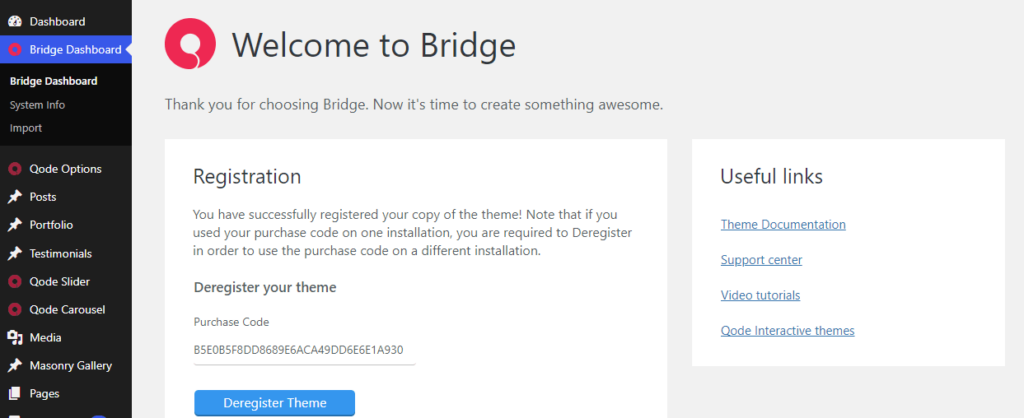
You can access their various support resources directly from your WordPress dashboard. Simply go to the Bridge Dashboard section to find quick links to their support center, documentation, and video tutorials.
Documentation
Bridge's official documentation is a useful resource for users of all levels of experience. It is well-organized and provides step-by-step guides and support.
The left sidebar menu offers easy navigation to all available documentation, making it user-friendly. This resource can help reduce the learning curve, speed up website creation, and encourage self-reliance.
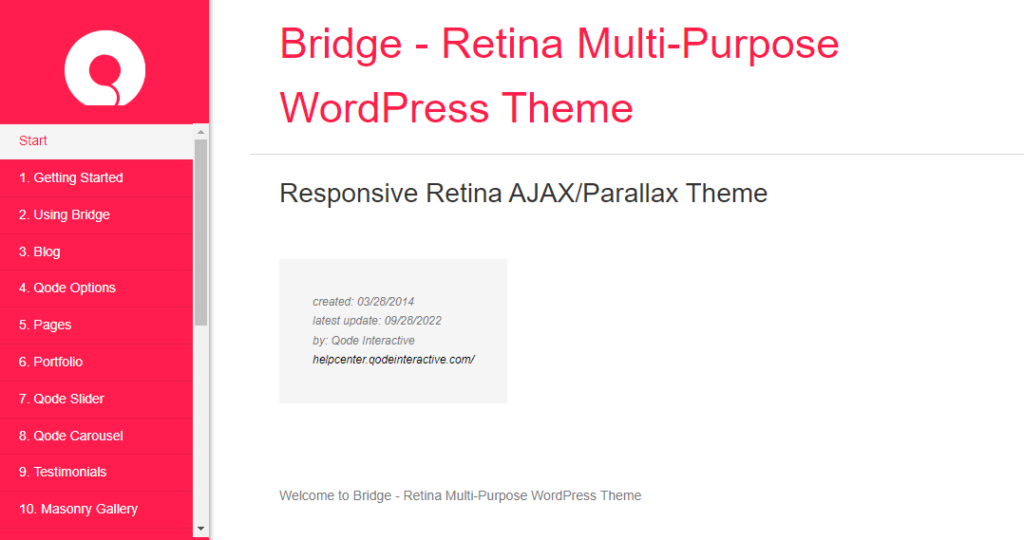
While going through their guides, I noticed that they were written effectively with relevant images to enhance better understanding.
Common Knowledge Base
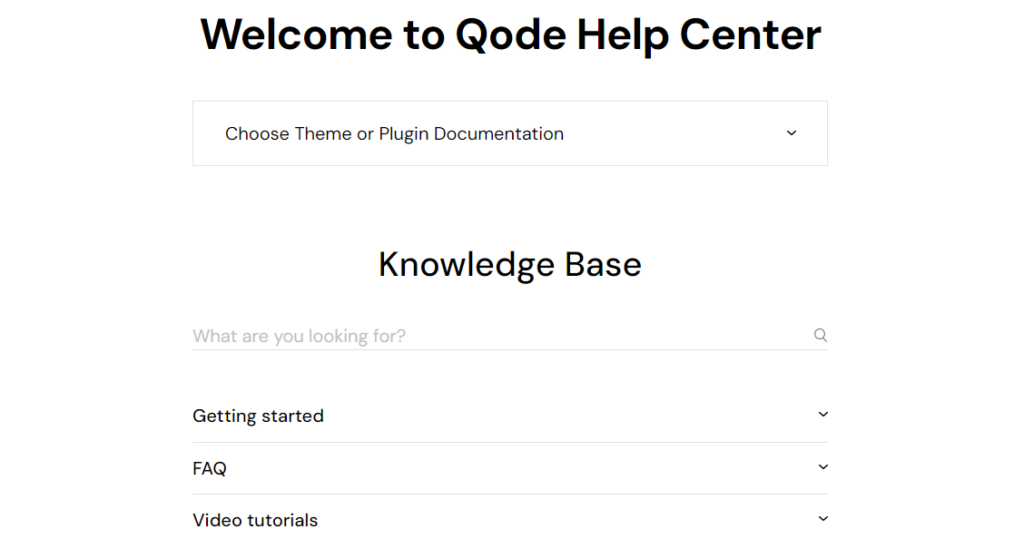
The Qode Help Center serves as the one-stop destination for Bridge theme and other Qode interactive products. It provides guides for installation, customization, and issue troubleshooting.
One big benefit is self-reliance – you can find answers and fix problems on your own. The knowledge base and its search bar allow you to find solutions quickly. Use the search bar to find solutions easily.
Community Support
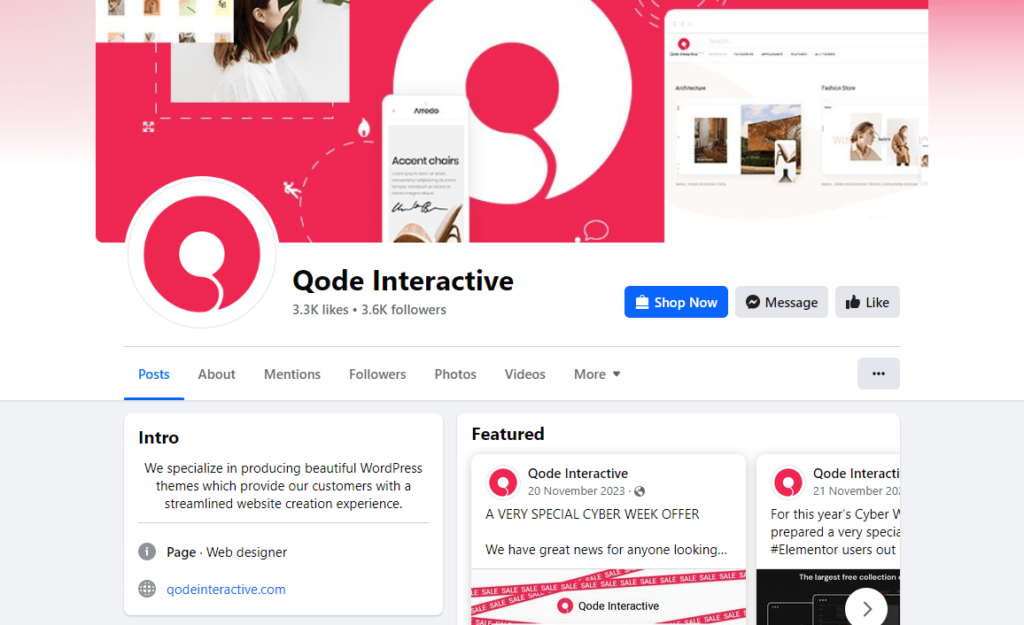
Bridge is also available on Facebook, where you find announcements, updates, and engagement with the user community. You might find helpful discussions or connect with other users who can offer solutions.
Their LinkedIn profile primarily focused on company information and job postings. Dribbble & Behance platforms showcase Bridge's design work and inspiration but are not channels for receiving support.
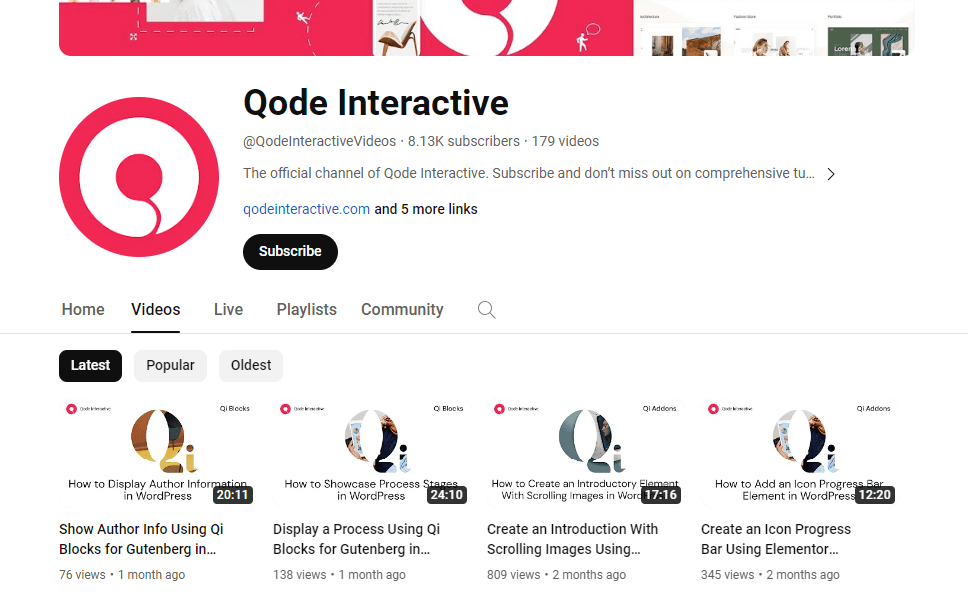
Bridge has an official YouTube channel where they upload video tutorials. You can access valuable video resources and tutorials that guide you through various aspects of using and customizing the Bridge theme.
I found that their official YouTube channel is active, with their latest video uploaded about a month ago. It's great to see that they interacted with their audience by responding to comments
👋 My thoughts here
Here are some of my suggestions:
- They can create video tutorials and update their previously created content.
- Improving their social media presence can be done by responding to user questions on platforms like Facebook and LinkedIn.
- Update documentation and tutorials regularly to keep users informed.
Overall, Bridge has a solid support system that assists users in achieving technical support and improving their theme experience. However, they can improve by engaging more on social media, simplifying support access, and updating resources regularly.
Pricing
I would rate the overall pricing of the Bridge theme at 3.7/5.
Here's why:
- Bridge is priced at only $69, considering the variety of features and extras it offers.
- You will receive lifetime free updates and six months of support, guaranteeing that you will always have access to the latest features.
- You have the option to extend the support for 12 months, but there will be an additional charge for this.
However, offering a multi-site license or a more direct refund policy could be a plus point for improving user satisfaction.
Cost Breakdown
Bridge theme offers straightforward pricing and provides a significant amount of value considering its wide array of features.
You can take it directly from the Envato Market:
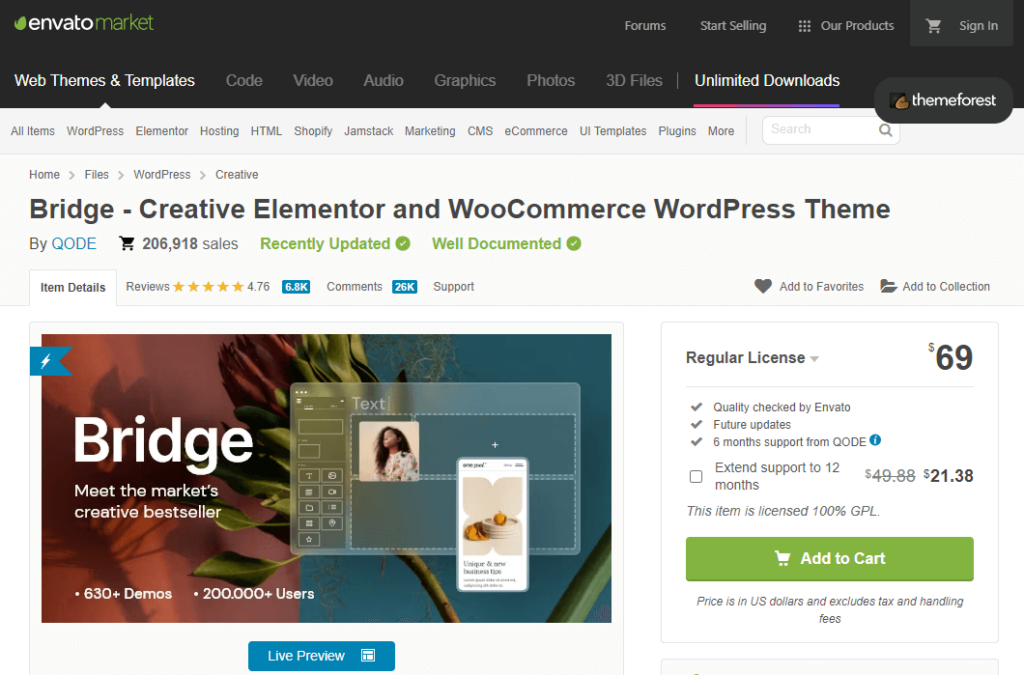
For $69, you will gain access to the following:
- All the features Bridge theme offers
- Free updates
- 6 months of support from the theme authors
⚠️ Note: One downside of purchasing a theme from Envato Market is that the regular license is only for a single website.
Consider these additional costs:
- The handling fee for using credit card transactions during purchase
- Extending support to 12 months will cost $21.38
Money Back Guarantee/Refund
You can only purchase the Bridge theme on Envato Market, so if you need a refund, you'll have to follow Envato Market's refund policies.
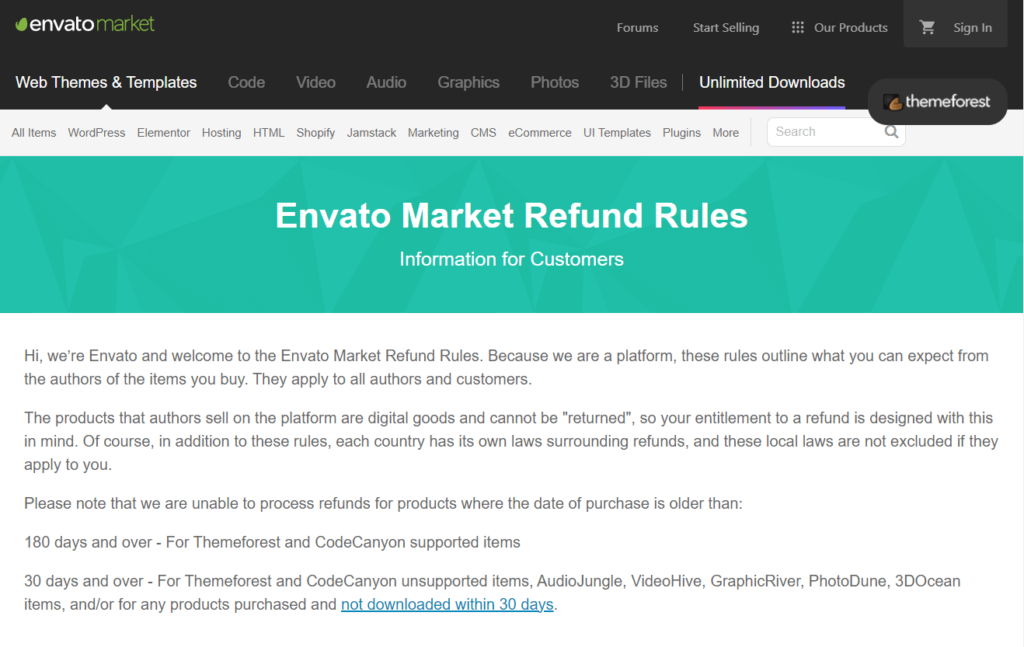
Here’s a summary of their refund policy:
| Circumstance | Eligibility | Notes |
| Item is “not as described” or doesn’t work as it should | Yes | If the item is materially different from the description or doesn't work as expected. |
| Item has a security vulnerability | Yes | If it can't be fixed easily, you may be entitled to a refund. |
| Item support is promised but not provided | Yes | If you don't receive the promised support, you may be entitled to a refund. |
| Items that have not been downloaded | Yes | If not downloaded within 30 days from the date of purchase. |
| Resolving disputes – asking Envato to help | Discretionary | If you and the author can't agree on a refund, Envato may intervene. |
| You don’t want it after downloading | No | — |
| Item didn’t meet expectations or is of low quality | No | — |
| Change of mind | No | — |
| Bought by mistake | No | — |
| Lack of expertise to use the item | No | — |
| Item removed or author no longer active | No | Advised to download items immediately after purchase. |
| Purchase made over 180 days ago (supported items) | No | For Themeforest and CodeCanyon supported items. |
| Purchase made over 30 days ago (unsupported items) | No | For Themeforest and CodeCanyon unsupported items and other specified Envato Market items. |
👋 My thoughts here
Here are some points:
- Bridge offers excellent value for its price, providing a wealth of features and functionalities.
- Users like the availability of multiple premium-quality plugins at no extra cost.
- The availability of a multi-site license and a robust refund policy contribute to higher customer satisfaction.
It generally has a higher starting price compared to other themes, which could be a downside for budget-conscious users. However, similar to other premium WordPress themes on the Envato market, Bridge's pricing aligns well with what it offers in terms of features and benefits.
Final Thoughts
Bridge is a powerful WordPress theme offering everything from easy drag-and-drop builders to a vast library of Elementor widgets.
Bridge provides a beginner-friendly interface and a vast library of pre-designed pre-built demos that make website creation faster, even for beginners.
With regular updates and dedicated support, you can trust Bridge to keep your site secure and running smoothly. However, it costs a bit more and might take some time to learn how to use everything.
So, think about what you need, how much you want to spend, and how comfortable you are with technology before you decide.
If the thought of ongoing updates and costs seems daunting, Darrel Wilson's exclusive offer might be the perfect solution.
Get lifetime access to all premium template kits designed specifically for Elementor:
- Get lifetime access to all premium template kits designed for Elementor
- Complete with 2 years of dedicated support
- Only for $99 — that's already for the lifetime access
Take this opportunity to simplify your website management with Darrel Wilson's game-changing templates.