
Want to make your site more accessible?
By the end of this guide, you will learn how to make the content and design of your website more accessible to your visitors.
Here’s some of what we’ll talk about here:
- Why web accessibility is important
- Choosing an accessible theme
- Using accessibility plugins
Ready? Let’s get started.
Why is web accessibility important?
Web accessibility ensures that all users, including the over 1 billion people worldwide with disabilities, can have equal access to information and functionality on the internet.
By making websites accessible, you create a more inclusive society, improve user experience for all, and tap into a significant market with considerable purchasing power.
By the way, it’s a legal and ethical obligation, with various laws and regulations requiring digital content to be accessible to people with disabilities.
🖐️ Update: When you make your WordPress website accessible, it’s easier for search engines to crawl the pages, helping your site appear in the search results.
Looking to make your website more accessible? Your web hosting service can play an important role in this effort.
Hostinger offers a reliable hosting solution designed to support your accessibility initiatives, ensuring your website is fast and stable.
Discover the Hostinger advantage for your WordPress site:
- Enjoy a 99.9% uptime guarantee
- Affordable pricing at just $2.49/month (use the code darrel10 to get a discount)
- Global performance and reach with Hostinger's optimized hosting platform
Ready to elevate your website's hosting experience?
Choose Hostinger today and witness the difference in your website's performance and growth.
How to Make Your Website More Accessible
There are several ways to make your site accessible to all, some of them are as easy as choosing the right theme and installing a plugin.
Method 1: Choosing an accessible theme
Selecting an accessible theme is a foundational step in ensuring that your WordPress website meets accessibility standards.
Themes tagged as “accessibility-ready” in the theme directory have undergone testing to ensure they meet basic web content accessibility guidelines.
Here’s an example:
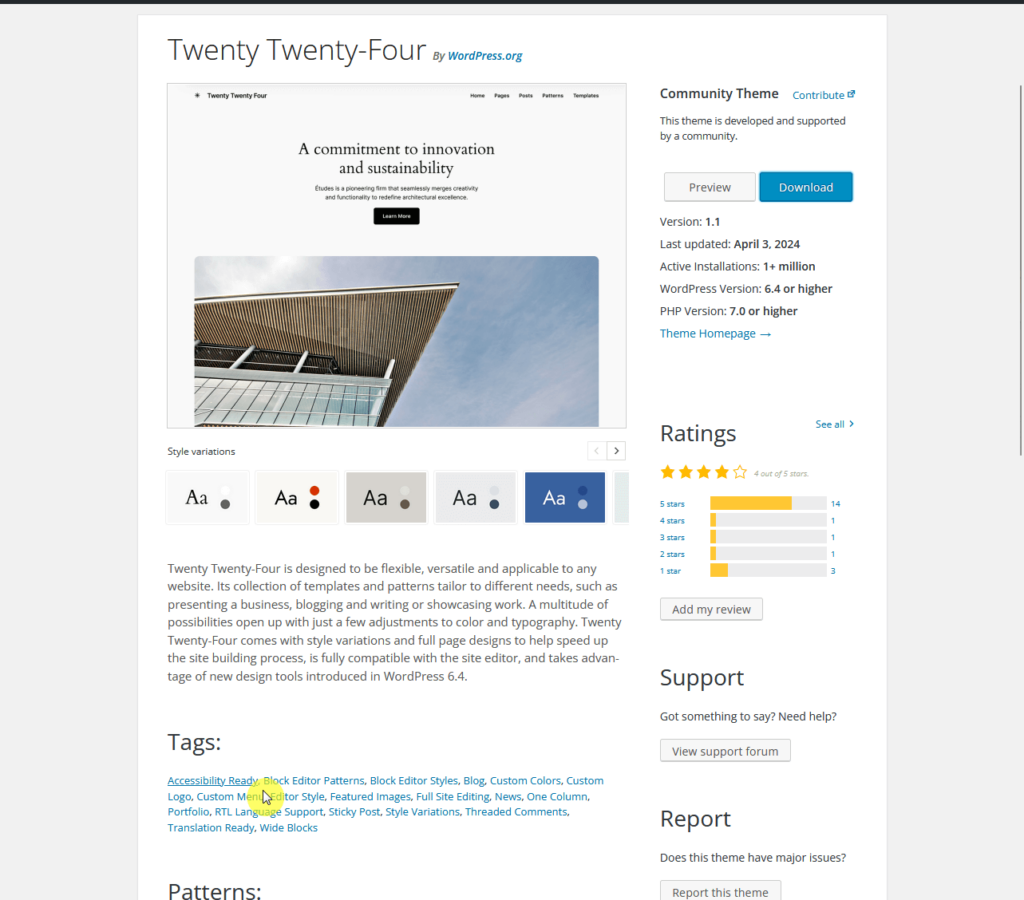
These themes are designed to provide features such as:
- Keyboard navigation
- Adequate color contrast
- Proper ARIA (accessible rich internet applications) roles
Unfortunately, there are only a few of them in the repository — you may recognize some of the themes like Neve, Hello Elementor, and OceanWP.
👉 Related: OceanWP Theme Review: Overrated or Genius? (Updated)
⚠️ Note: After installing the theme, make sure to perform checks by using the keyboard to navigate the site to verify that all interactive elements are accessible.
Other elements to check:
- Check color contrast ratios
- Alternative text to images for screen reader compatibility
It's also important to regularly update the theme to maintain accessibility standards and ensure compatibility with the latest web technologies.
👉 Related: How to Safely Update Your WordPress Themes
Method 2: Using an accessibility plugin
Using a WordPress accessibility plugin is a straightforward and effective method to enhance the accessibility of your WordPress site.
These plugins can automate many of the adjustments needed to make your site more accessible to users with disabilities.
Let me cite two examples:
- WP Accessibility
- One Click Accessibility
After installing WP Accessibility, you will be able to configure accessibility settings on your site:
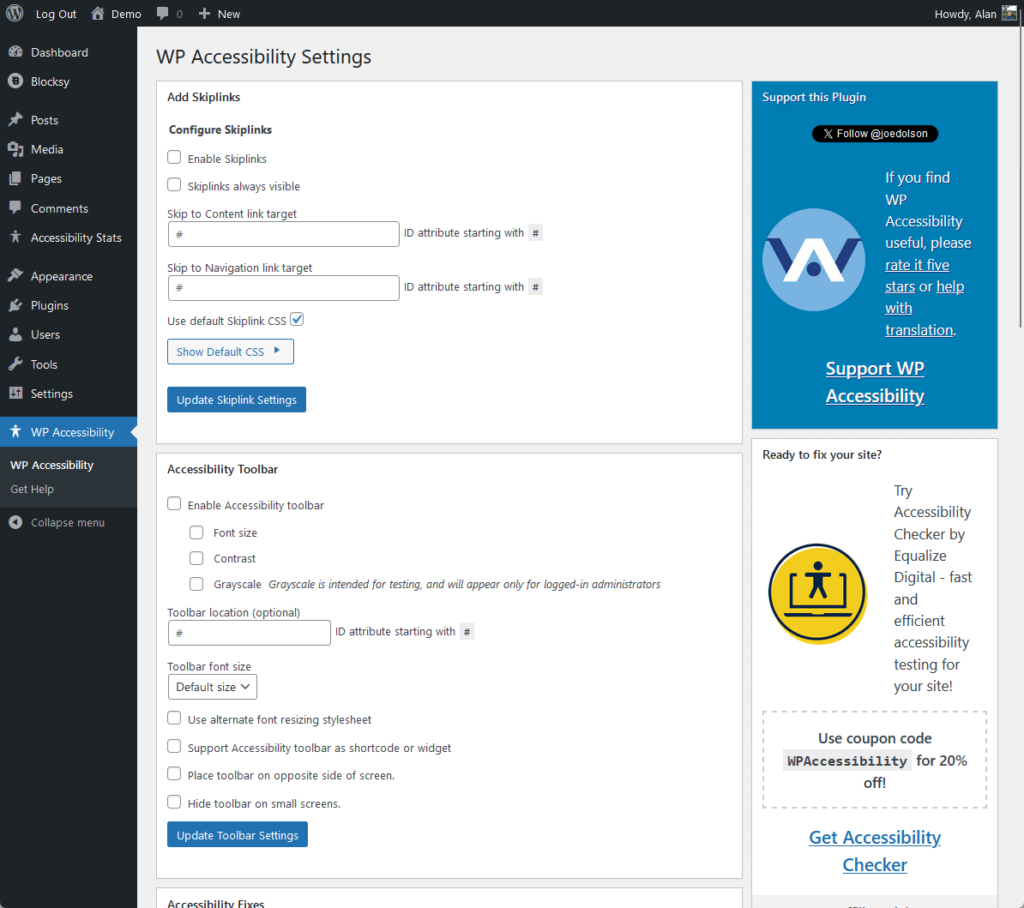
You can access a variety of settings here such as:
- Skip links: This option allows you to add user-defined targets for skip links, improving navigation for keyboard and screen reader users.
- CSS and styling modifications: Adjust the CSS to improve visibility and focus, which is important for users with visual impairments.
- Miscellaneous settings: Remove target attributes from links, add language attributes, and make other accessibility adjustments.
Meanwhile, this is what you see in the toolbar settings with One Click Accessibility:
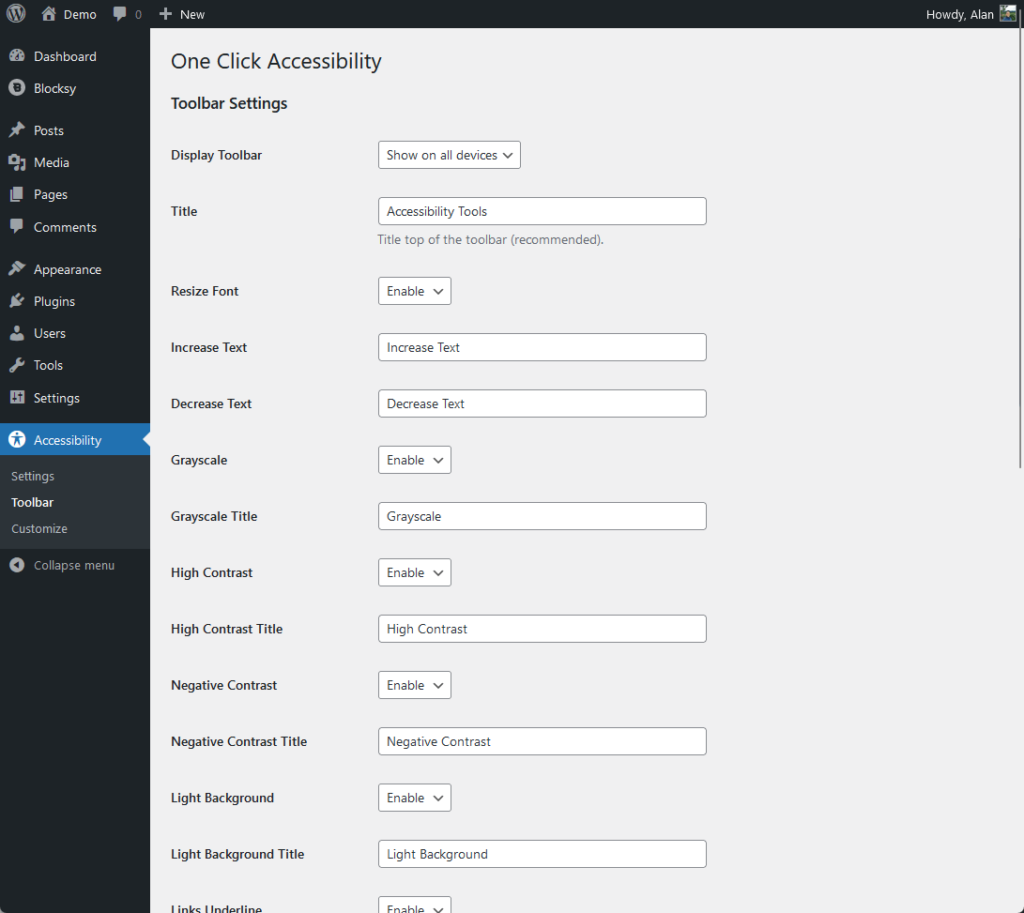
Using the toolbar, you gain access to some accessibility features like the following:
- Resizable fonts: This feature allows users to adjust the font size to their preference, which is particularly useful for those with visual impairments.
- Contrast adjustment: Enable users to switch to a high contrast mode, which can greatly improve readability.
- Underline links: This setting makes identifying links on the page easier, aiding navigation.
After making these adjustments, remember to save your settings to ensure all changes are effectively applied.
👉 Related: Best Accessibility Plugins for WordPress: Free + Paid
Method 3: Ensuring Accessible Content
How would you feel if the entire page was full of words, without separating the content using paragraphs and headings?
Well, even just imagining is almost unbearable, which is why creating accessible content is “foundational” to an inclusive website.
This involves several key practices:
- Use headings correctly: Structure your articles with proper heading tags (H1, H2, H3, etc.) to create a logical content hierarchy.
- Provide alternative text for images: Alternative texts (alt text for short) help individuals who are using screen readers understand the images.
- Use clear and simple language: Aim for straightforward and easy-to-understand language to ensure your content is accessible to a wider audience.
- Ensure links are descriptive: Avoid vague link text like “click here” and instead, use descriptive link texts that convey the purpose or destination of the link.
One example of this is what you see on this page right now where the content is neatly organized and made accessible. 🙂
👉 Related: How to Write High-Ranking Blog Posts (Like This Post)
Always Check Your Site’s Accessibility
What’s cool here is that there are a lot of accessibility testing tools that you can use, some are even automated ones.
You should also involve and listen to real users, especially people with disabilities when testing your website.
Their feedback can uncover issues that automated tools might miss and provide insights into the practical usability of your site.
After enhancing your website's accessibility, the next step is to streamline your web design process.
Updating themes and templates can be cumbersome and costly, but Darrel offers a solution to simplify your web design.
Secure lifetime access to all premium Elementor template kits:
- Get lifetime access to all premium template kits designed for Elementor
- Complete with 2 years of dedicated support
- Only for $99 — that's already for the lifetime access
Embrace this offer from Darrel and enjoy a hassle-free experience in maintaining your website's design