
Ease of Use
I would rate the overall ease of use of Cloudways at 4.2 out of 5.
Here are the reasons for this rating:
- Cloudways has a modern, user-friendly interface that is easy to navigate.
- Selecting the right cloud server and configuring the server settings can be slightly confusing for those not familiar with cloud hosting.
- Cloudways has managed to keep the setup process smooth and easy to understand.
Overall, Cloudways offers a user-friendly experience with a clean interface and easy navigation, balanced by a slight learning curve for beginners.
User Interface
For Cloudways, we already have a test hosting account — I may not be able to show everything, but I can show you how it looks now. 🙂
Cloudways recently updated its user interface and made it a bit more modern and easier to navigate like adding a new server or application.
Here’s what the dashboard looks like:
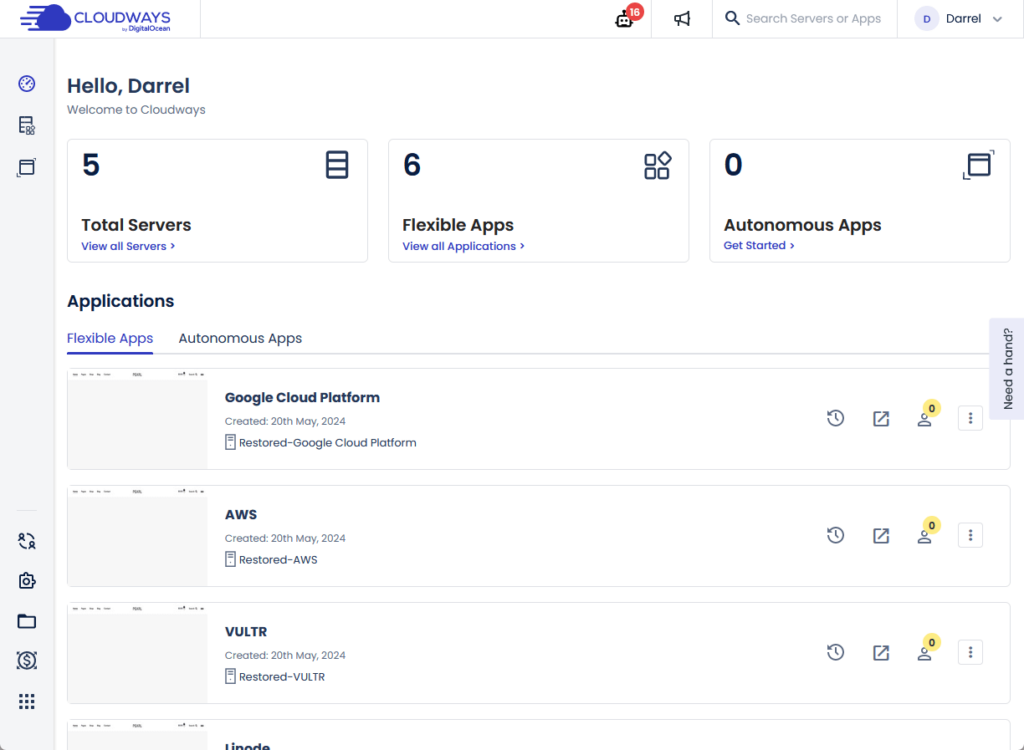
It looks quite okay and modern-ish, and its interface is what you would expect from managed hosting services.
From the dashboard, you can:
- Go to your apps directly
- See all your servers and apps
- Check the resource center
You can even go to the actual site, delete the website (or application), or create a staging area — in a few clicks.
For example, if you decide to clone an application (website), you will then see a selection that also serves as the confirmation.
Like this:
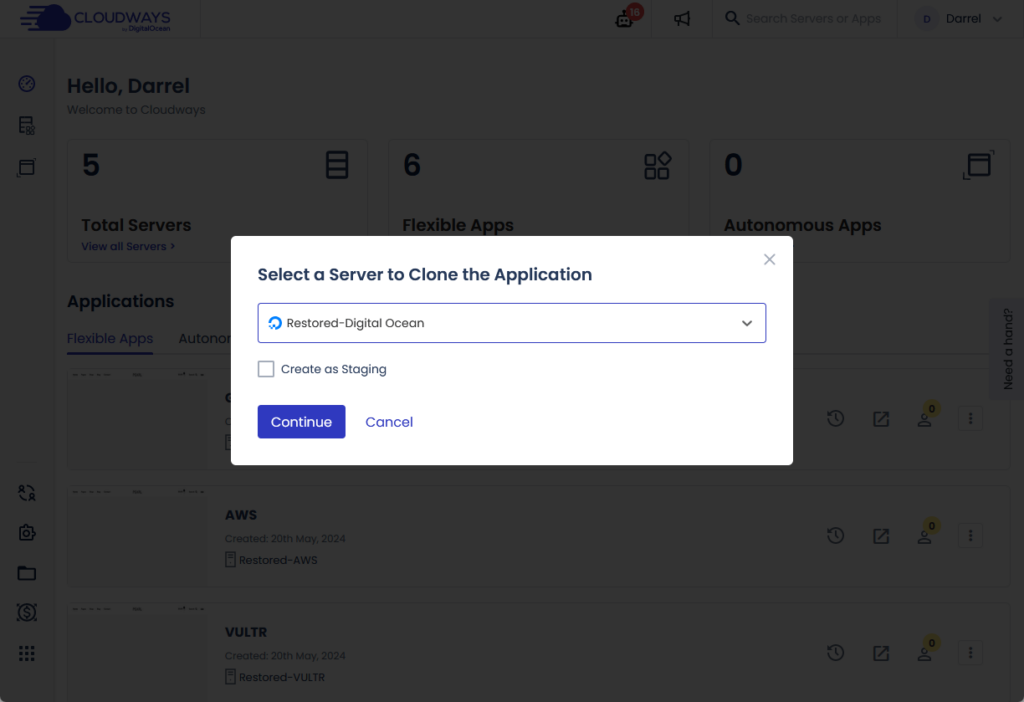
From my experience using Cloudways, I can vouch for the user-friendliness and ease of navigation of its user interface.
Hosting Setup
As you may know, Cloudways offers different networks for its servers, where you need to choose one to house your website.
The easiest way to add a new server is to see all your servers and from there, click the add server button:
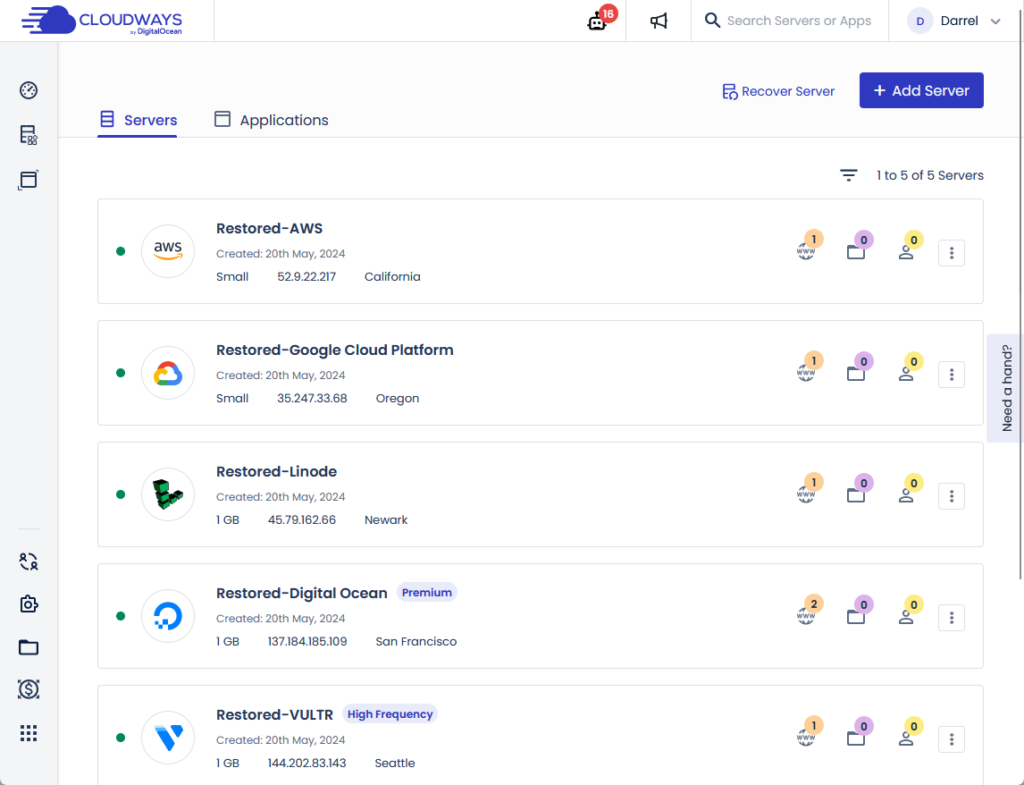
Cloudways currently supports the following cloud providers:
- Digital Ocean
- Vultr
- Linode
- Amazon
You will need to specify what application you want to run (WordPress) and the application name and server name.
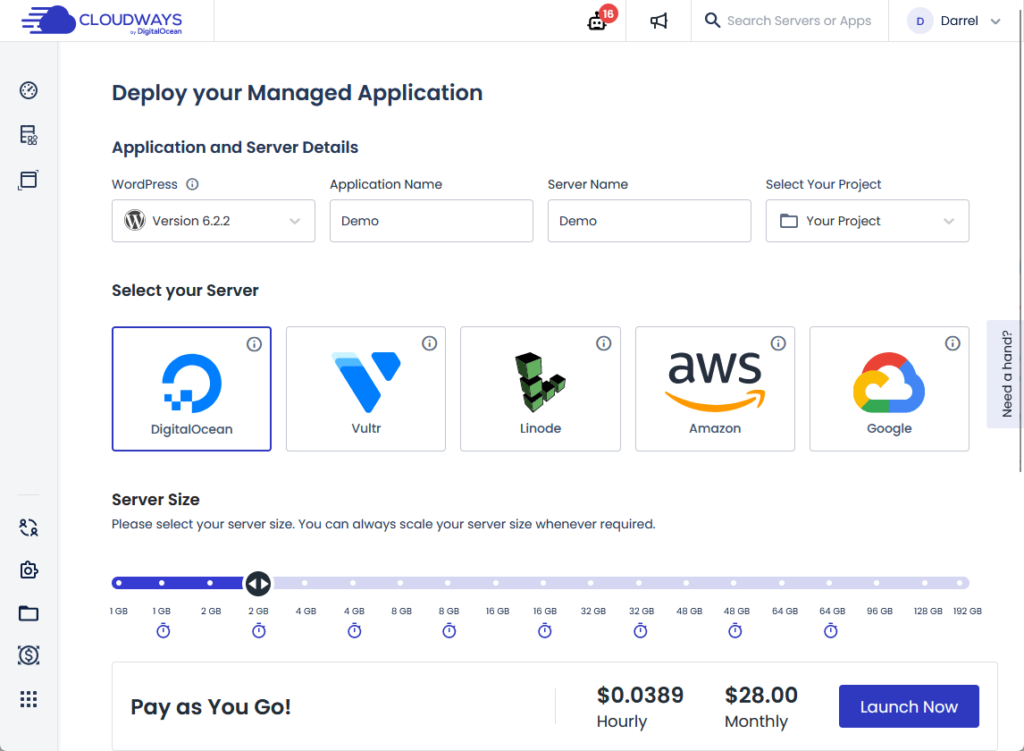
From there, you need to select the server size (you can always scale this up), and the server location, and then you’re good to go. 🙂
You can then access the application settings, get the access details, and configure the environment on how you want it to be.
Overall, despite being a managed cloud hosting service with different cloud providers to choose from, the actual process is smooth and easy to understand.
👋 My thoughts here
In terms of ease of use, Cloudways managed to make it easier even if it should be complicated with its host of cloud providers. 😅
Anyway, here are my thoughts:
- The user interface looks modern, snappy, fast, and easy to understand.
- You can easily find what you need from the client area, and some options or actions can be done in 1-2 clicks.
- Despite having multiple cloud providers, setting up a server and a website is simple and easy, with no tech expertise required.
In fact, doing this review was the second time I used Cloudways, the first one was when I set up the websites we track.
But despite having the interface changed, I was still able to find my way around and managed to do what I wanted to do.
Remember that dependable web hosting can also greatly impact your site's performance.
This is where Hostinger comes into play, offering an unmatched hosting solution that you simply can't overlook.

Discover the Hostinger advantage for your WordPress site:
- Enjoy a 99.9% uptime guarantee
- Affordable pricing at just $2.49/month (use the code darrel10 to get a discount)
- Global performance and reach with Hostinger's optimized hosting platform
With Hostinger, you're investing in a hosting service that's committed to delivering speed, stability, and overall better performance for your website.
Features
I would rate the overall features of Cloudways at 4.5 out of 5.
Here are the reasons for this rating:
- Cloudways offers robust monitoring and analytics features directly from the app dashboard.
- Some advanced functionalities, particularly enterprise-level security features from third-party vendors like Cloudflare, are available as paid add-ons.
- They allow you to choose from multiple renowned cloud providers and offer flexible server management options.
Overall, Cloudways offers a comprehensive set of features that cater to both novice and experienced users, balanced by the need for some paid add-ons for advanced functionalities.
⚠️ Note: If you’re looking for what each hosting plan brings to the table, you can find them in the pricing section of this review as what I’ll be talking about here are hosting features.
Here are some notable features of Cloudways:
1. Analytics (Monitoring)
One of the things I noticed from the app dashboard is the monitoring feature.
The analytics part, from its name, contains information about various indicators in the website like IP requests, bot traffic, and more.
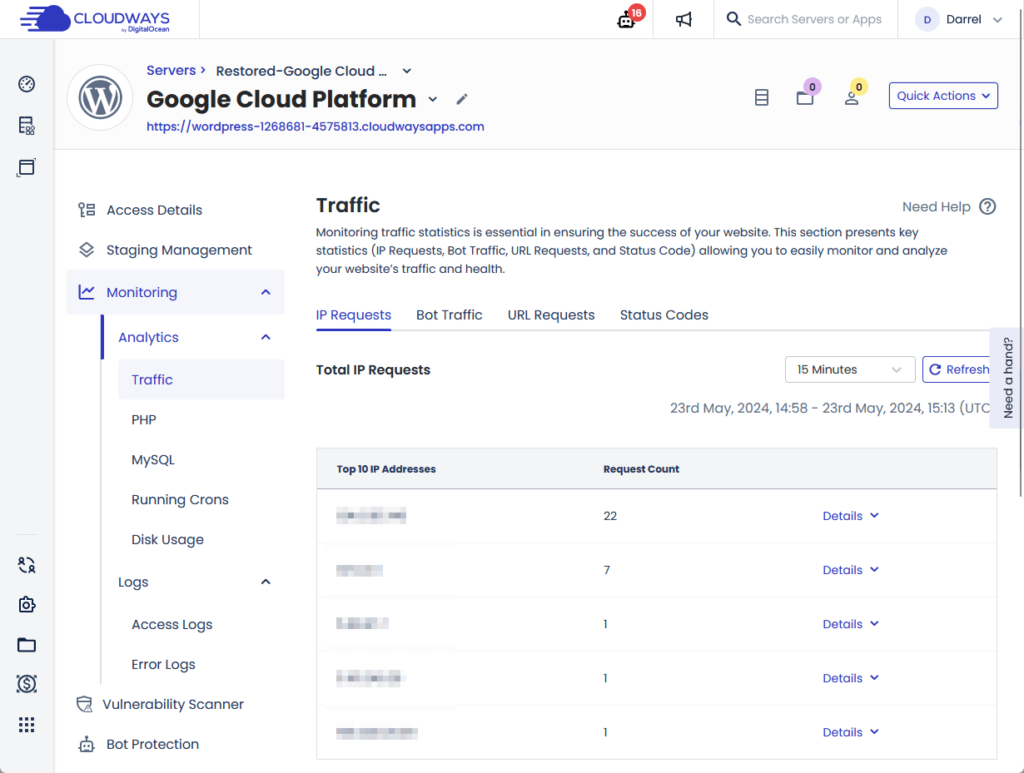
It even tracks the top requested PHP pages, its average duration in seconds, request count, running processes, and more.
The access logs contain information that will enable you to understand web requests, the status of requests, view pages, and more.
There are even error logs where you can find information about issues that your application or website encounters.
2. Security
Cloudways is a popular and reputable hosting provider, it follows that its security must also be top-notch, or else its popularity will decline.
An example of a feature that other hosting providers don’t have is its bot protection:
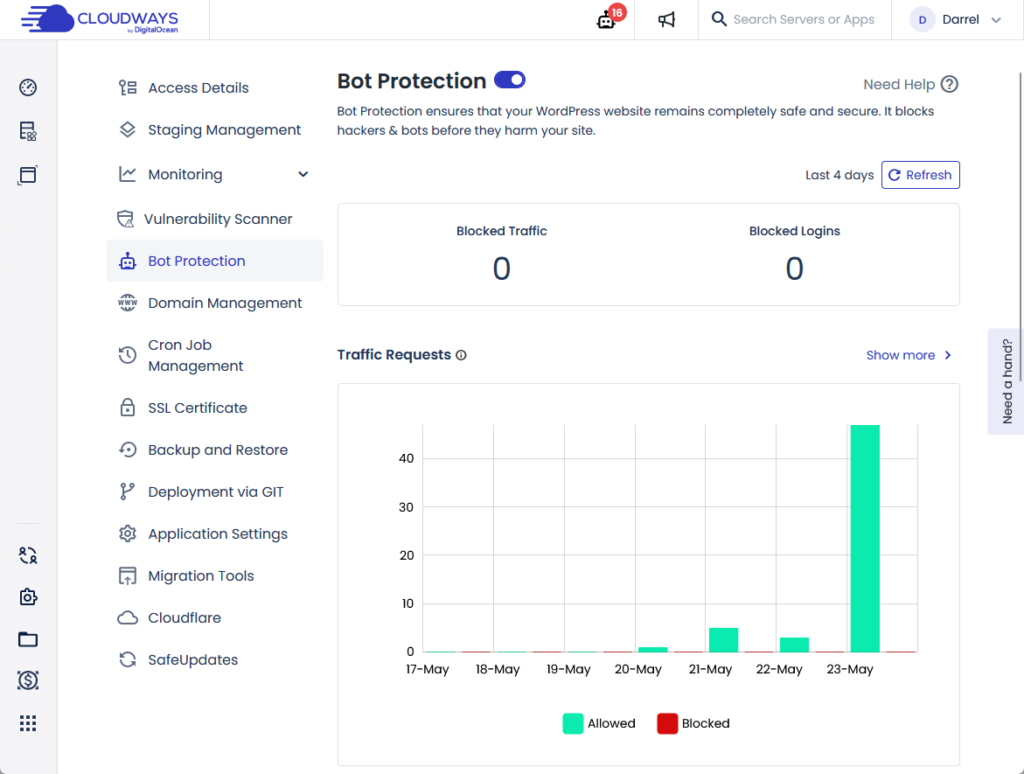
Basically, their bot protection feature shields your website from hackers and bots before they can harm your site.
Cloudways will install a “bot protection” plugin into your website — although you can always uninstall this anytime.
Other notable security features that Cloudways has included a vulnerability scanner and layer 3 and 4 DDoS mitigation.
⚠️ Note: Cloudways also has secure add-ons, mostly from Cloudflare Enterprise, which include an intelligent WAF (firewall) and enterprise DDoS mitigation.
3. Cloud
Besides the fact that you can choose from a lot of renowned cloud providers, Cloudways also has other cloud features.
For example, as I already mentioned earlier, you can increase your server size quite easily, with details on how much it would cost.
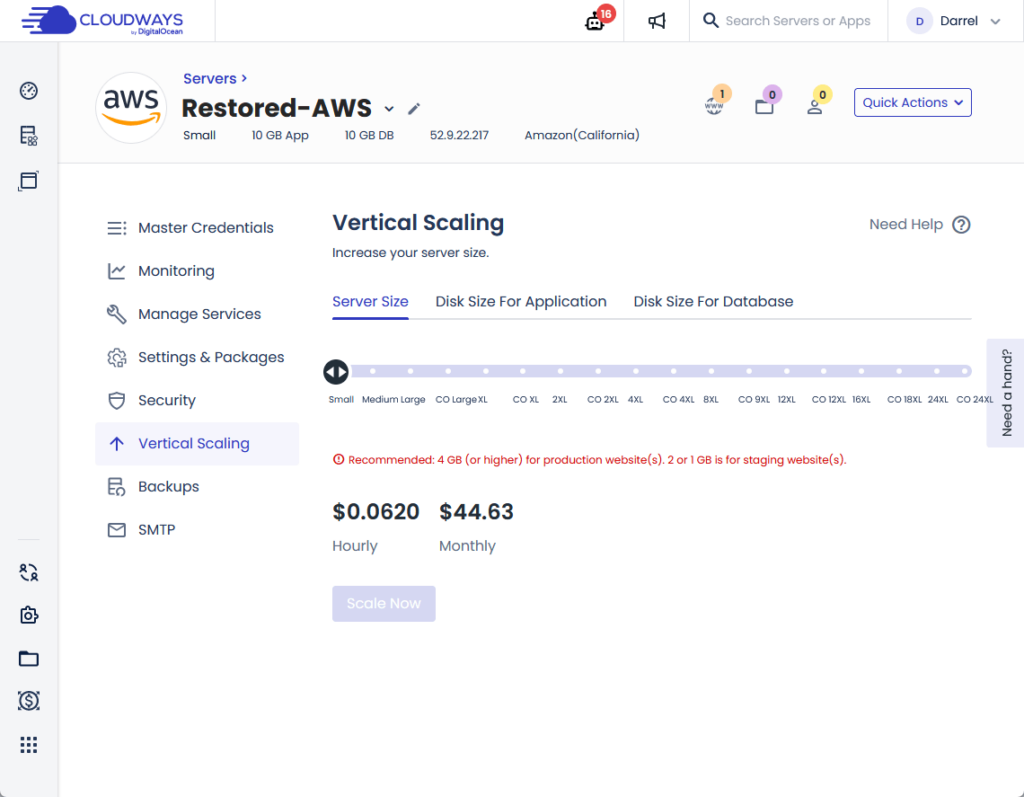
Remember that you can scale your server up or down easily without disturbing your any server configuration.
Even if Cloudways is a managed cloud hosting provider, they don’t take away your capability to manage server-level settings and packages.
If you want, you can even change the server maintenance schedule, which is important for improving the security and stability of your server.
👋 My thoughts here
Cloudways definitely has a lot of features available for users, worthy of being able to host various cloud providers. 🙂
Here are my thoughts here:
- I love the fact that you don’t have to install any monitoring software or plugins to track your website and server indicators.
- I have used a lot of managed hosting services in the past, and most of them will give you a headache if you want to change a basic setting in the server.
- Being able to easily scale your server up or down is a big help, especially since you won’t need to select a plan that directly x2 your size and cost.
I did notice a pattern with managed hosting providers though, Cloudways included.
It seems that many of them have “paid” add-ons, though many of these are enterprise features from third-party vendors like Cloudflare.
Not saying that it’s a bad thing though. 🤷
Reliability
I would rate the overall reliability of Cloudways at 4.8 out of 5.
Here are the reasons for this rating:
- Cloudways demonstrates outstanding performance across all its cloud providers, including Digital Ocean, Vultr, Linode, AWS, and Google Cloud.
- While a few minutes of downtime over a year might not seem significant, it could still impact critical operations for some businesses during those moments.
- Cloudways provides a detailed status page with real-time updates, incident history, and maintenance schedules.
Overall, Cloudways offers highly reliable hosting with exceptional performance and transparent maintenance practices, balanced by the occasional need to manage minimal downtime.
Performance
For the performance, I keep an eye out for 20 or so web hosting services using Pingdom (these hosts are the ones that Darrel uses in his videos).
In terms of performance, Cloudways is exceptionally good, mainly because their cloud providers are also exceptional.
To start, I will show you the results from one cloud provider and then a table with the performance and load time from all providers.
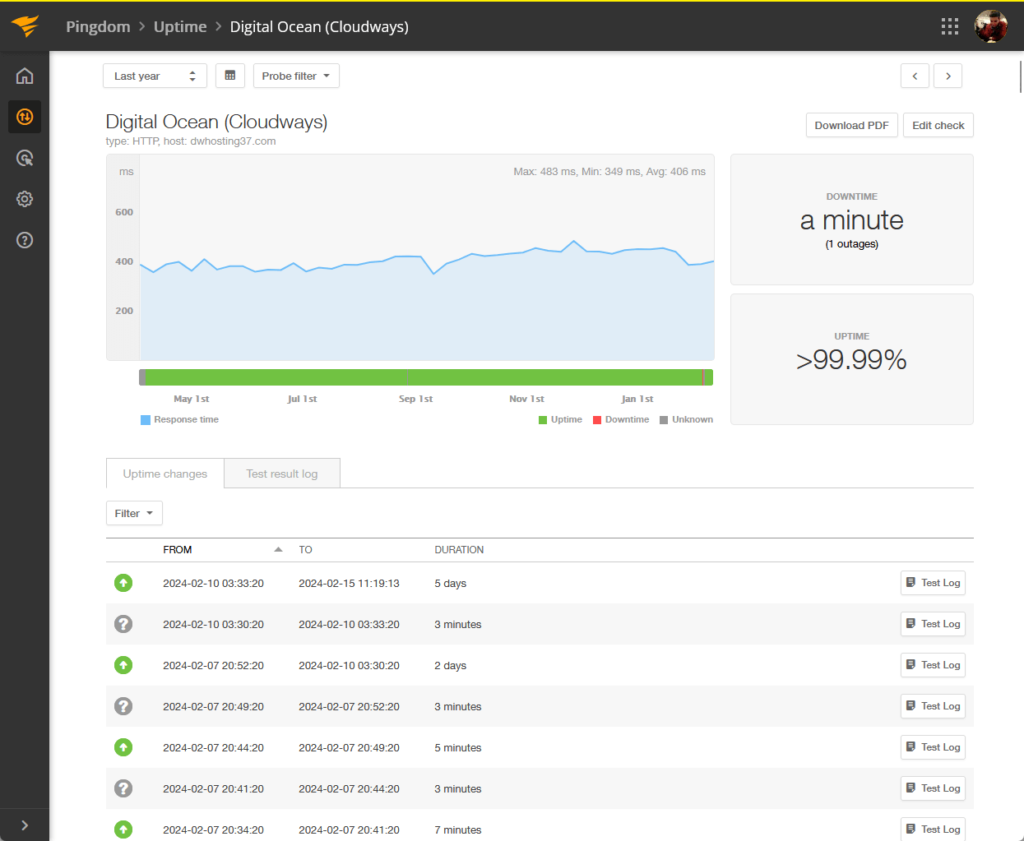
For uptime, you can see that DO Cloudways was up >99.99% of the time for the past year and it got a downtime of only a minute.
For the page speed, it had an average load time of 1.59 seconds and got an 84/100 performance grade from Pingdom.
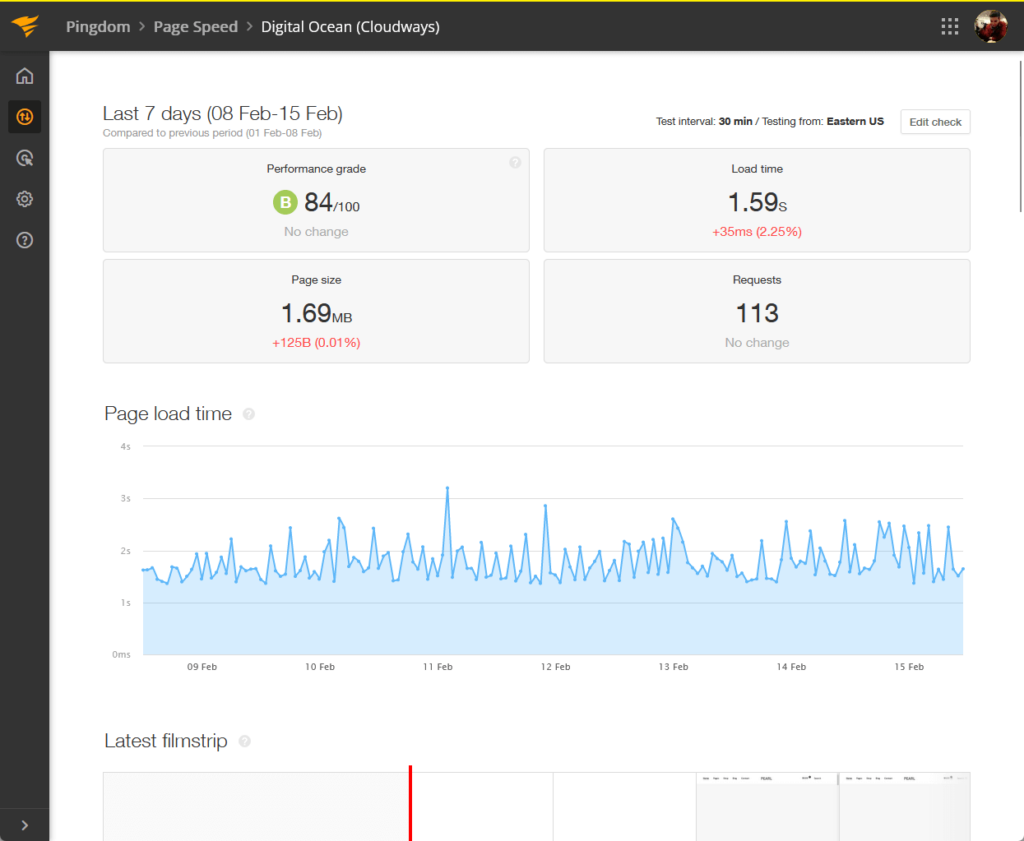
Normally, I will show a comparison with other hosting providers, but since Cloudways is an exception, let’s have a table of its performance.
| Provider | Uptime | Downtime | Performance | Load Time |
| Digital Ocean | >99.99% | 1 minute | 84/100 | 1.59 seconds |
| Vultr | 99.99% | 1 hour | 84/100 | 1.63 seconds |
| Linode | >99.99% | 7 minutes | 84/100 | 970 milliseconds |
| AWS | >99.99% | 3 minutes | 84/100 | 1.59 seconds |
| Google Cloud | >99.99% | 12 minutes | 84/100 | 1.61 seconds |
You can see that if we’re talking about performance alone, Cloudways nails it because all its providers are exceptional cloud hosting providers.
Updates and Maintenance
But how about updates and maintenance?
Cloudways has a detailed status page where it lists the status of different features and services in Cloudways, including its providers.
It looks like this:
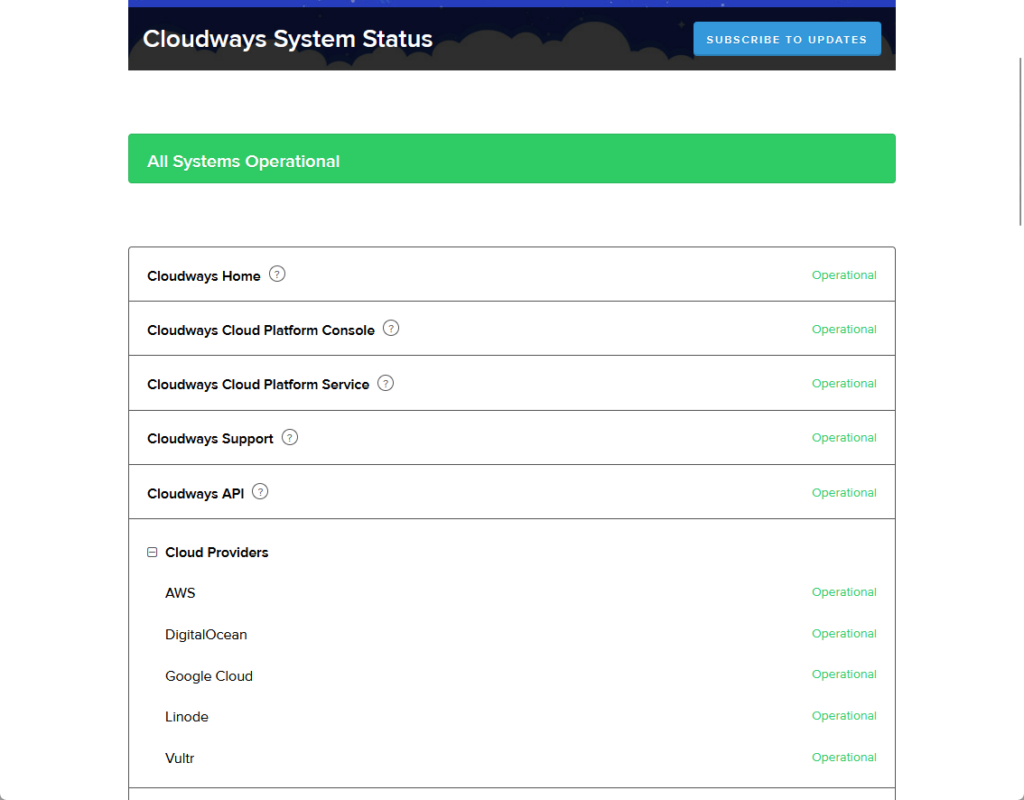
You can’t see it from the screenshot, but if you scroll further down, you will see the following:
- Status of add-on services
- Past incidents
- Link to incident history
For its incidents, you would see what they’re investigating and monitoring, and when it was resolved — all of them have date and time stamps.
There’s also a button in the header for subscribing to updates. 🙂
👋 My thoughts here
In terms of reliability, it’s easy to see that Cloudways is crushing it in both areas — performance for all its cloud providers and updates and maintenance.
Here are my thoughts here:
- From the performance table earlier, it’s easy to see that Cloudways has exceptional performance across its providers.
- No matter which cloud provider you go with, you can still expect great performance and load time (the cloud features are still there).
- The status page is also great, with a detailed incident history with date and time stamps for the actions done.
All these are proof that Cloudways is reliable.
Although you will have a preference for the right cloud provider, you can expect great results no matter which you choose. 👍
Support
I would rate the overall Cloudways support at 4.7 out of 5.
Here are the reasons for this rating:
- The live chat is highly responsive, with real human support available almost immediately after interacting with the initial bot.
- The “need a hand” vertical bar in the client area, which activates the chat feature, can be easy to miss.
- Cloudways has an extensive knowledge base with well-organized, clearly written articles supplemented by annotated images and videos.
Overall, Cloudways offers exceptional support with fast live chat response times and a comprehensive knowledge base.
Customer Service
Cloudways customer service has some good options (they managed to get the most important features).
These are:
- Support tickets
- 24/7 live chat support
- Knowledge base
It’s also not that hard to find them since you would see a vertical bar on the right corner of the client area.
When you click that, it will activate the chat feature:
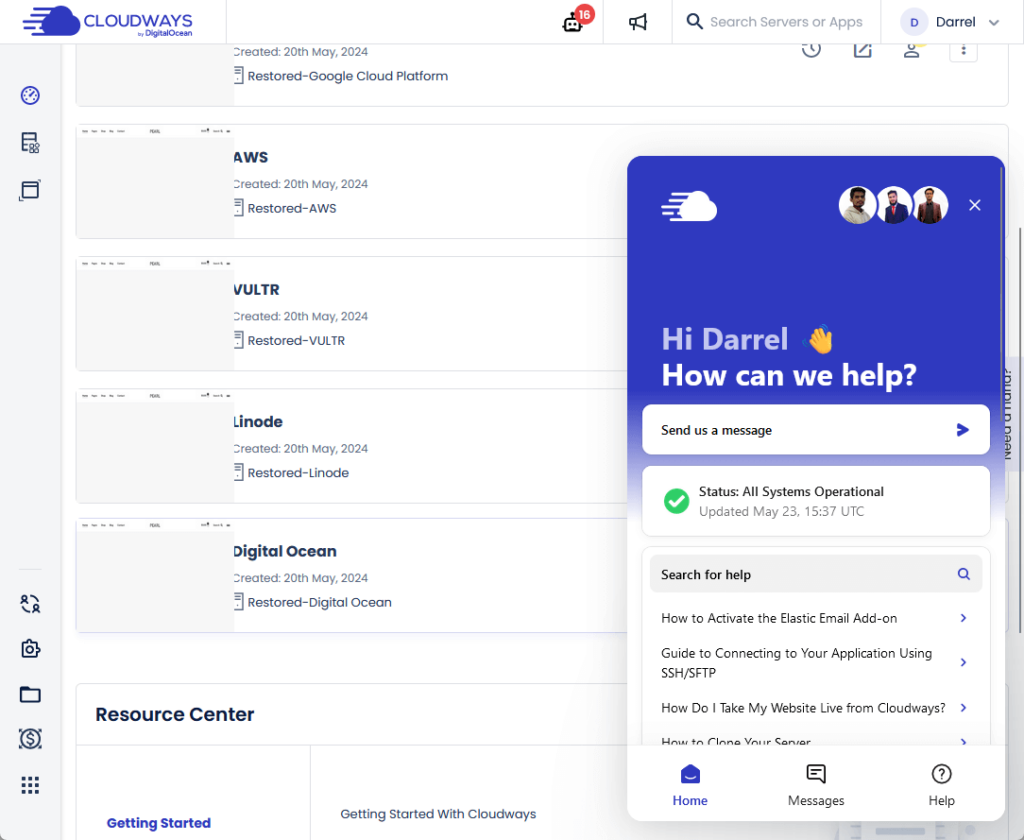
This chat feature is the springboard to both their live chat with real persons as well as with their support tickets.
For the live chat, a bot will try to solve the problem first — if that doesn’t work, you can opt to talk with a real person from the support team.
I managed to try this feature weeks ago, and I was impressed with their service since the real person’s reply was almost immediate.
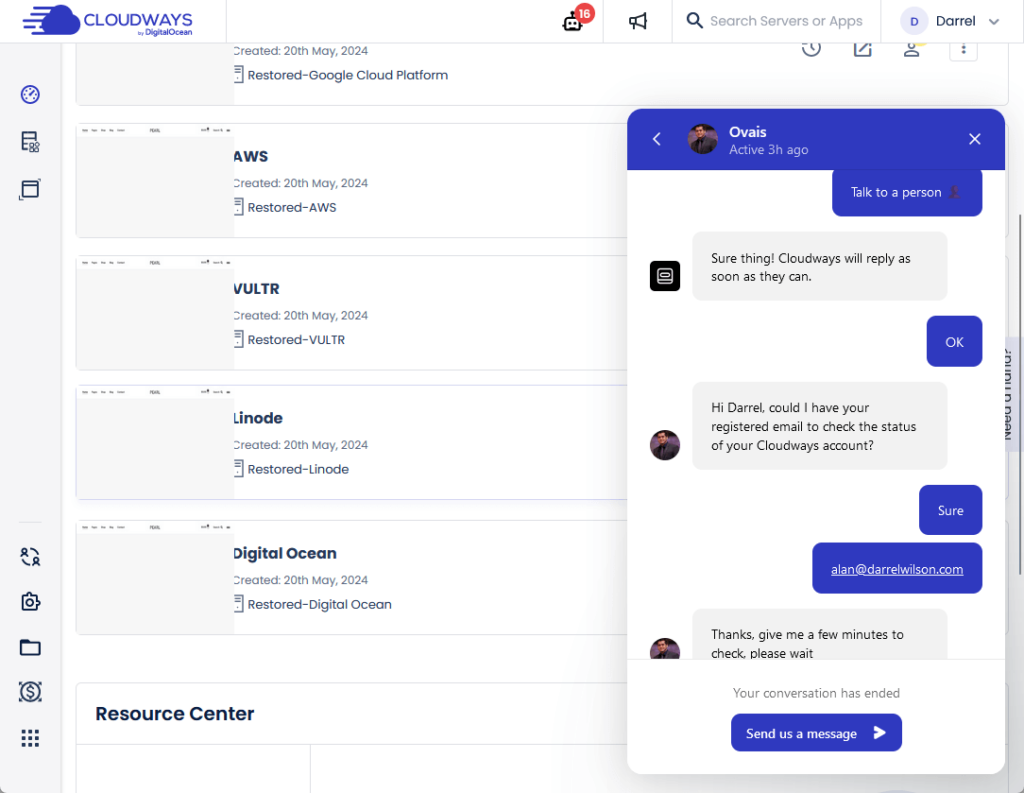
There’s also a support ticket button in the home tab in the chat feature.
If you click on that button, it will open another page in the browser where you can submit a ticket and view the ones you already submitted.
Knowledge Base
Cloudways also has a library of knowledge base articles, with the articles grouped into categories and subcategories.
You can see all the categories on the knowledge base home page and even use the auto-suggest search function.
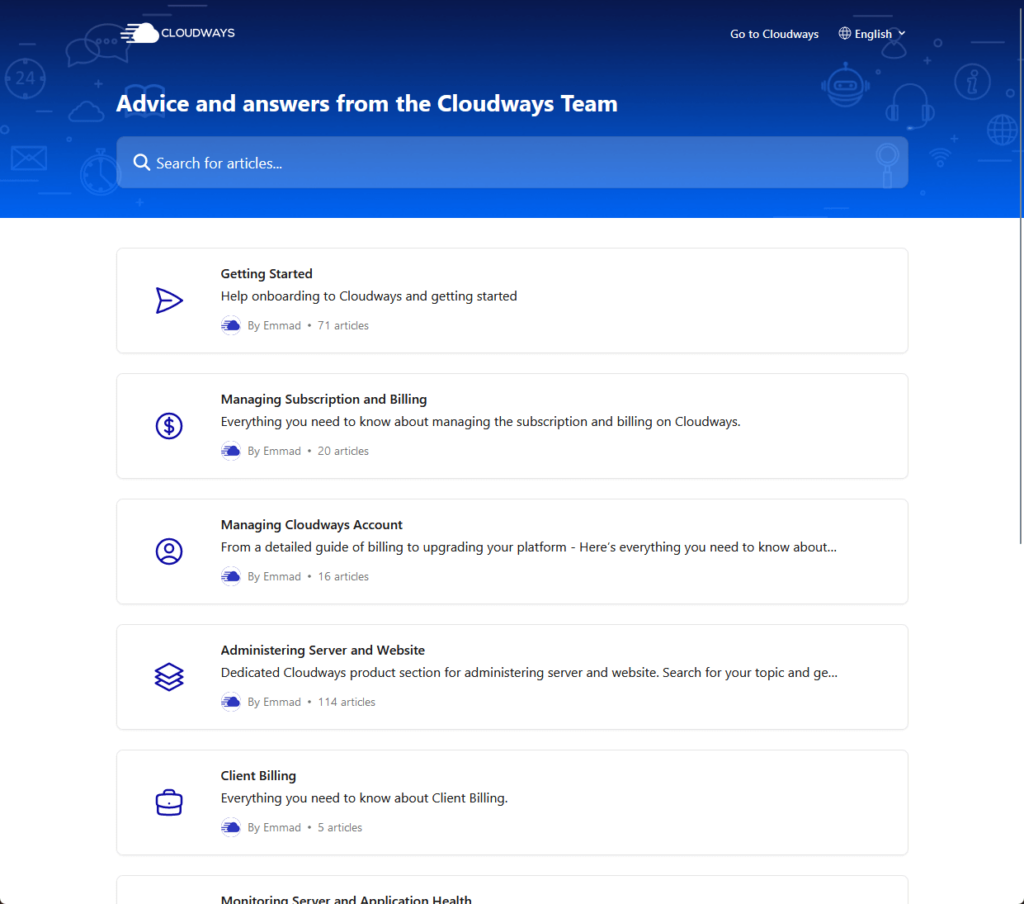
The articles are grouped into distinct categories such as:
- Getting started
- Managing subscription and billing
- Managing Cloudways account
- Administering server and website
- Client billing
When you click on a category, it will open another page where you can see all the articles in that category, grouped by subcategories.
For the actual knowledge base article, here’s how it looks like:
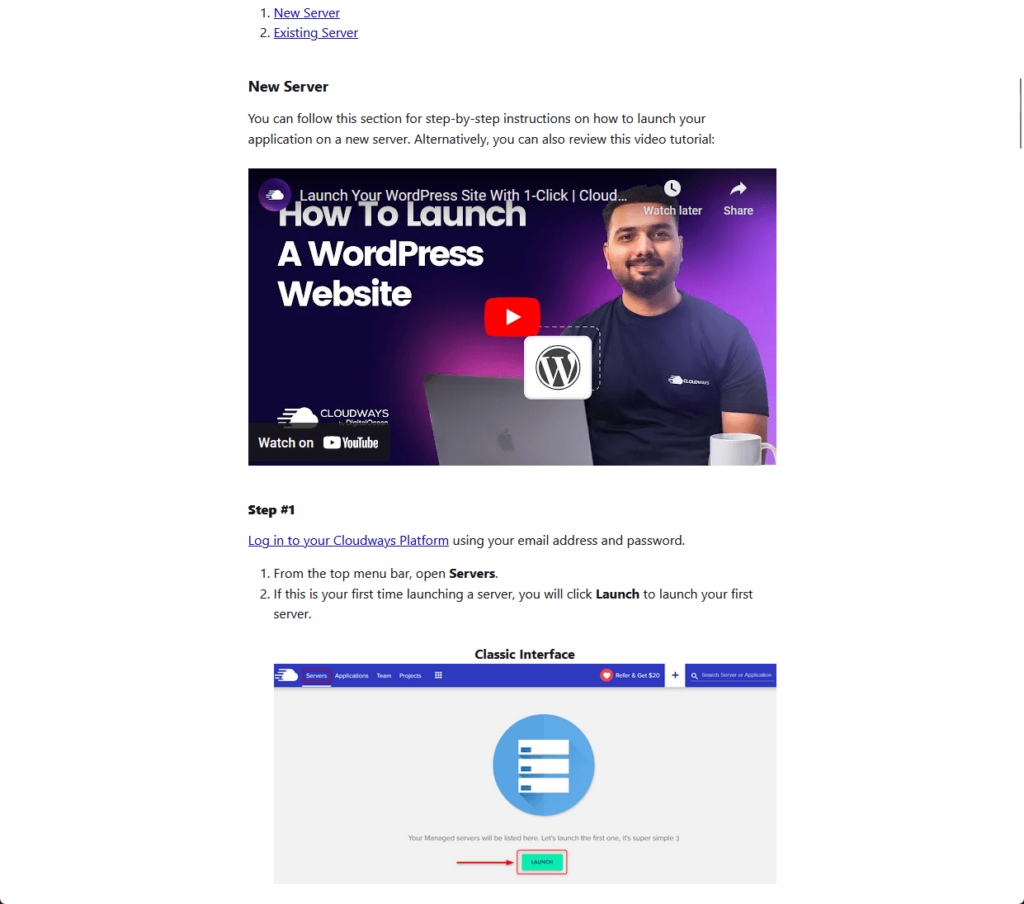
You can see from the screenshot that quality-wise, the article is clearly written and supplemented with annotated images — some even have videos.
They also have a blog where you can find updates about their products as well as help guides and tutorials. 🙂
👋 My thoughts here
Overall, Cloudways has exceptional support options that include a 24/7 live chat, a ticketing system, and a knowledge base.
Here are my thoughts here:
- I like the fact that they have a live chat feature as it gives off the impression that the user is being attended to right away.
- I want to mention and commend how fast their live chat is, with a live person immediately taking the place of the bot.
- The only potential problem I saw was that the “need a hand” vertical bar in the client area is easy to miss.
On the other hand, their knowledge base has lots of helpful articles with well-written content supported by annotated images and videos.
Not to mention they have a blog as well as ebooks that users can freely download and read from their website.
Pricing
I would rate the overall pricing of Cloudways at 4.0 out of 5.
Here are the reasons for this rating:
- You can scale your resources up or down as needed and see the cost changes in real time.
- The prices for Cloudways are higher compared to the actual prices from the cloud providers because Cloudways manages the server for you.
- They provide a 3-day free trial without requiring credit card information, allowing you to test their services risk-free.
Overall, Cloudways offers flexible and transparent pricing, balanced by higher costs for managed services and a mixed refund policy.
Flexible Plans
As I mentioned in the features section of this review, Cloudways is flexible.
You can scale up or down anytime you want and you will be able to see the price changes from the same page.
But if you don’t have a plan yet, Cloudways has a pricing table where you can see how much you would be paying for a plan:
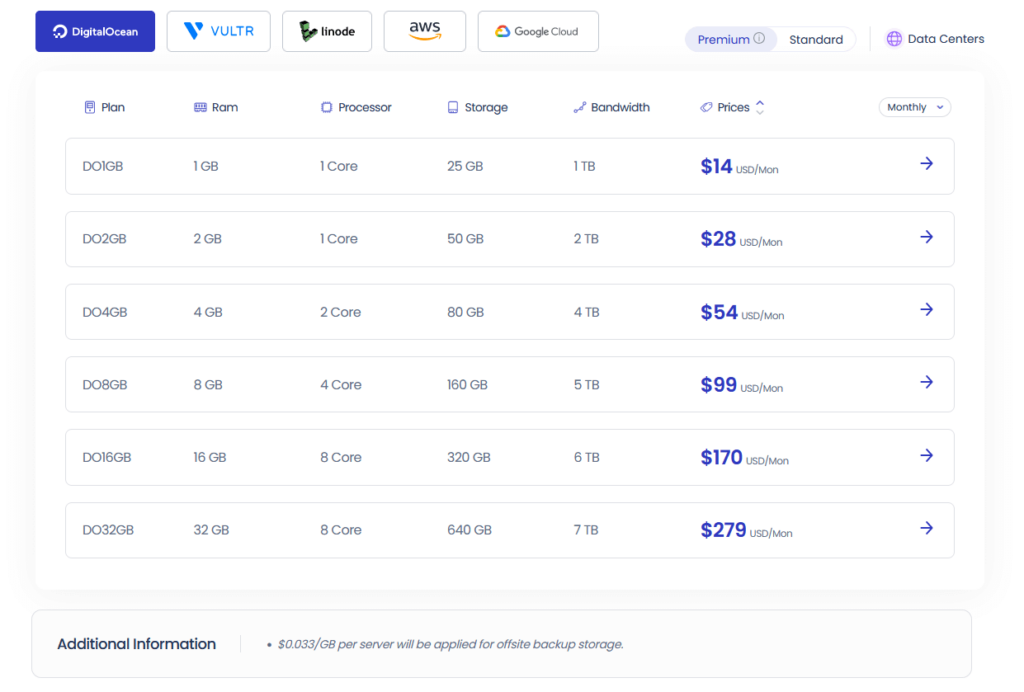
The screenshot above is only for Digital Ocean — however, you can expect a similar table for each of the cloud providers.
Digital Ocean and Vultr each have two different plans (like how the premium plans from DO use higher processors.
Anyway, here are the starting rates for all the cloud providers:
| Provider | RAM | Processor | Storage | Bandwidth | Price |
| Digital Ocean | 1 GB | 1 Core | 25 GB | 1 TB | $14/month |
| Vultr | 1 GB | 1 Core | 32 GB | 1 TB | $16/month |
| Linode | 1 GB | 1 Core | 25 GB | 1 TB | $14/month |
| AWS | 2 GB | 2 Core | 20 GB | 2 GB | $38.56/month |
| Google Cloud | 1.75 GB | 1 Core | 20 GB | 2 GB | $37.45/month |
By the way, you would notice on the pricing page in Cloudways that there’s a dropdown for monthly/hourly.
Pricing plans in Cloudways are all paid monthly, the hourly option shows how much it costs to run a server with that particular provider.
⛔ Warning: Prices in Cloudways are higher compared to the prices from the actual providers since Cloudway will manage the server for you.
Money Back Guarantee/Refund
Technically, Cloudways is a “pay as you go” service.
That means you only have to pay for the resources (your server and website) that you used up for the month.
It’s clearly stated in their terms and conditions:
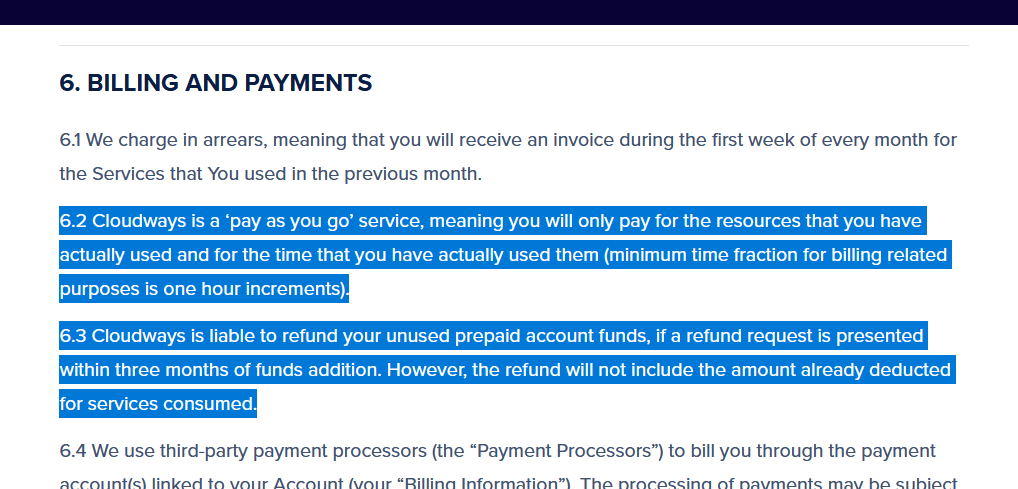
If you have unused prepaid account funds (you loaded your account first), you can request a refund for that within 3 months of funds addition.
With pay-as-you-go services like Cloudways, being able to request a refund for unused funds is already a win.
But if you’re here to find out if Cloudways is risky or not, there’s always the 3-day free trial that you can take advantage of. 🙂
👋 My thoughts here
Cloudways made it easy enough to explore the plans they offer from their cloud providers.
Here are my thoughts here:
- You can always look up the potential cost of your website or project by looking up the pricing table.
- Cloudways has a free trial for 3 days — and they won’t even require you to enter your credit card information. 👌
- If you check the original prices from the cloud providers, you will notice that Cloudway is actually expensive (since they manage the server for you).
Since Cloudways cloud hosting is a pay-as-you-go service, you can’t expect them to refund if you only have to pay what you use.
But if you plan on funding your account instead of having them charge your credit card, you can ask for a refund of your unused funds.
Final Thoughts
When choosing a Cloudways plan, start with the 3-day free trial to explore its features risk-free.
This hands-on experience will help you understand how Cloudways can meet your specific needs and allow you to test different cloud providers to find the best fit.
Test different cloud providers to find the best fit for your needs and monitor your resource usage to scale your plan efficiently.
Wrapping up, consider enhancing its design and functionality with premium Elementor template kits.
Darrel Wilson offers an exceptional deal tailored for Elementor users to streamline and elevate their web design process.

Darrel Wilson has an incredible offer that you simply can't ignore:
- Get lifetime access to all premium template kits designed for Elementor
- Complete with 2 years of dedicated support
- Only for $99 — that's already for the lifetime access
This offer ensures that your website remains fresh, stylish, and up-to-date without the recurring costs or hassles of frequent updates.
Feel the convenience and professional edge provided by these top-tier templates, and take your site to the next level.