
Ease of Use
I would rate the overall ease of use for Monstroid2 as a 4/5.
Here’s why:
- The theme offers both manual and automatic installation methods, catering to different user preferences and skill levels.
- The theme wizard is particularly helpful, guiding users step-by-step through the setup process.
- I experienced a lag during the plugin installation process, which could be a point of frustration.
These minor drawbacks prevent a full 5.0 rating in terms of ease of use.
Overall, Monstroid2 offers a user-friendly experience that caters to both novices and experienced WordPress website builders.
Installation Process
There are 2 ways to install the Monstroid2 theme:
- Manual
- Automatic
The manual method, as its name suggests, would require you to upload either the main Monstroid2 theme or its child theme, and the accompanying WordPress plugins.
For automatic, you only need to upload and install the theme wizard plugin (named m2-theme-wizard.zip in the downloads).
Here’s what to do:
- Go to the add plugins section
- Upload and install the theme wizard plugin
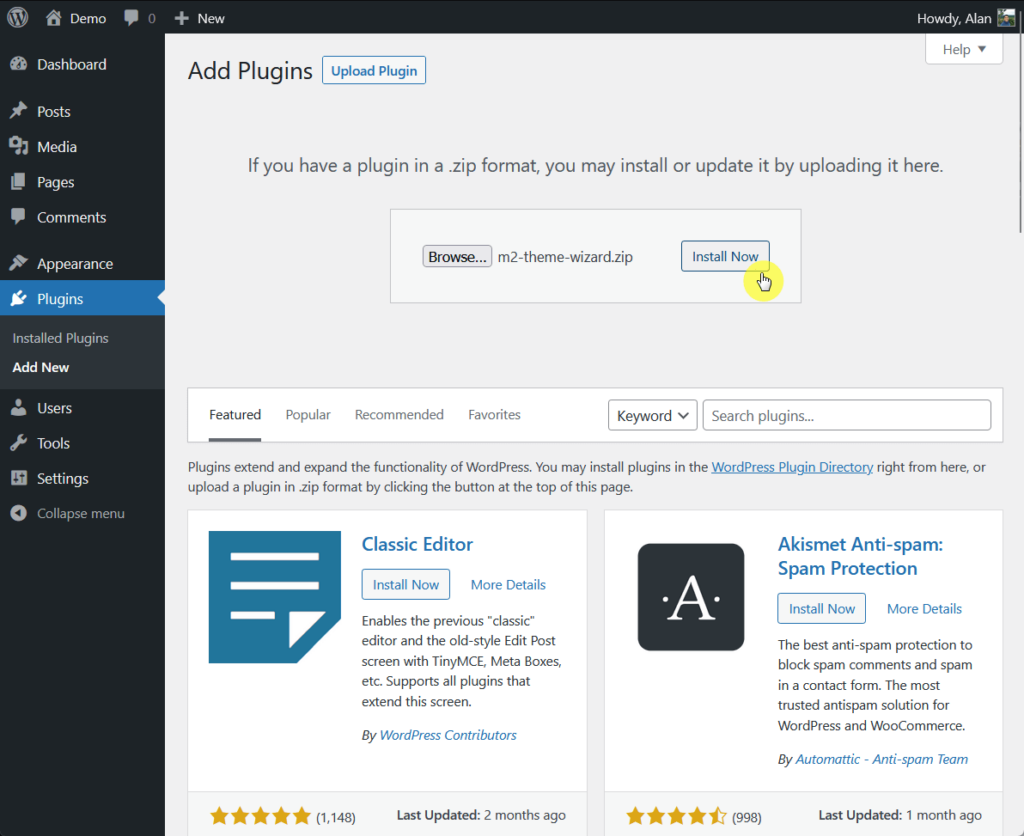
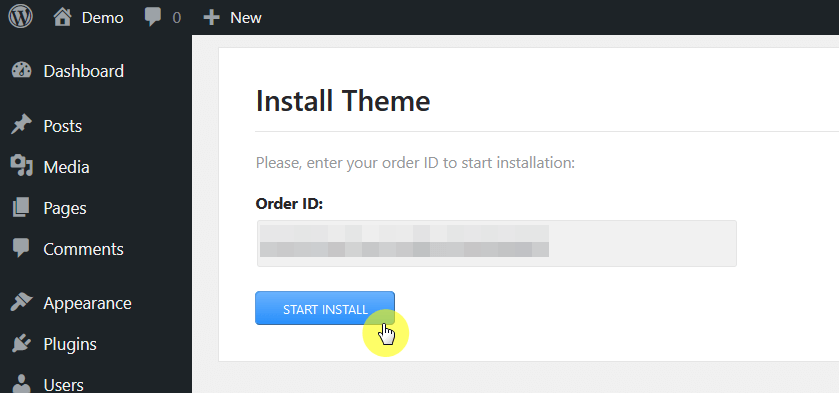
After activating the plugin, you will be prompted to enter the order ID, which you can find in the order details email from TemplateMonster.
Copy and paste the order ID into the field provided and click the start install button:
Theme Setup
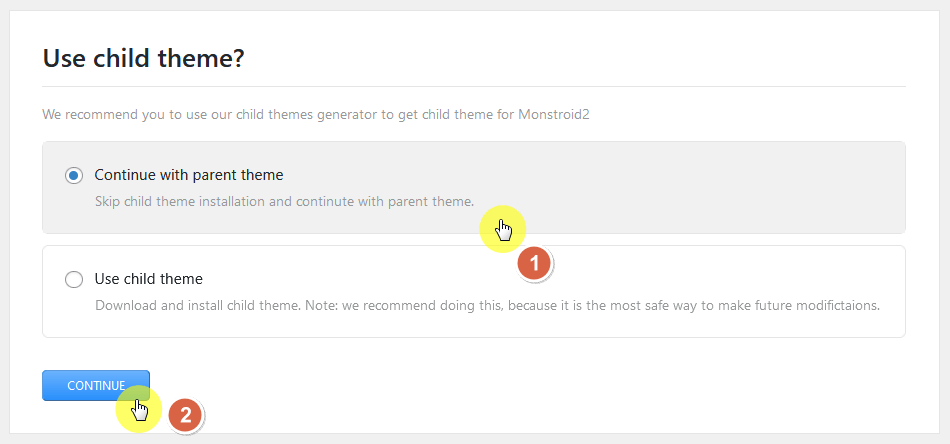
From there, you would be able to choose whether to go with the parent theme or use a child theme (a good feature for those who like to use a child theme).
Press continue after choosing:
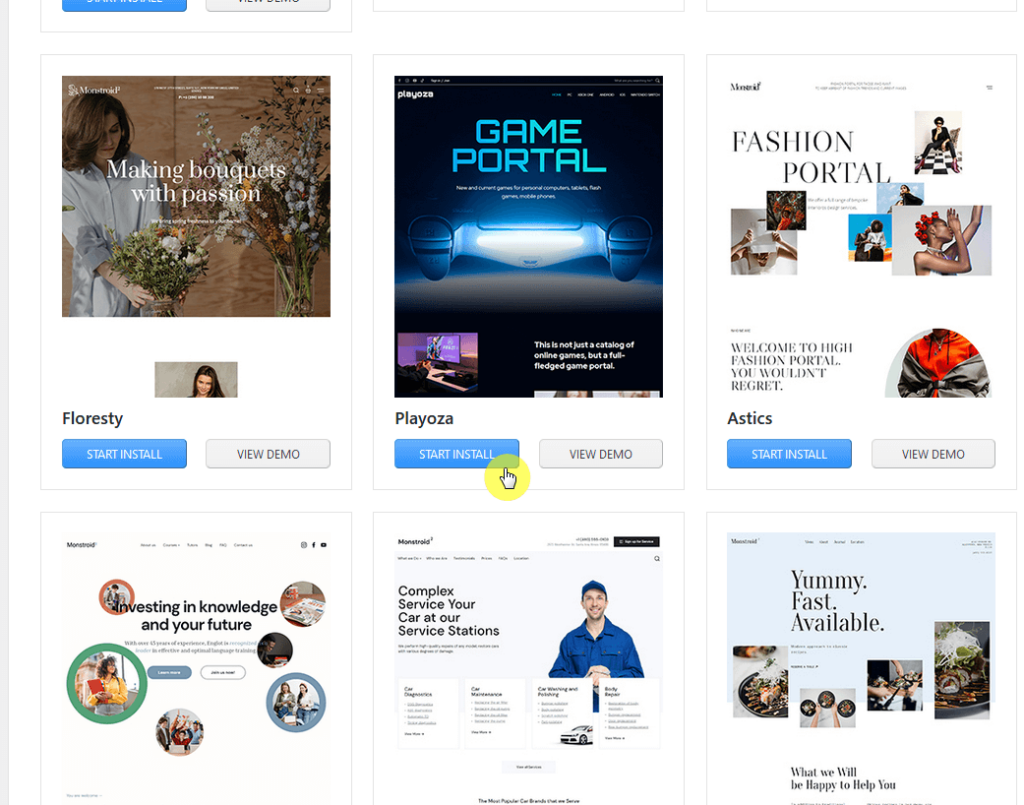
You will then be able to select a “skin” from the list — which is basically a starter site (more on WordPress site templates later).
You can view a demo for each skin or click on the start install directly:
The next page will contain the required plugins, recommended plugins, and extra plugins for getting additional functionality.
All the required and recommended plugins are checked by default while you have to manually select the extra plugins you want to install.
⚠️ Note: You can also opt to skip this part and go directly to the demo content.
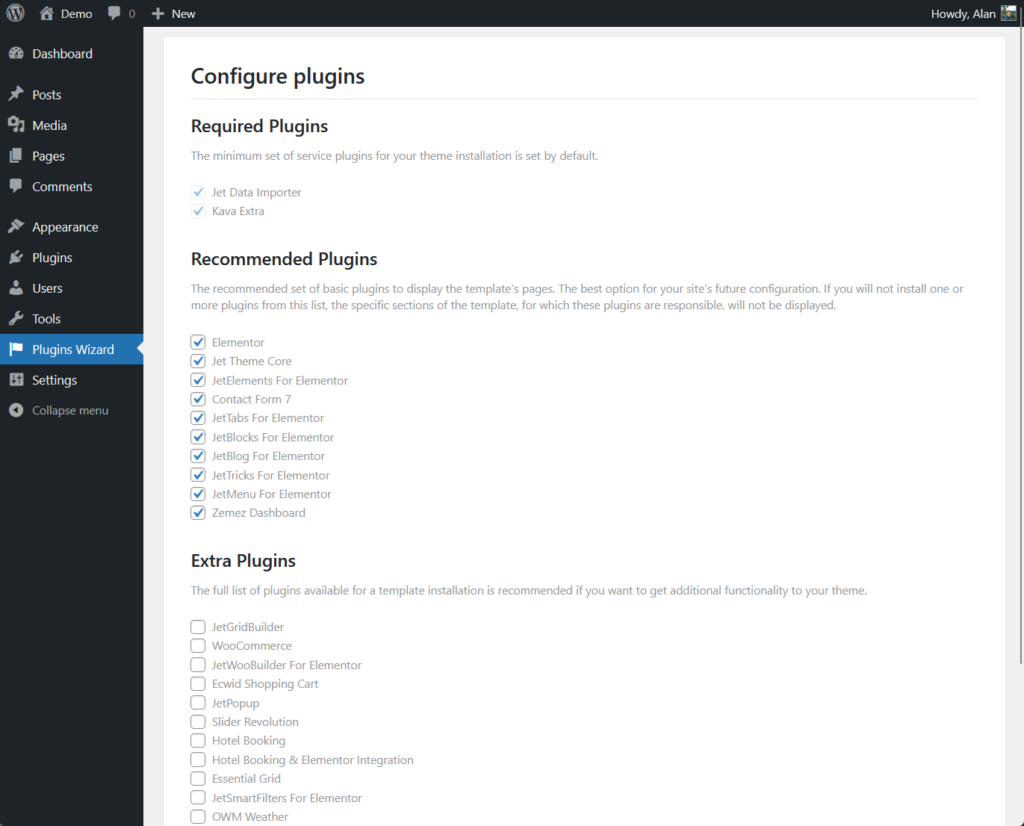
After that, the theme wizard will install the plugins.
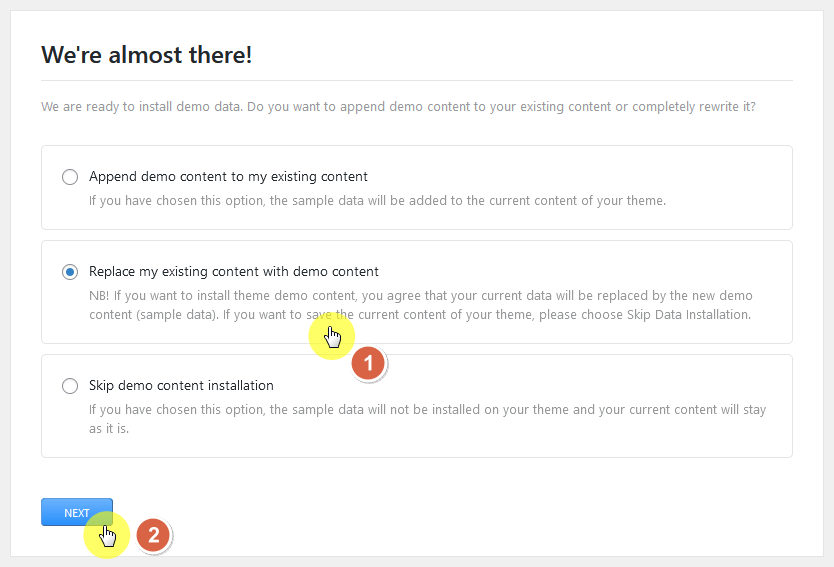
The next part is choosing the demo content:
- Append (add the demo content to your current content)
- Replace (overwrite your existing content)
- Skip (no demo content/data will be installed)
Since I’m using a demo site, I will choose to replace my existing content — click the next button after making your choice:
Depending on the choice you made, you may be required to enter your WordPress user password into the form provided.
Once the setup is completed, you will see the following screen:
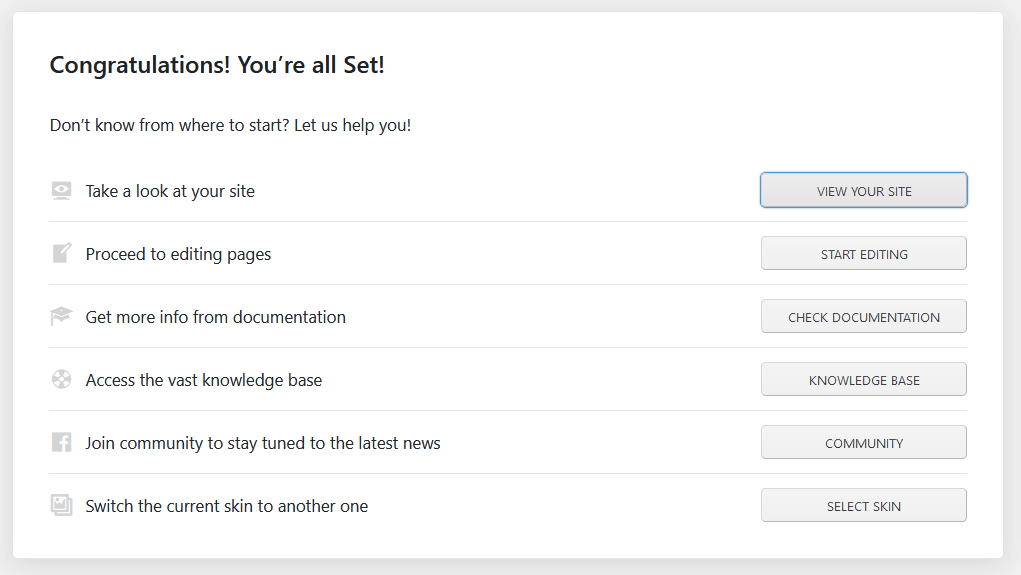
Activating the JetPlugins
Did you discover that after the installation and setup, you will have a few plugins that need to be updated but you can’t since you need a license?
Well, it turns out that you can use the same order ID code when activating these plugins:
- Go to Crocoblock > Dashboard from the side panel
- Click the activate license button on the plugins
- Enter the order ID
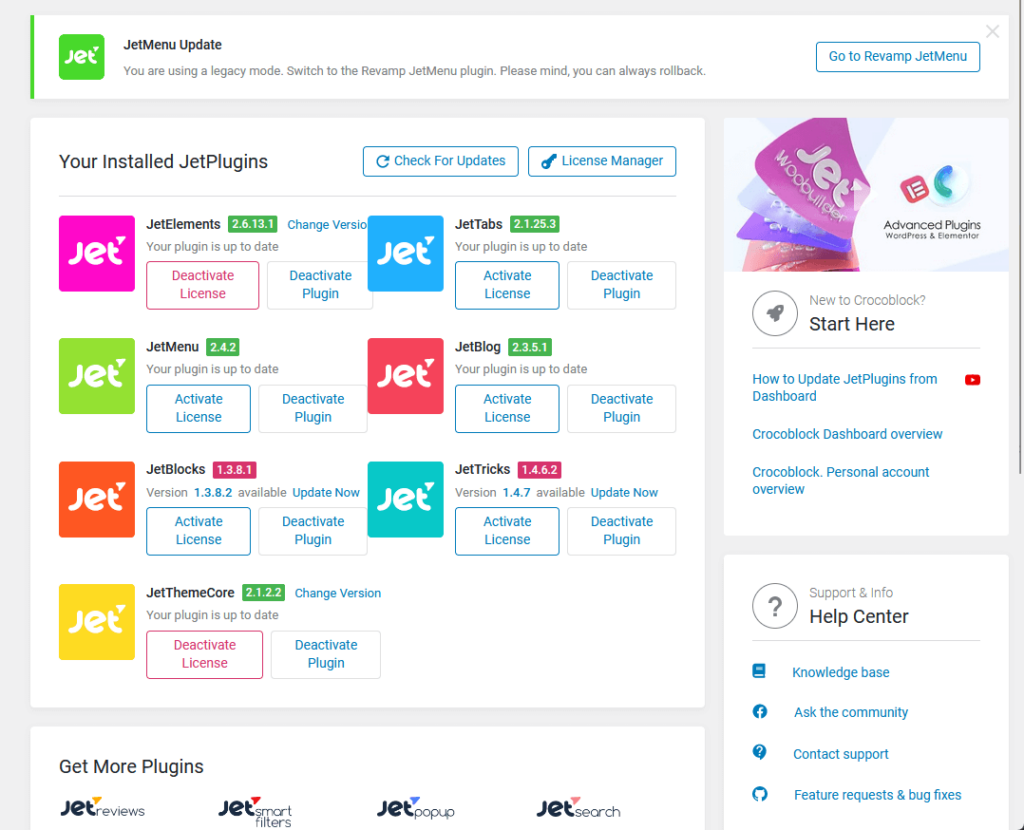
This will activate all the JetPlugins that are installed on your website and you will now be able to update them all.
👋 My thoughts here
Installing the theme was okay.
The theme wizard that came with the theme is a big help as it walks you through from using a child theme down to selecting a site template.
But there were a few things that I wish they could have done:
- Fix the extra plugin installation
- Make the order ID available on the website
On the plugin installation step, I experienced a sort of lag where the screen stayed the same for more than 5 minutes:
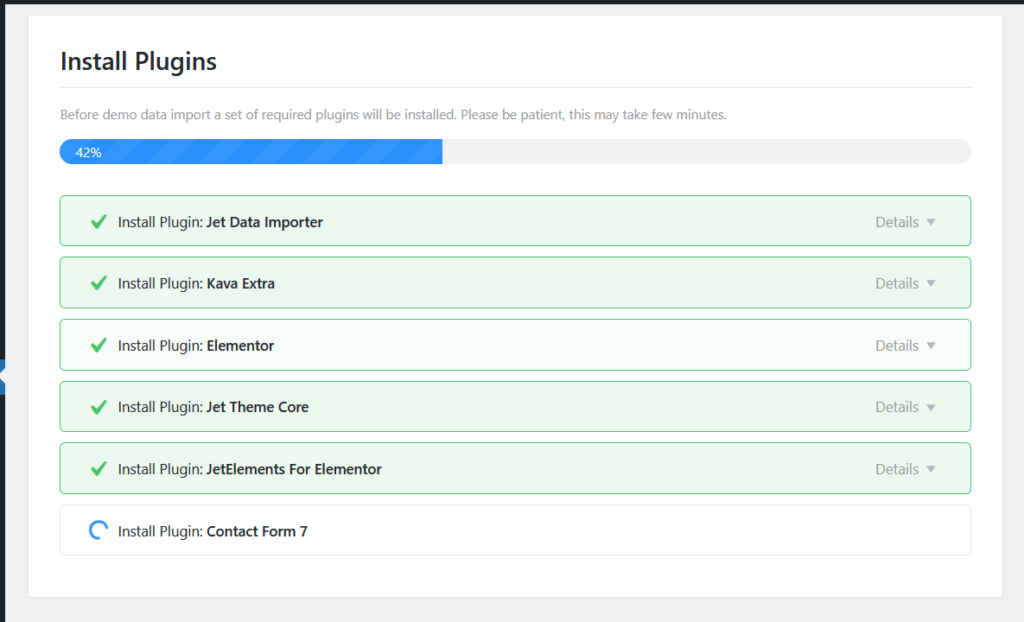
I had to refresh the page. But after refreshing the page, the plugin installation went smoothly so I’m not sure why it happened.
My next suggestion is to make the order ID available on the TemplateMonster website — like maybe on the account page.
I feel that after a few years, it’s easy to forget where the order ID is located since you can only retrieve it from the email.
Features
I would rate the overall features of Monstroid2 as 2.8/5.
Here are my reasons:
- It offers a wide variety of over 90+ pre-built websites or skins and the integration with Crocoblock significantly enhances the theme's capabilities.
- The live customizer options are relatively limited, especially when compared to other themes in the same price range.
- Many features seem to rely on the use of additional plugins like Crocoblock and Elementor, which could add complexity for some users.
Despite having some strong points in some areas, there are aspects where it should certainly improve to offer a more comprehensive and user-friendly experience.
Core Features
Here are the core features of Monstroid2:
1. Live customizer options
I always make it a point to include the live customer options for every theme that I review since it’s one of the main features that we all use when configuring a website.
As for Monstroid2’s customizer options, I’m sad to say it’s a little underwhelming — at least when you compare it to themes that are worth as much.
Here’s an image of all the customizer options for this theme:
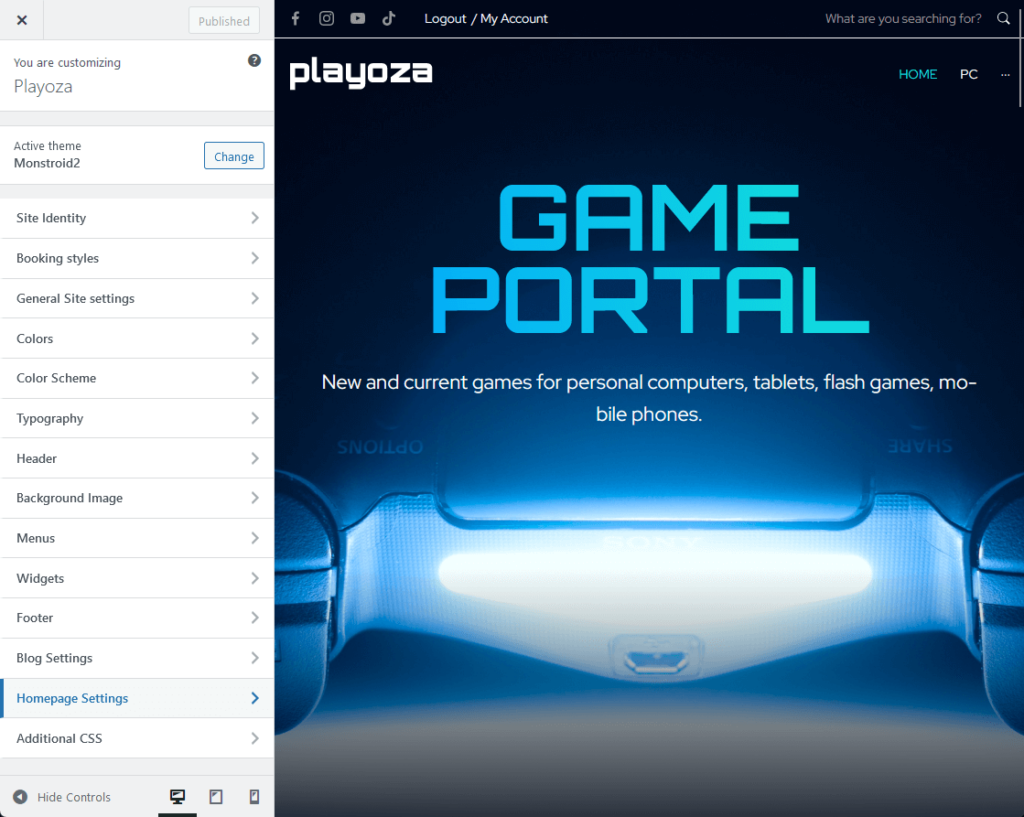
Starting with the one positive that I saw, the typography at least offers some extra options like letter space and letter height.
Here’s what the body text options look like:
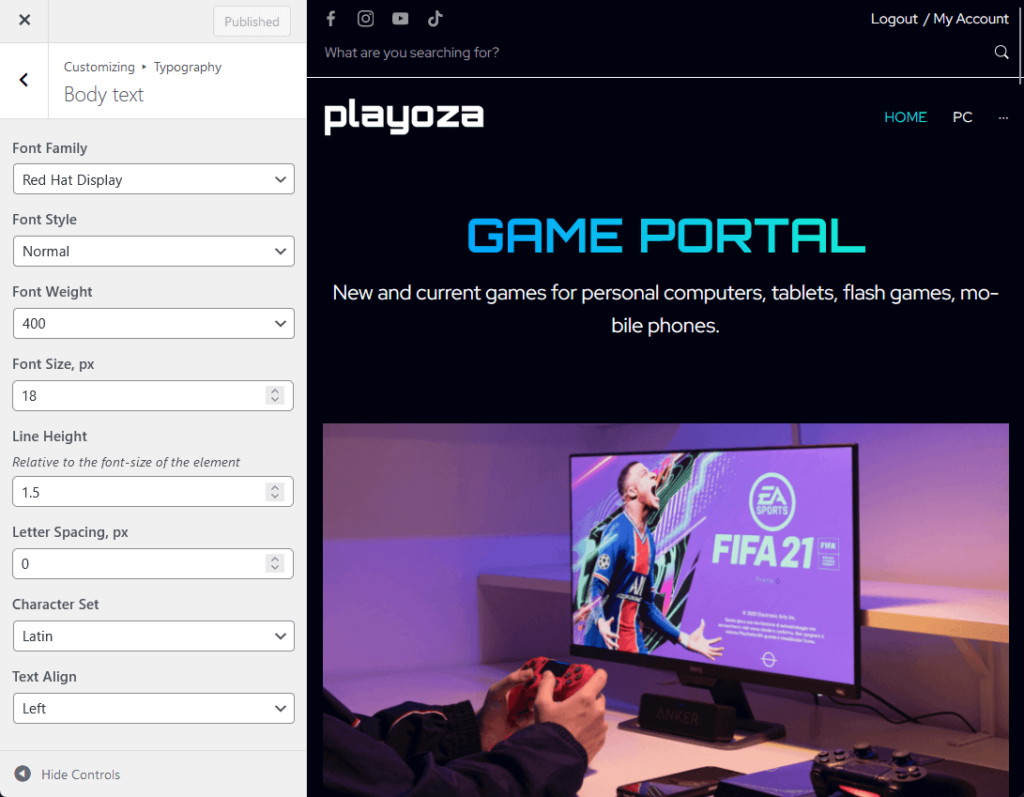
There’s also a dedicated section for breadcrumbs typography.
Unfortunately, the rest of the settings aren’t as good (in fact, even the customizer options of some free themes are more numerous and varied).
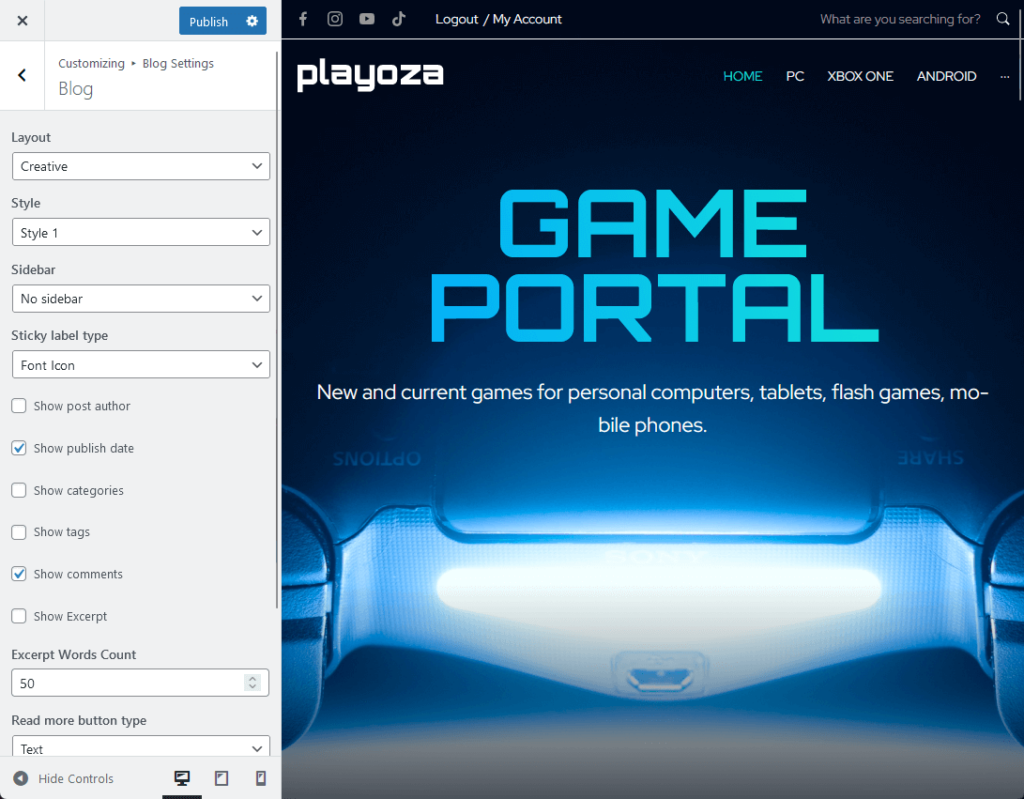
For example, normally, you have a lot of options in the blog settings like the layout, content width specific to the blog, and more.
But you only get this:
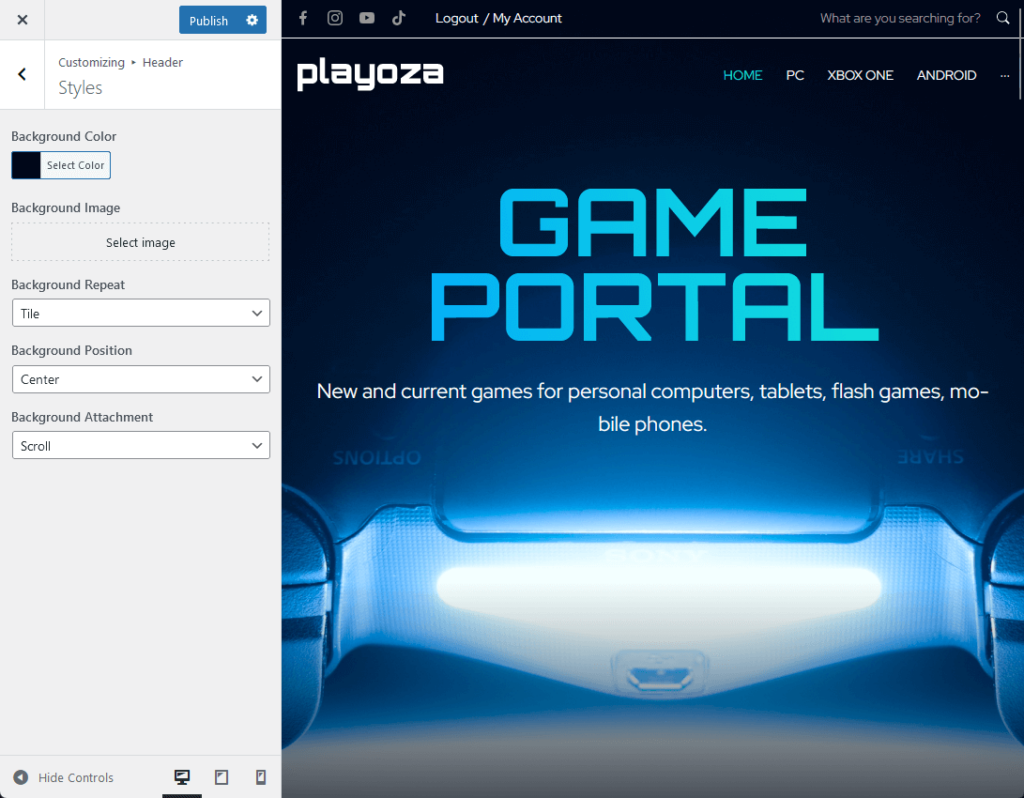
The header and footer options (the footer option is worse) only have options for the background color, image, and some others.
Like this:
⚠️ Note: It’s possible that many of their customizer options are unsatisfactory because of the JetPlugins and Crocoblock bundle that they include.
2. Crocoblock Integration
Although Crocoblock is a different product by a different brand, I’m including it here since it seems that it’s one of the highlights of Monstroid2.
Each plugin (JetPlugins is a part of Crocoblock) installed will give extra functionality to the theme.
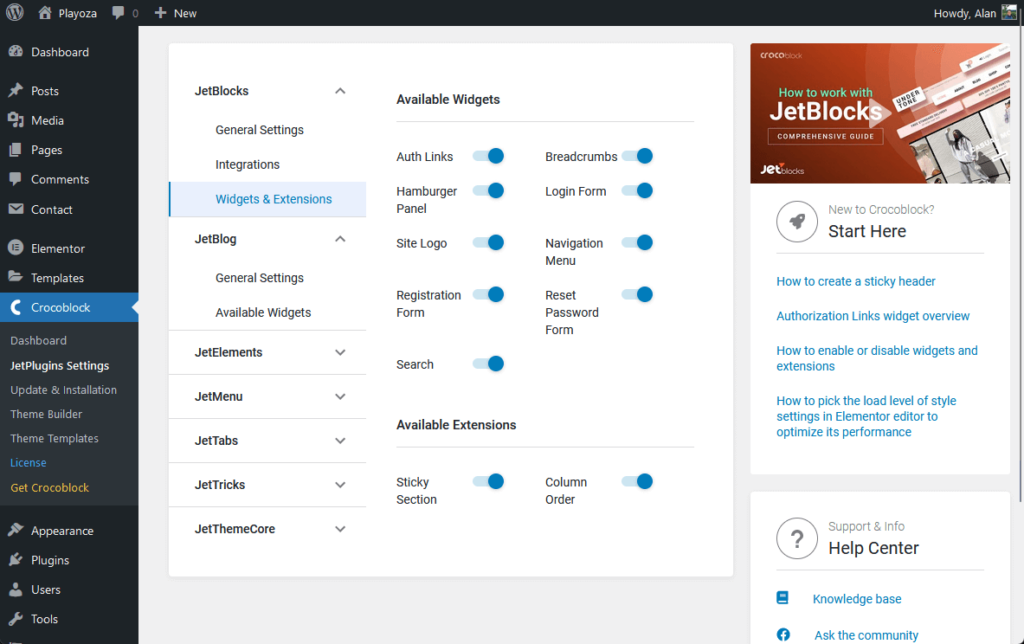
For example, JetBlocks would give more widgets and extensions like a sticky section and a column order option.
By the way, Monstroid2 integrates seamlessly with Elementor page builder, and this gets a boost from JetPlugins.
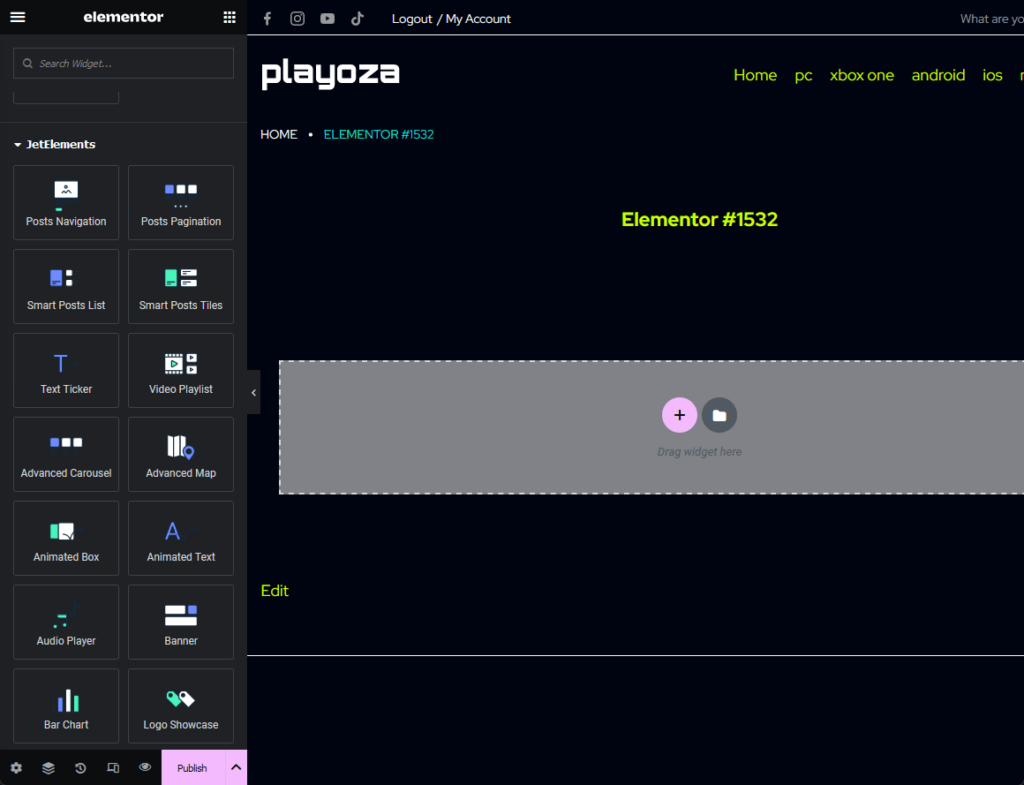
When you create a post or a page and edit it with Elementor, you will get access to more elements from the JetPlugins installed.
Crocoblock has its own theme builder and theme templates. But if you have Elementor Pro, you’re better off using why it.
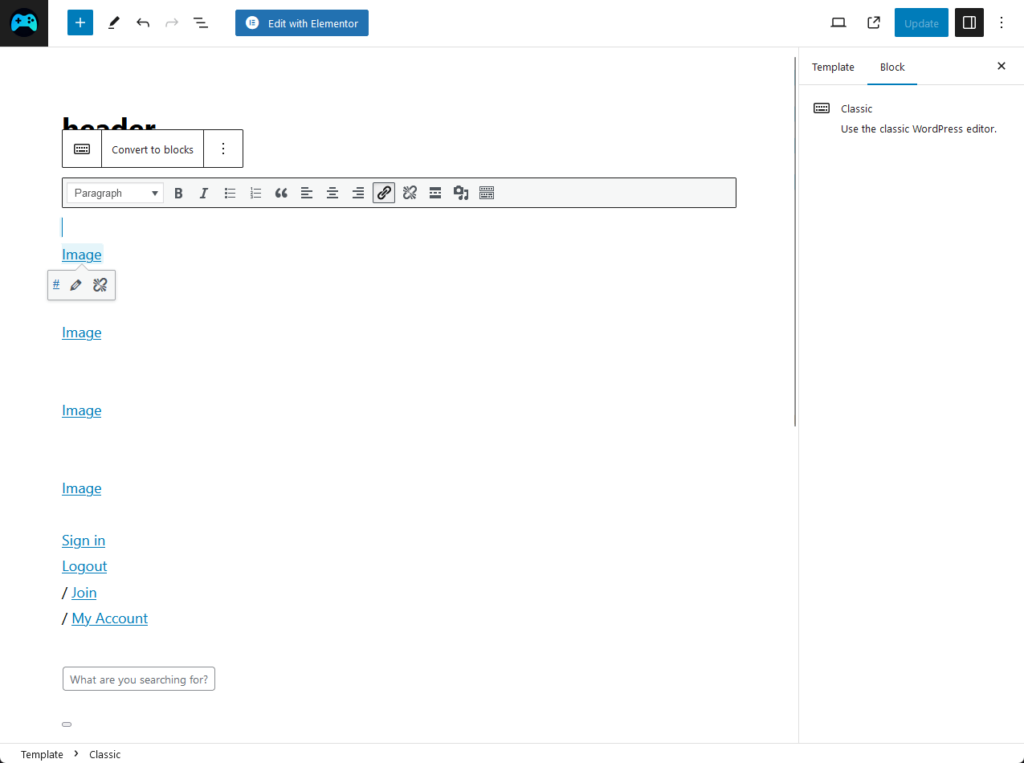
Basically, that means you should be able to create custom headers, footers, and even pages.
But unfortunately, this is what you see when editing a header using the WordPress editor with Monstroid2:
In the end, Crocoblock is a great addition to Monstroid2’s features especially if you’re a power user of the Elementor page builder.
👉 Related: Elementor Review
Pre-built Websites
The Monstroid2 theme shines bright in this regard due to its 90+ available skins or pre-built websites that you can import.
You can find here all kinds of templates from a production studio down to a self-production website to a writer/publisher website.
Even after installing a skin, you can install another skin by going to the plugins wizard from the sidebar panel:
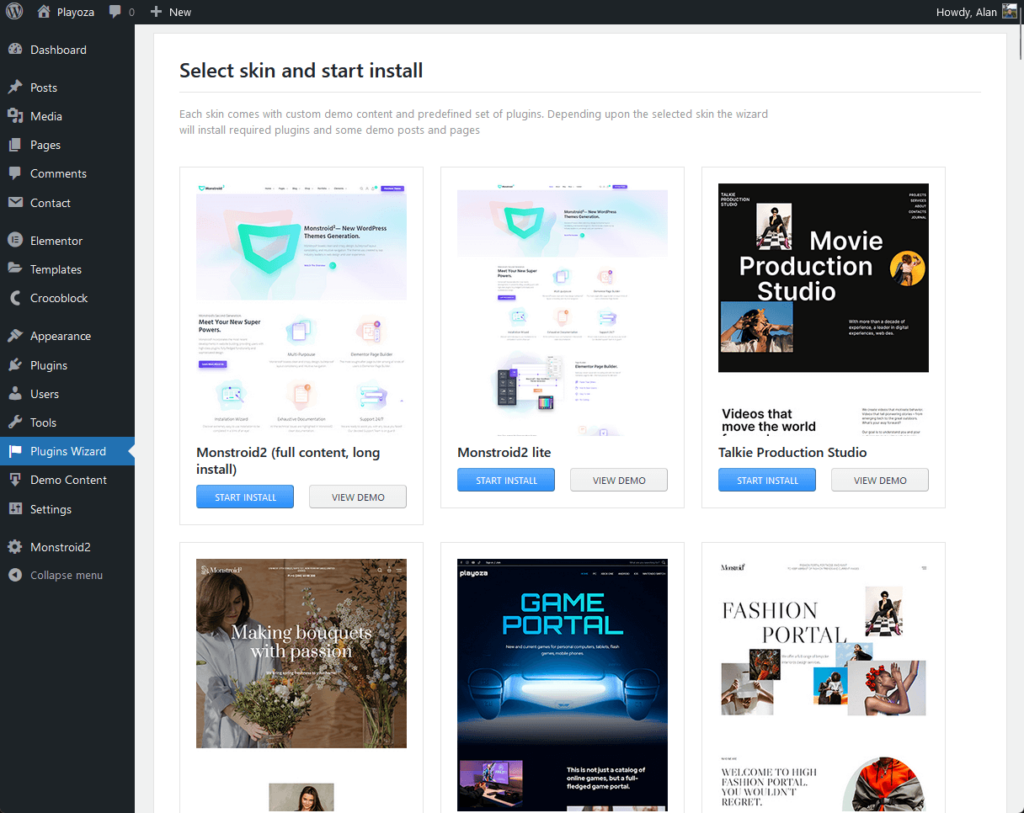
If you want, you can always view a demo of the skin first before installing it on your website.
There’s a view demo button…
But take note to always open it on another tab since it seems to open it directly on the current browser tab.
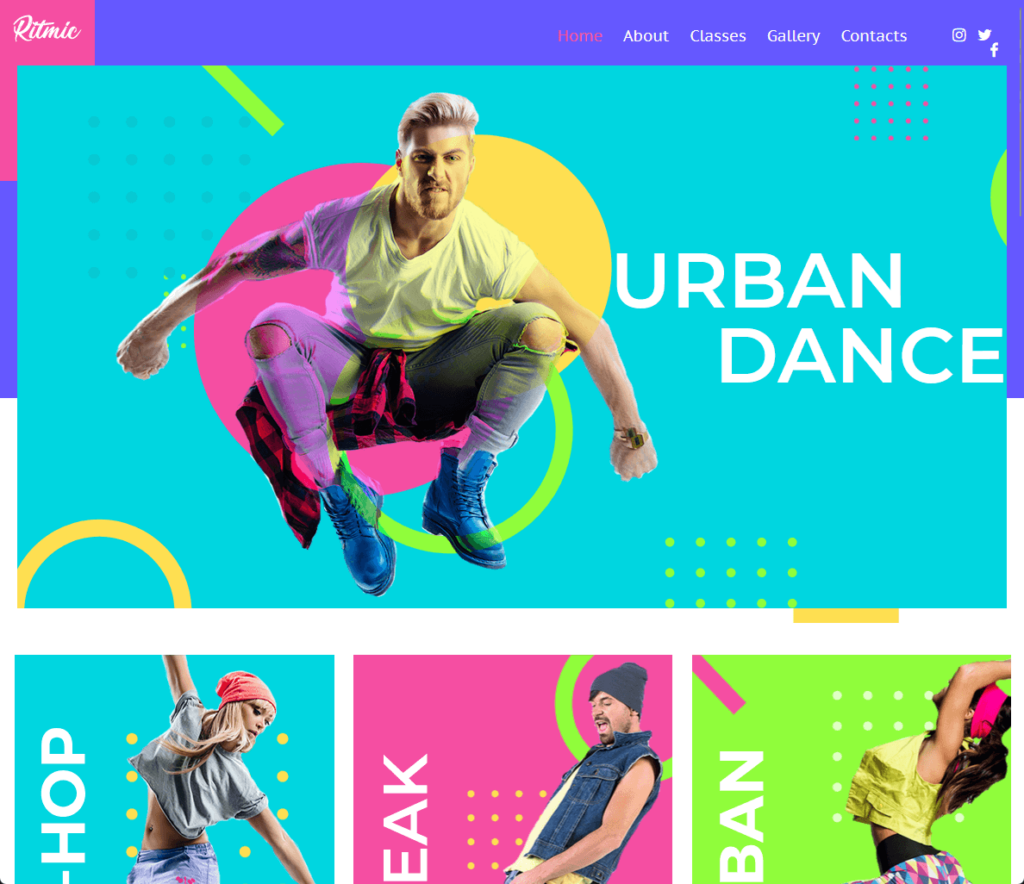
It’s easy to tell that these pre-designed templates are well done as they look beautiful and functional (some of them even have animations).
The only problem that I see when selecting a skin is the fact that they didn’t introduce a sorting or a filtering function.
👋 My thoughts here
The best part of the Monstroid2 theme’s feature is ironically, the Crocoblock integration that’s included in the subscription.
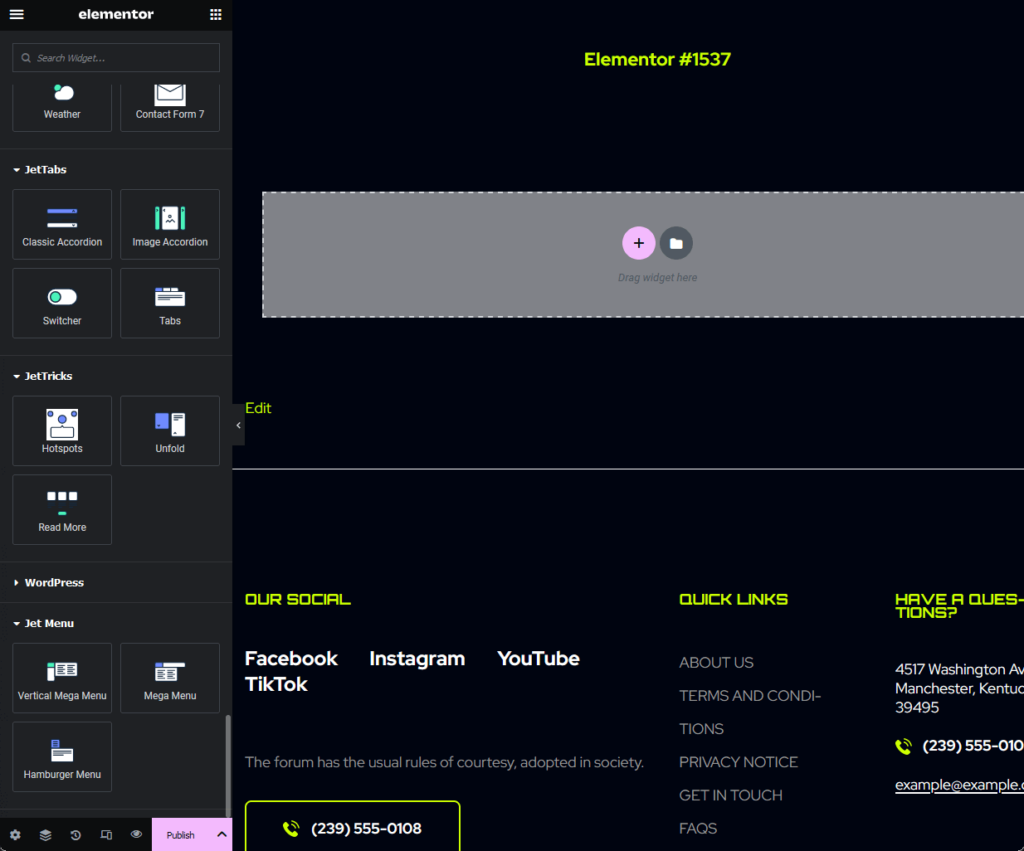
Elementor users would love the extra power that JetPlugins bring to the table, with different elements for different plugins.
I already showed a screenshot earlier of the elements from JetBlocks — here’s what you get from JetTabs and Jet Menu:
Unfortunately, there are some things left undesired:
- The live customizer options are just meh
- Need more pre-built websites with sort/filter option
I already discussed this earlier — but the live customizer settings are underwhelming. It could be due to their reliance on Crocoblock and Elementor.
For the skins, they already have some. But users would appreciate it more if they added more of it and enabled users to filter their selection.
Reliability
My rating for the theme’s reliability is 4.2/5.
Here’s why:
- Monstroid2 scores an A93 on Google Speed and has a loading time of just 1.2 seconds (according to one test).
- Compared to other multipurpose WordPress themes like Divi and Avada, Monstroid2 has a significantly smaller CSS file size.
- The ability to revert to a previous version of the theme for troubleshooting would be beneficial for reliability.
Monstroid2 shows strong performance in key aspects of reliability but has room for enhancement in a few specific areas.
Load Time and Speed
The performance of Monstroid2 in terms of load time and speed has been well-received.
In a comparison test, Monstroid2 got a grade of A93 on Google Speed and had a loading time of 1.2 seconds only.
The same test compared the CSS file sizes of three templates:
| Template | CSS File Size (2018) |
| Monstroid2 | 250 KB |
| Divi | 415 KB |
| Avada | 388 KB |
Lower CSS file size gives the following benefits:
- Faster loading times
- Reduced bandwidth usage
- Improved mobile experience
- Lower server load
To achieve a lower CSS file size, web developers typically employ techniques such as minification, compression, and using efficient CSS rules.
It’s still possible to achieve that with other themes using a plugin with those functions — but it’s cool that Monstroid2 is already doing it from the start.
While Monstroid2 impresses with its load time and speed, it's essential to note that your website's performance isn't solely reliant on the theme you choose.
The web hosting service you opt for plays a pivotal role in site speed and reliability —and that’s where SiteGround steps in.

Here's why SiteGround stands out as an exceptional hosting choice:
- Benefit from 99.9% uptime guarantee
- Only for $3.99/month — that's already for an entire year of seamless hosting
- Experience a hosting platform tailored for global reach and performance
By opting for SiteGround, you're making a smart investment in a hosting service committed to speed, stability, and top-tier performance for your website.
Updates and Maintenance
Monstroid2 has regular updates that ensure the theme remains compatible with the latest WordPress versions and features.
Here are some notes regarding the theme’s updates and maintenance:
| Category | Details | Importance |
| Regular Updates | Monstroid2 is known for regular updates to stay in sync with the latest web design standards and WordPress versions. These updates are free, enhancing your user experience over time. | Regular updates mean you don't have to worry about your theme becoming outdated. This ensures your entire website remains functional, secure, and aligns with current web standards. |
| Update Frequency | The theme was updated on September 29, 2023, and previously on January 29, 2023. While exact frequencies may vary, it suggests a pattern of regular maintenance. | Knowing the frequency of updates gives you a sense of how actively the theme is being maintained. This helps you gauge whether the theme will continue to meet your needs in the long term. |
| Maintenance Demos | Monstroid2 offers maintenance demos, indicative of its commitment to providing users with the necessary tools for efficient website maintenance. | Maintenance demos can be a lifesaver, especially for beginners. They guide you through the update and maintenance process, making it easier to keep your website running smoothly. |
The regular updates and maintenance reflect the developers' commitment to providing a robust, secure, and contemporary theme for users.
The updates encompass various aspects including bug fixes, new features, and compatibility with the latest WordPress versions.
👋 My thoughts here
I like the fact that Monstroid2 has regular updates and has a good loading time and speed compared to Divi.
Not being too nitpicky here, but some areas Monstroid2 could improve:
- Version rollback feature
- Enhanced testing before release
The ability to roll back to a previous version of the theme is good for reliability. If a new update causes issues, users should have the option to revert back easily.
Now, While regular updates are excellent, they can sometimes introduce new bugs.
Monstroid2 could benefit from a more rigorous testing process before rolling out updates to ensure that they don't disrupt existing websites.
Support
I would rate the overall Support for Monstroid2 as 2.5/5.
Here’s why:
- The theme offers offers multiple avenues for support and has an active FB community (and is quite responsive at that).
- The knowledge base has only one article, and some links in the user guide are either broken or trigger parental controls.
- Since many people buy Monstroid2 through TemplateMonster, reaching out to Zemez (the actual creators) for support could take extra time.
While the support system has some merits, there's considerable room for improvement.
Customer Service
When it comes to support, the developers have put in place some methods of communication to ensure you have the help you need.
These are:
- Submit a ticket (TemplateMonster)
- Email (TemplateMonster)
- Contact form (Zemez)
- Facebook Chat (Zemez)
By the way, Zemez is the creator of Monstroid2, while TemplateMonster is a theme marketplace where Zemez is a theme author.
When you send an email, it may get a little bit long since the recipient of the email is TemplateMonster’s support.
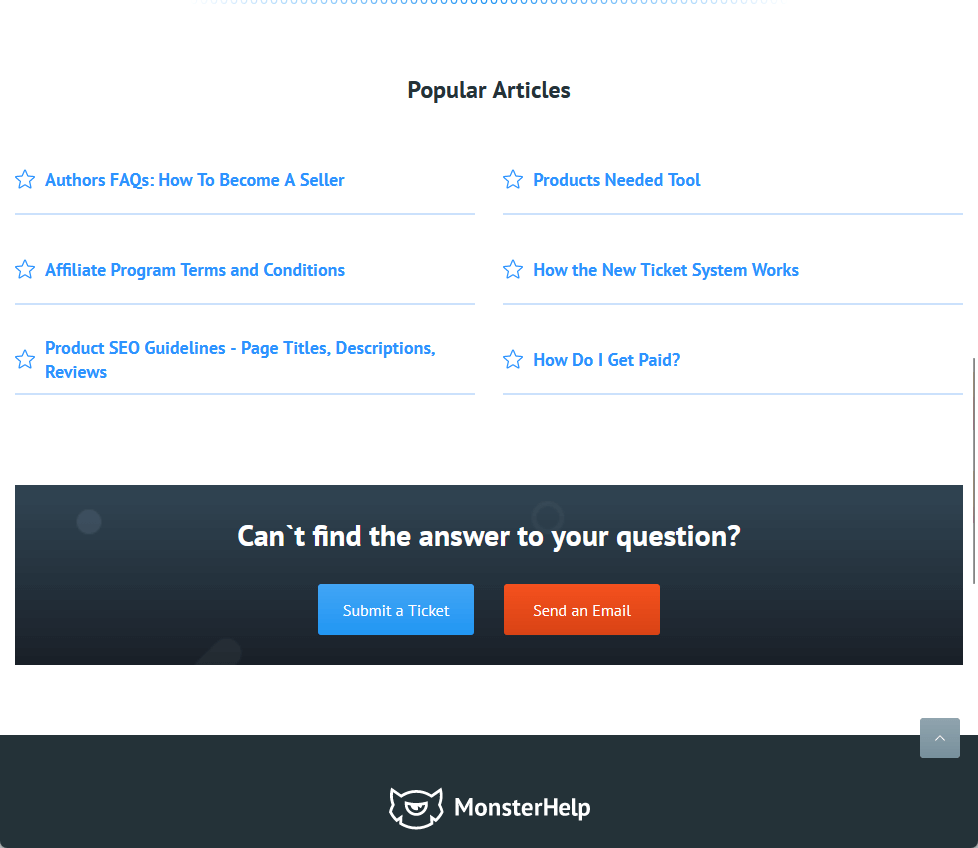
Asking directly on the Zemes website might prove to be better since they have a contact form as well as a live chat feature.
Here’s the get in touch section on their website:
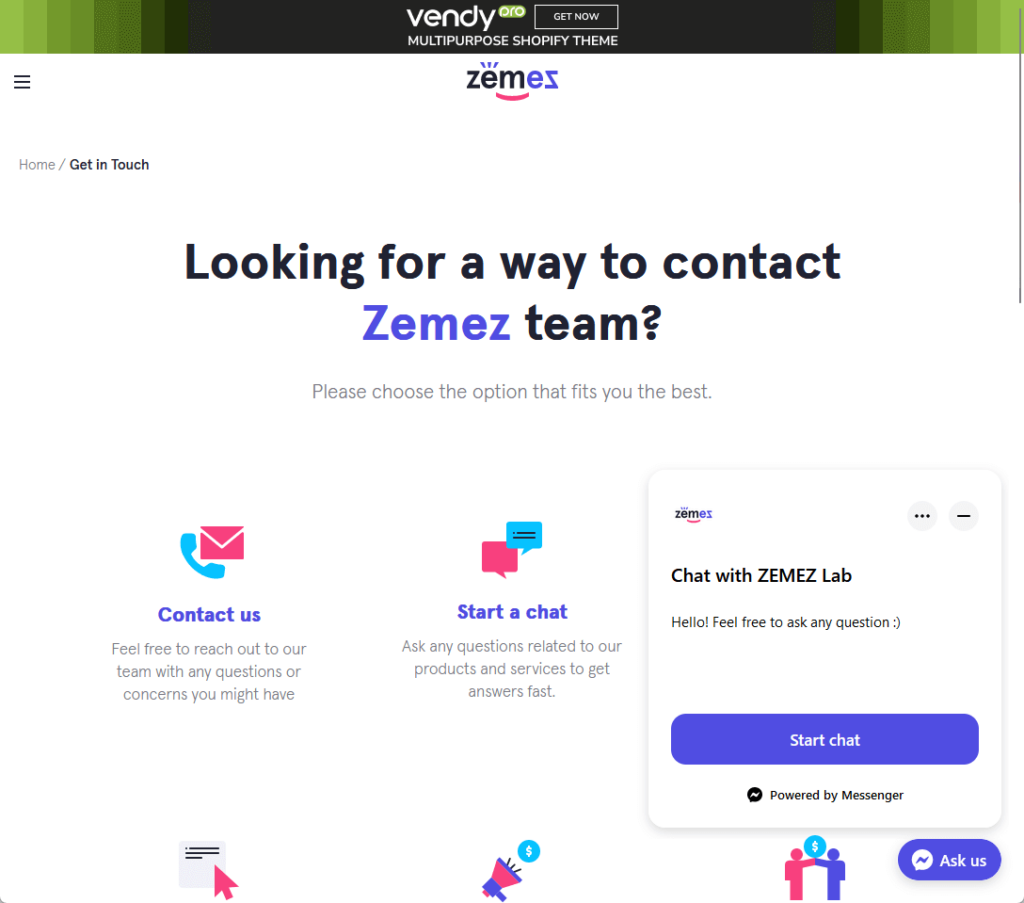
But all in all, I like the fact there are a lot of close-to-real-time and somewhat real-time contact features (looking at you, live chat) for Monstroid2.
The downside here is that most users will most likely use the TemplateMonster route since that’s where they bought the theme.
That can mean the help will take a bit of time as it routes your message to Zemez.
Community and Resources
When you go to the user guide section on the Monstroid2 menu from the sidebar panel on the WordPress dashboard, it says you have the following options:
- Documentation
- Knowledge base
- Community
- View video
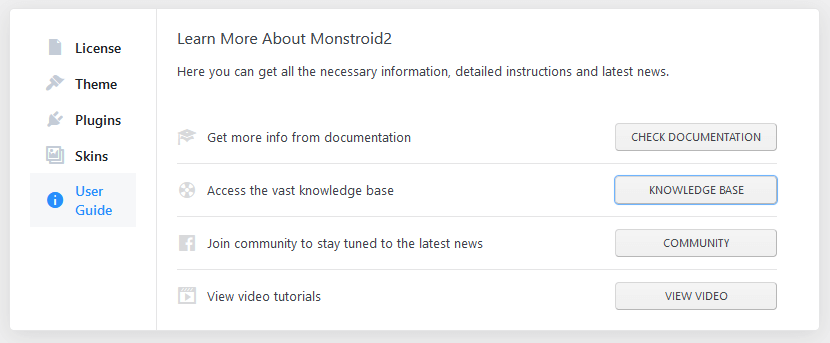
Unfortunately, here are the problems I faced:
- The documentation link triggered my router’s parental control restrictions
- The Facebook has only had about 1 post per 3 months
- The knowledge base is only 1 article (about the manual installation)
- The video link is a dud (redirects to the main Zemez website)
On the bright side, people who post questions on their Facebook community seem to get a lot of replies.
Like this one:
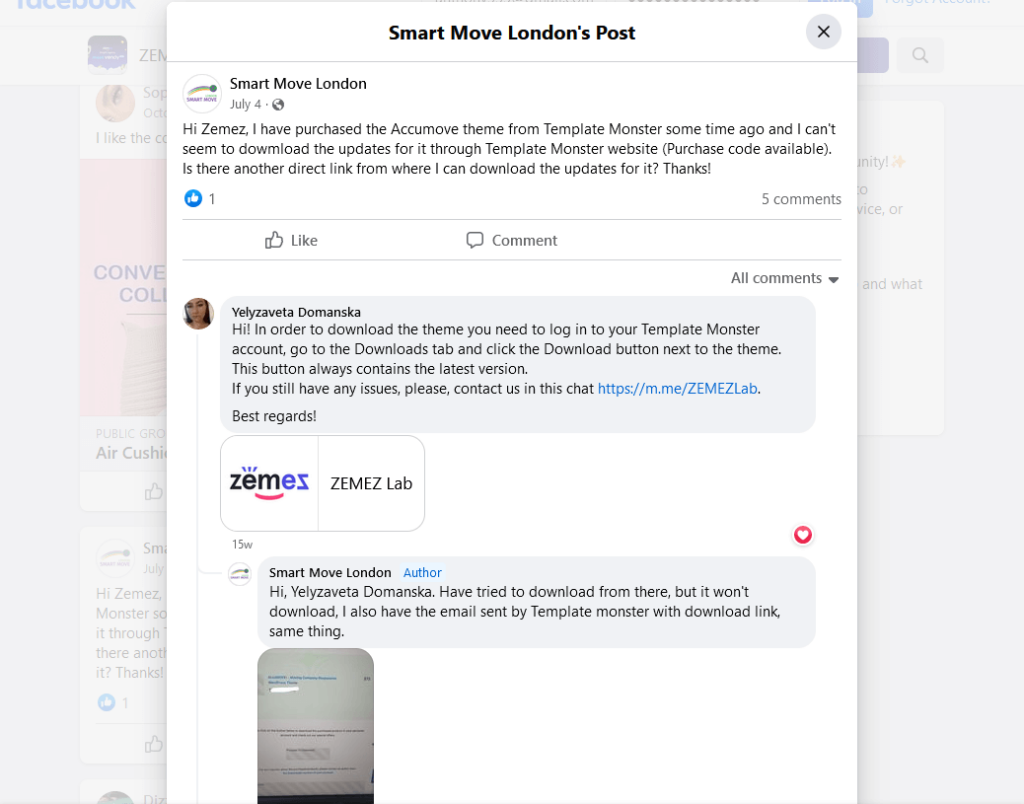
Monstroid2 theme’s community and resources don’t seem to be good.
The only good thing about it is if you join their FB community and post a question there or if you want to learn about the manual installation.
👋 My thoughts here
At the very least, Monstroid2 has a variety of contact methods and an FB group (of its creators) that answers questions.
This range of options offers flexibility and immediate assistance that can enhance the overall user experience.
But there are a lot of areas to improve here like:
- The quality of community resources
- Reliability of the support links
The current state of the community support, such as the knowledge base and documentation, is lacking.
Expanding and updating their community support would provide users with more self-help options, which would improve the overall support system.
For the user guide links, they’re either non-functional or trigger parental controls on routers.
As you may know, ensuring all provided resources are accessible and functional would improve user trust and satisfaction.
Pricing
My rating for the theme’s pricing is 3.8/5.
Here’s why:
- The pricing model is uncomplicated with two clear options — a personal license and a commercial license.
- The theme could do better at clearly stating potential additional costs (like how the installation and setup service is pre-selected by default).
- The theme is available on different platforms, each potentially having a different pricing structure (could be confusing for users).
Overall, Monstroid2 offers good value for its pricing but could improve in terms of transparency and consistency.
Cost Breakdown
Monstroid2 has a simple pricing — personal license and commerce license.
Here’s more information:
- Personal license costs $69 for only one website
- Commercial license costs $90 for five different websites
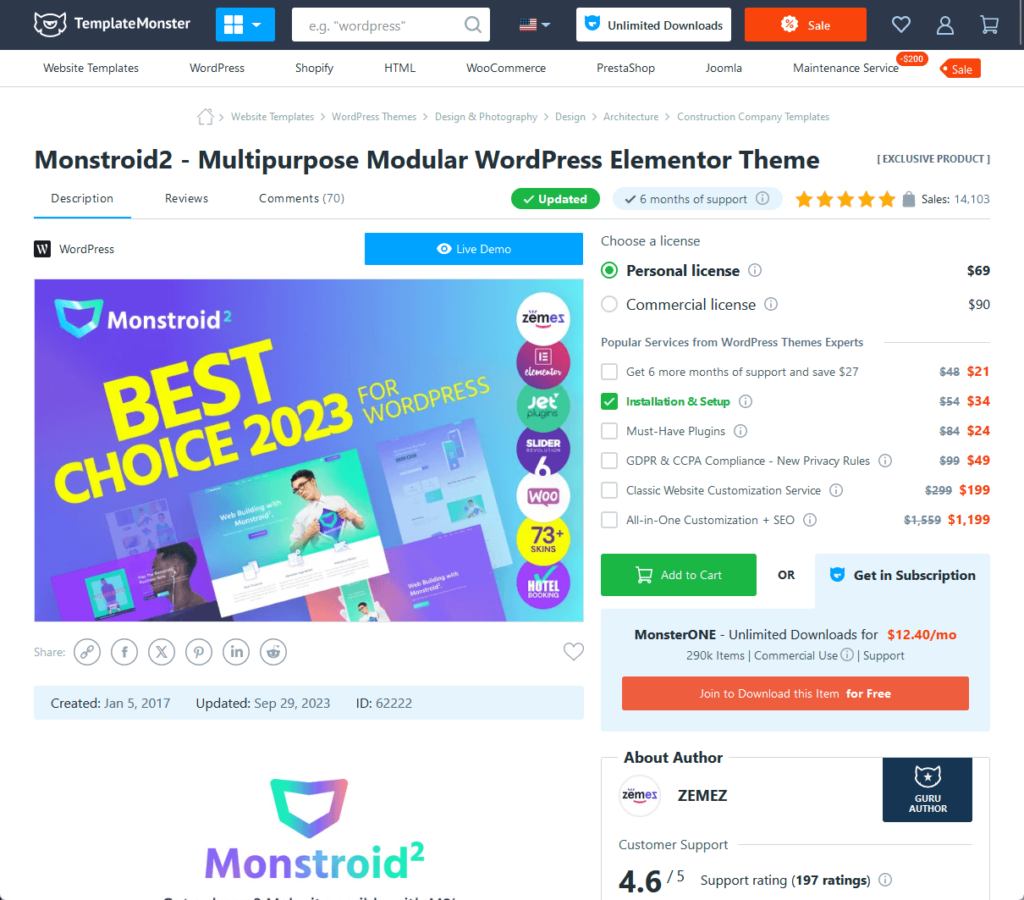
All licenses include 6 months of support.
TemplateMonster also offers unlimited downloads on their themes for $12.04/month, with commercial use on 290 items.
Hidden/Additional Costs
I need to point out that you could have additional costs if you didn’t uncheck the installation and setup service (install the theme for you).
By default, it’s selected (see closely the popular services section below the licenses):
Now, there could be intentional, additional costs depending on your specific needs and preferences.
Here are some potential additional costs associated with the Monstroid2 theme:
| Categories | Details |
| Additional Services | After purchasing the theme, you have the option to add services like All-in-One Customization + SEO for an extra fee. The service is priced at $299 but is often discounted to $199. It provides extra customization and SEO optimization. |
| Must-Made Plugins, Premium Installation, Prime SEO Pack | These are optional add-ons that provide added functionality, ease of setup, and SEO enhancement. The costs for these services are extra and vary. |
| Premium Plugins | Monstroid2 comes with valuable bundled plugins, but you might need additional premium plugins for specific functionalities, adding to your overall cost. |
| Different Pricing on Third-Party Platforms | The theme might be available on other platforms with different pricing structures, which could include different bundles or additional costs. |
Always thoroughly review the pricing details on the official website and any other platforms where the Monstroid2 theme is available.
This will ensure you are fully informed of the initial cost, what's included, and any potential additional costs you might incur based on your particular needs.
Money Back Guarantee/Refund
When you purchase the Monstroid2 theme from TemplateMonster, the refund policy of TemplateMonster applies.
The refund policy outlined on the official TemplateMonster website provides a structured approach towards refund requests under exceptional circumstances.
Here are the key points from their refund policy:
| Points | Details |
| Non-Delivery of Product | If you don't receive the product due to email issues, you must contact TemplateMonster's Billing Department in writing within 14 days from the order date. Otherwise, the product is considered received and downloaded. |
| Major Defects | If you find major defects like bugs or critical errors, you should report these directly to the product authors. They have three business days to fix the issue. Failure to do so may result in a full refund from TemplateMonster. |
| Product Not-As-Described | If the product doesn't match its description, you should report the issue to the product author within 14 days from the purchase date. Clear evidence must be provided. |
This information should provide a clear understanding of the refund policies applicable when you purchase the Monstroid2 theme.
👋 My thoughts here
The best aspect of Monstroid2's pricing structure is its straightforward licensing options.
You can choose between a personal license for $69 for one website or a commercial license for $90 for up to five different websites.
Here are some of the areas they could improve:
- Clarity of additional costs
- Variable costs for add-ons
- Consistency across platforms
Monstroid2 could improve transparency by clearly stating potential additional costs upfront (like installation and setup service are pre-selected by default).
In addition, this theme is also available on multiple platforms, each potentially having a different pricing structure.
Final Thoughts
Monstroid2 is a WordPress theme that excels in speed and ease of installation but falls short in customer support and feature richness.
It offers straightforward pricing and is suitable for both beginners and experienced website builders.
While it has strong points like regular updates and good load times, there are areas for improvement, particularly in customer support and feature offerings.
Overall, it's a decent choice if you prioritize speed and simplicity over extensive features.
While we've talked about the importance of regular updates and support, what if you're someone who'd rather set it and forget it?
If the idea of constant theme updates and ongoing support costs doesn't sit well with you, Darrel Wilson has a solution you won't want to overlook.
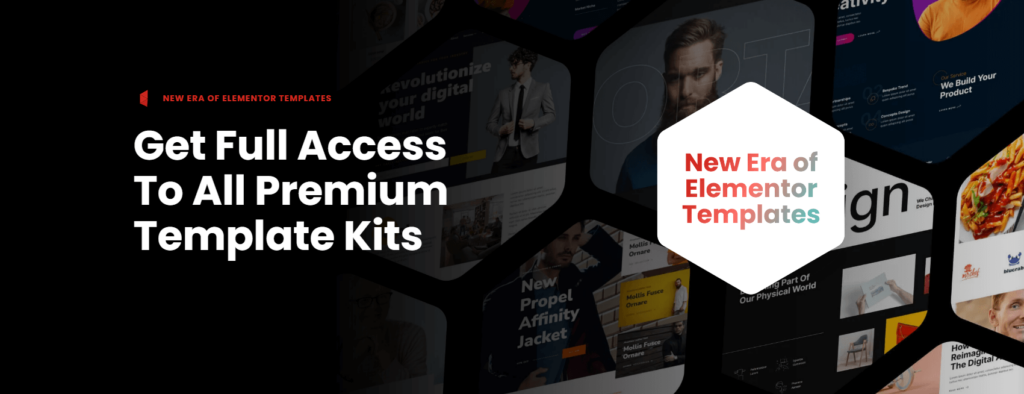
Get lifetime access to all premium template kits designed specifically for Elementor:
- Get lifetime access to all premium template kits designed for Elementor
- Complete with 2 years of dedicated support
- Only for $99 — that's already for the lifetime access
This offer ushers in a new era of Elementor templates, designed to simplify your website management process.