
WordPress is currently powering over 40% of all sites on the web – it’s the most popular content management system (CMS) available. It’s also open-source, so anyone can use and modify this platform for free.
However, building and maintaining a WordPress website will come with a cost. Aside from purchasing a hosting plan and domain name to make it live, you will also need additional features to make it function properly.
So, how much does using WordPress cost? To answer this question, we’ll go through the main factors that affect WordPress website pricing, such as a domain name, web hosting, themes, plugins, security features, and web development.
By the end of this article, you will know how much you need to prepare before using this CMS.
Pricing for WordPress.org vs. WordPress.com
WordPress comes in two different versions – WordPress.org and WordPress.com.
WordPress.org lets you download the self-hosted and open-source CMS. This version is technically free to use, but you need to buy, set up, and manage your own hosting to launch the website.
Meanwhile, WordPress.com is a freemium website builder. Its users can access the free version or choose one of the five premium plans:
- Personal – $4/month.
- Premium – $8/month.
- Business – $25/month.
- eCommerce – $45/month.
- VIP – starting at $2,000/month.
The comparison table below shows the differences between WordPress.com and WordPress.org in terms of pricing.
| WordPress.org | WordPress.com | |
| Hosting | $2–$100/month. | All plans include managed WordPress hosting. |
| Domain name | $2–$20/year. | Premium plans include a free domain for one year. |
| Plugins | $0–$100/year per plugin. | $0–$100/year per plugin. However, users must upgrade to the Business plan to install plugins on the WordPress.org repository and third-party websites. |
| Themes | $0–$250/license. | $0–$250. However, users must upgrade to the Business plan to install plugins on the WordPress.org repository and third-party websites. |
| SSL certificate | Free or up to $100/year for a premium SSL certificate. | All premium plans include a free SSL certificate. |
| eCommerce tools | $0–$500/year with an eCommerce plugin. | Available in eCommerce premium plan, which costs $45/month. |
At a glance, WordPress.com might seem to be much more affordable than WordPress.org since it includes managed hosting, a domain name, and an SSL certificate. Estimating the regular expenses is also much easier thanks to its clear pricing plans.
In the long term, however, WordPress.org offers much greater value for money due to the following reasons:
- Extensive customization options. WordPress.org users can install any plugins or themes they like. On WordPress.com, you need a higher-tier plan to do so.
- Easy to scale. While self-hosting may sound daunting, it makes scaling your hosting resources to support your website’s growth much easier. WordPress.com doesn’t make it possible to monitor the back end, making it tricky to optimize your site performance.
- More freedom and control. For example, on WordPress.com, some monetization methods are only available to higher-tier subscribers. Meanwhile, WordPress.org doesn’t apply any restrictions on making money.
In other words, even if the upfront costs of using the open-source WordPress can be higher, the ongoing expenses will be much lower compared to WordPress.com. That’s why I’ll only focus on the pricing for WordPress.org.
WordPress Website Costs: What Goes Into the Price?
The cost to build a fully functional WordPress website depends on several aspects, such as the hosting plan, domain name, tools, and theme.
To help you budget effectively, I’ll dive into each of these pricing factors of using this content management system.
Hosting – From $2/month to $100/month
One of the most crucial components of a WordPress site is web hosting, which stores your web files and makes a website accessible to visitors.
A few factors influence hosting costs, including the type of web hosting plan you sign up for.
Here are some common types of web hosting plans:
- Shared hosting – this option lets you share a server with multiple users to keep the expenses low, making it the most affordable hosting type. It’s best for beginners and blogs with moderate traffic. The price of a shared hosting plan ranges between $2-$15/month.
- Virtual private server (VPS) hosting – this hosting type gives users a dedicated amount of resources by dividing a single physical server into multiple virtual spaces, making it a suitable option for small businesses that want to scale their websites. A VPS hosting plan can cost around $20–$80/month.
- WordPress hosting – usually comes with a pre-installed WordPress site, plugins, and themes. The price of WordPress hosting plans is around $2–$30/month.
- Cloud hosting – with a cloud web hosting plan, users host their site on several remote servers. When one cloud server encounters a problem, their traffic will be automatically routed to another server, resulting in little to no downtime. Cloud hosting plans are excellent for business websites and eCommerce stores, and they can cost from $20/month to $100/month.
If you’re looking for an affordable solution to start with, consider shared hosting plans. However, if you wish to install WordPress on your hosting account with ease, opt for WordPress hosting. This option also includes all the tools needed for your WordPress website to work properly.
Another aspect to consider that can impact a hosting cost is the web host. With so many web hosting providers, it’s crucial to do proper research before making a choice.
Check the following features when looking for a reliable hosting provider:
- Scalability – a web host should make it easy to increase server resources, matching the growing pace of your WordPress site.
- Speed – to boost your website performance, choose a hosting provider with high uptime rates, several server locations worldwide, and a content delivery network (CDN).
- Security – a web host should implement security practices, such as network monitoring and DDoS attacks protection.
- Support – make sure your hosting provider has a knowledge base and customer support team that can help you solve issues at any time.
- Price – pick a hosting provider that offers the best value for money and provides transparent pricing terms.
If you’re not sure what is the best web hosting provider for your WordPress site, my recommendation is to go with Hostinger. Its performance and uptime are excellent, and its custom-built control panel is beginner-friendly.
Hostinger comes with two WordPress hosting plans, starting at $1.99/month.
Besides Hostinger, I also recommend these web hosting companies:
- NameHero – this web hosting solution includes 1-click WordPress management, letting users start a website and restore files in seconds. NameHero’s cloud web hosting plans are billed annually and range from $2.69/month to $10.48/month.
- KnownHost – offers managed services for various hosting solutions, from shared hosting and VPS to dedicated servers. The web hosting plans start from $3.47/month to $9.97/month.
- SiteGround – provides unlimited databases, daily backup, and a free CDN to improve site security and speed. Its managed WordPress hosting plans cost from $3.99/month to $10.79/month.
Domain Name – From $2/year to $20/year
The next element contributing to WordPress pricing is a domain name – it’s the website address that people enter in their browser address bar to access your site.
A domain name’s fee typically costs users from $2/year to $20/year, lower than a web hosting plan.
Its price depends on multiple aspects, such as the domain extension or top-level domain (TLD) that you choose.
A domain name extension is at the end of a web address. There are different types of domain extensions, and some TLDs are more popular and expensive than others.
Domain names with popular extensions like .com have higher prices since people often write these popular TLDs by default. A well-known extension also adds more credibility to the website, making visitors feel safer accessing the website.
If you look for a popular domain at an affordable price, consider choosing a new domain extension like .xyz and .online. For instance, the cost of .com in Namecheap is $5.98/year, while .xyz is priced at $1/year.
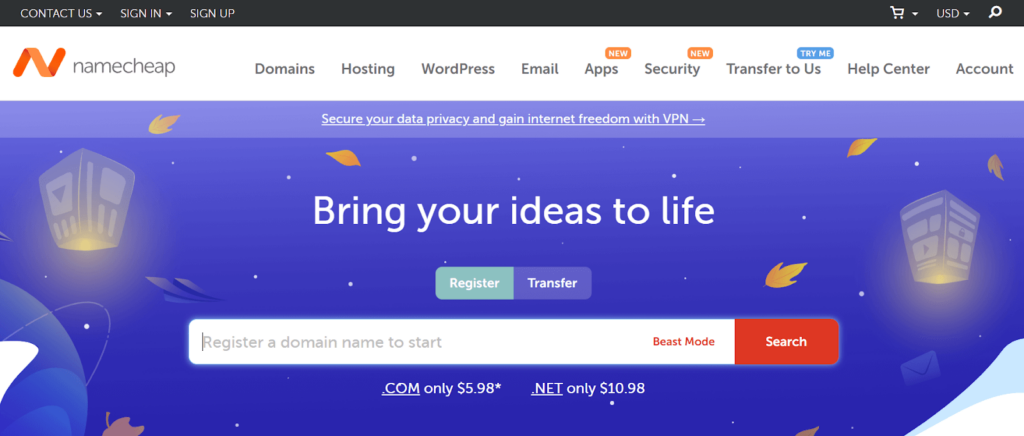
Additionally, the registrar can also impact the overall price of your custom domain name. Some domain registrars might offer more services or advantages or come with hidden fees.
Thus, make sure to consider the following aspects before choosing a domain name registrar:
- Add-on services – a registrar usually includes additional services like WHOIS protection to keep your personal information hidden. This add-on usually costs from $10/year to $40/year.
- Domain registration duration – many domain registrars offer a discount for users who register for multiple years.
- Domain renewals – a domain renewal fee is usually higher than the upfront price. For instance, the register price of a .com domain in Hover is $13.99/year, while the renewal rate is $15.99/year. Make sure to avoid a domain registrar that offers low first-year rates but charges significantly higher renewal fees.
- Domain transfer – the fee to transfer a domain name. It tends to cost around $10–$15.
- Redemption fee – users must pay it to a registrar to redeem their domain name during the renewal grace period. Each registrar may offer a different redemption fee. For example, NameSilo charges $75 for most extensions.
Aside from purchasing a domain name from a registrar, users can also buy a domain name from some hosting providers. Many web hosts even include a free domain name in their hosting plans, letting their customers save money.
If your desired domain name is taken, reach out to the web address’s owner and try making an offer – use a tool such as WHOIS to find that person’s email address or phone number. Another option is to go to an online domain name broker, such as SnapNames.
Theme – From $0 to $250/license
Anyone can create a visually appealing WordPress website with the help of a theme – it’s a group of files, such as style sheets, images, and code.
There are thousands of free and paid WordPress themes, and most of them can be quickly and easily customized to suit your branding.
To keep your budget low, start with a free WordPress theme – the WordPress theme repository has over 8,000 free themes to pick from.
Many free WordPress themes also come with premium versions, letting users upgrade their theme to get more advanced features and support.
Here are some of the best free themes to consider:
- Blocksy – a multipurpose theme with pre-made templates for various industry categories.
- Astra – it’s a lightweight and fully customizable theme suitable for portfolios and blogs.
- OceanWP – has various clean and modern-looking starter demos, making it an excellent option to build an online presence for your business.
For those who want to create a professional website for their business, it’s better to invest in a premium theme as it offers more customization options and third-party app integrations.
One of the best marketplaces to find a premium theme is ThemeForest, which has over 9,000 WordPress themes that usually cost around $13 to $100 for a one-time purchase.
Another place to purchase WordPress themes is Template Monster – its themes cost between $29 and $225 for a single license.
Here are a few excellent premium themes to consider:
- Divi – includes a powerful drag-and-drop builder to modify a WordPress website without hassle. Users can purchase Divi for $89/year or $249 for lifetime access.
- Flatsome – has 500 templates for different types of online stores and businesses. The regular license is priced at $59.
- Ohio – offers a lazy loading system to optimize your website speed. This premium theme costs $59 for a regular license.
Plugins – From $0 to $100/year
Plugins are additional tools to quickly and easily expand the functionality of WordPress websites without coding.
For a simple website like a blog or portfolio, take advantage of any free plugins in the WordPress plugin repository. However, if you need more complex features like selling an online course or building a membership program, it might be necessary to purchase a premium plugin.
Premium WordPress plugins typically cost from $5 to over $100 – many add-ons offer a one-time charge, while others require a subscription or ongoing fee.
One of the third-party websites to find a premium plugin is CodeCanyon, which offers more than 5,000 WordPress plugins, starting from $6.
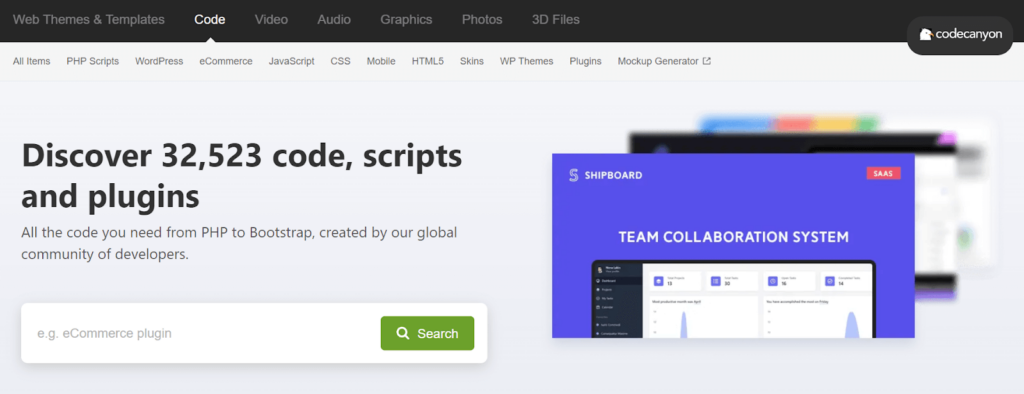
Here are a few examples of excellent WordPress plugins to start with:
- Elementor – one of the best freemium page builders to create dynamic websites quickly. It offers paid plans that cost from $49/year.
- WPForms – this freemium plugin adds contact forms to WordPress sites and lets you receive messages from your visitors.
- WP Rocket – it’s one of the best plugins to improve website speed, with caching and GZIP compression features. The pricing plans start from $49.
- Rank Math – analyzes your WordPress website’s SEO and recommends best practices to increase your ranking. To get more features like schema generator and 24/7 support, consider purchasing one of its premium plans that starts from $59/year.
- Smush – it’s an image compression plugin that can resize images. The free version of Smush can optimize up to 50 pictures in bulk. Users can buy one of this plugin’s pricing plans that start at $5/month to compress an unlimited amount of files in one click.

Security and SSL Encryption – From $0 to $200/year
Implementing security measures is crucial to keep a WordPress website safe from cyber threats, which can damage your business revenue and reputation.
One of the ways to have a secure website is to use a Secure Sockets Layer (SSL) certificate, that provides safe communication between your website and visitors’ computers. It reduces the risk of hackers sniffing around and stealing sensitive information like credit card numbers.
A WordPress hosting provider usually includes SSL certificates by default, but users can also get a free SSL certificate through a non-profit organization called Let’s Encrypt.
It’s also possible to purchase advanced SSL certificates from companies like Comodo SSL and RapidSSL. For example, advanced SSL certificates from Comodo SSL start at $78/year.
Aside from relying on your hosting provider’s SSL certificate and security features, it’s crucial to perform practices such as backing up your website and keeping the site updated to protect it from new security threats.
To implement security measures with ease, check out these plugins:
- Wordfence – activates two-factor authentication to strengthen the login process on a WordPress site. It comes with a free and premium version, which costs $99 for a license, but buying more licenses gives a 10% discount.
- Sucuri Security – this free plugin has excellent security features like remote malware scanning and post-hack security action. Users can purchase one of Sucuri’s premium plans to get more advanced tools, starting from $199.99/year.
- UpdraftPlus – one of the best free backup plugins that offer a quick way to back up selected files or the entire website. UpdraftPlus also has premium plans that start at $70/year.
eCommerce Features – From $0 to $500/year
If you wish to create an eCommerce site, the features to sell products or services will also increase the cost of your website.
WordPress comes with a wide range of eCommerce plugins to turn a WordPress site into a robust online store, such as:
- WooCommerce – it’s one of the most popular eCommerce platforms with all essential tools such as a shopping cart, storage management, and setup wizard. It’s free to use, but users can improve this plugin’s functionality with WooCommerce extensions, which cost up to $299/year.
- Easy Digital Downloads – it’s designed for selling digital products such as eBooks and software. This eCommerce plugin comes with a free version and premium plans, starting at $99.50/year.
- BigCommerce – lets users sell across multiple channels and marketplaces from a single location. Before using this plugin, site owners must purchase one of BigCommerce’s prices that start from $29.95/month.
Remember that the payment gateways can also impact your business website cost. For instance, Stripe charges a flat rate of 2.9% and $0.30 for every successful transaction.
Optional Extra Costs
There are additional factors that may add up to the total cost of building a WordPress website, such as web development service and marketing costs.
It might be wise to spend money on hiring a web developer if you’re short on time or need a custom website look and features that require coding. However, it can be much more expensive than doing the job yourself.
Custom website development costs will depend on multiple factors, such as the number of site pages, website traffic, design style, and professionals you hire.
The fee of hiring a WordPress developer to create a simple custom WordPress website may start from $100 to $500. As for setting up a complex and high-quality website, WordPress developers might charge you even more.
Site owners can also hire a web designer to get a custom theme, but it might cost them hundreds to thousands of dollars.
Additionally, users can hire freelancers or website maintenance services like WebFX to maintain their WordPress websites. The cost may vary from $25/month to $449/month.
To find a developer who fits your needs, head to websites like Codeable or Toptal.

If you wish to increase your site traffic and sales after launching the website, consider preparing an additional budget for some marketing efforts.
Here are some ideas to promote WordPress websites:
- Search engine optimization (SEO) – it’s a practice to help websites rank well on search engines. Although the core WordPress software is SEO-friendly by default, many websites need extra help to compete for traffic. If you prefer to have an expert handling your website’s SEO, be prepared to pay from $500/month. Or consider installing a free SEO plugin like Rank Math instead.
- Email marketing – this is an excellent method to keep visitors up-to-date with the latest content on a website and build audience loyalty. Use an email marketing software like MailChimp, which offers a free plan and its premium versions that start from $9.99/month.
- Social media marketing – leverage social media networks to find more potential visitors or clients. To grow your social presence, consider hiring a social media strategist, who usually charges a starting price of $50/hour. You can also use free tools like Later and Buffer to manage social media accounts with ease.

How to Avoid Overpaying for a WordPress Site
To prevent you from overspending, you need to determine your site’s objectives and target audience. This can help you determine all the essential features to include in the website.
Additionally, spend time researching competitors’ websites and other inspiring sites in your niche to narrow down your website’s goals.
Here are other tips to minimize cost when building a WordPress website:
- Scale the hosting plan at the right time – choose the basic web hosting solution and upgrade it when your website starts to attract more traffic consistently.
- Use free plugins – only purchase or upgrade to premium plugins when you need more functionality than the free versions can provide.
- Decide branding design elements – make sure to define branding design elements like colors, fonts, logos, and images before choosing or purchasing a theme, so you won’t have to change it and buy another theme later.
- Develop a content strategy – the more pages a site has, the higher the website’s cost. Therefore, plan what pages and content to include in the website, especially if you hire a developer to create it.
- Learn WordPress – instead of hiring web developers, consider learning about WordPress before building a website to reduce the site costs. There are many great resources for beginners to learn WordPress, such as The Tao of WordPress and WordPress TV.
Conclusion
Knowing the cost of building a site is vital as it helps users calculate the investment they need to create robust WordPress sites.
However, many factors are involved in building a website, and all of them influence the overall WordPress website development cost.
Here’s the recap of some WordPress pricing factors and their estimated prices:
- Hosting – $2-$100/month
- Domain name – $2-$20/year
- Theme – $0-$250/license
- Plugins – $0-$100/year per plugin
- Security and SSL encryption – $0-$200/year
- eCommerce features – $0-$500/year
With that, creating a WordPress website on your own is possible with a starting budget of $25-$200/year. However, if you wish to build a complex site with unique features, it’s a good idea to hire a professional web developer instead.
Since WordPress pricing depends on what type of site you want to build, make sure to have a clear objective from the very beginning to avoid overspending.
I hope this article has answered how much WordPress costs and how to budget effectively before starting your WordPress website.